57
Managed Access Point Installation with Wireless Management Switch
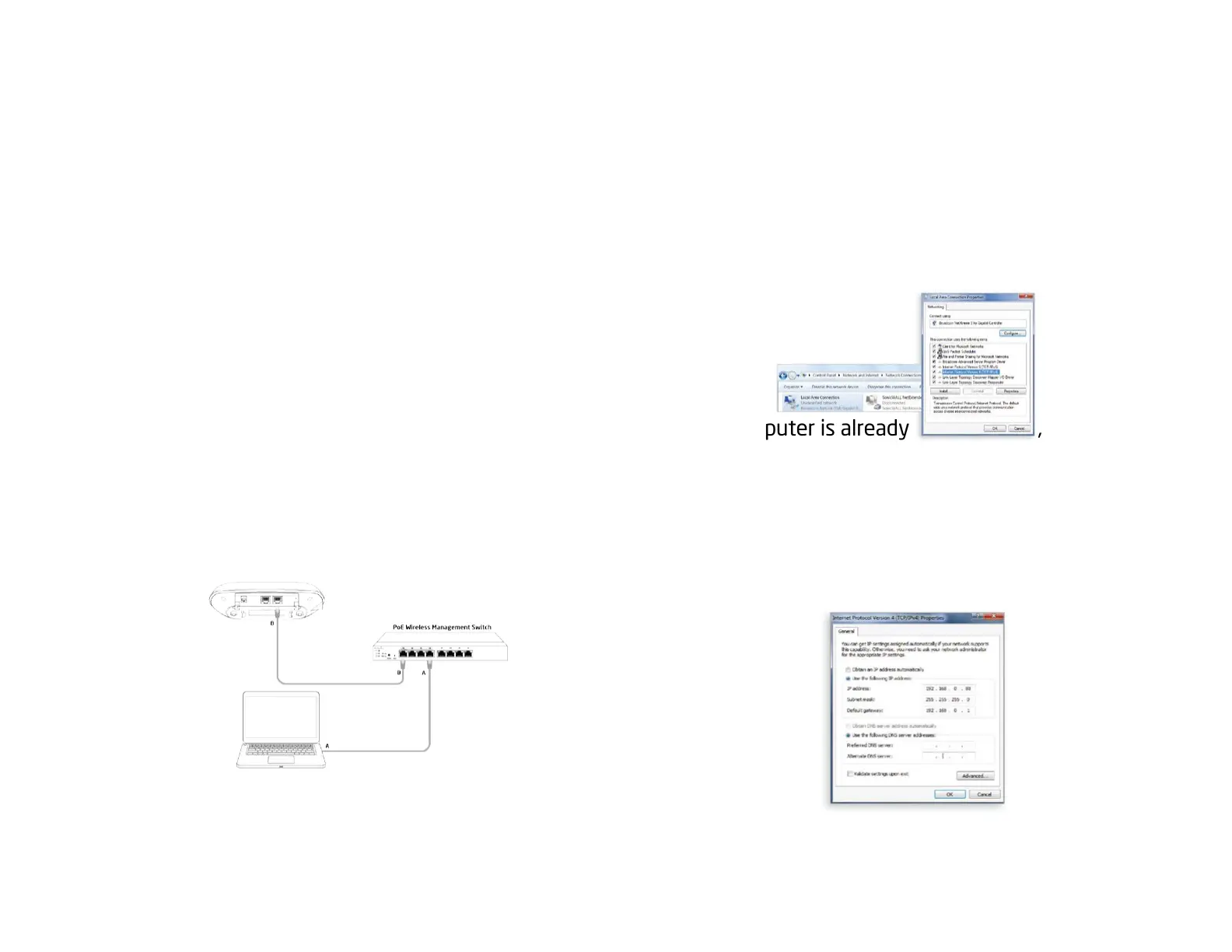
1. Connecting the Access Point
(ThroughEnGeniusWirelessManagementSwitch)
A) Connect one end of the Ethernet Cable into an
Ethernet Port on the front panel of the EnGenius Wireless
Management Switch and the other end to the Ethernet
Port on the computer.
B) ConnectanotherEthernetCableintotheLANPortof
the Managed AP and the other end to the Ethernet Port
on the Wireless Management Switch. With the Wireless
Management Switches, the Managed AP is able to obtain
properassignedIPaddressforfurthercongurations.
2.IPAddressConguration
A)Onceyourcomputerison,ensurethatyourTCP/IPisset
toOnorEnabled.OpenNetworkConnectionsandthenclick
Local Area Connection. Select Internet Protocol Version 4
(TCP/IPv4)
B)Ifyourcomputerisalreadyonanetwork,ensurethat
you have set it to a Static IP Address on the interface.
(Example:192.168.0.88andtheSubnetMaskaddressas
255.255.255.0.)















 To Next Page