47
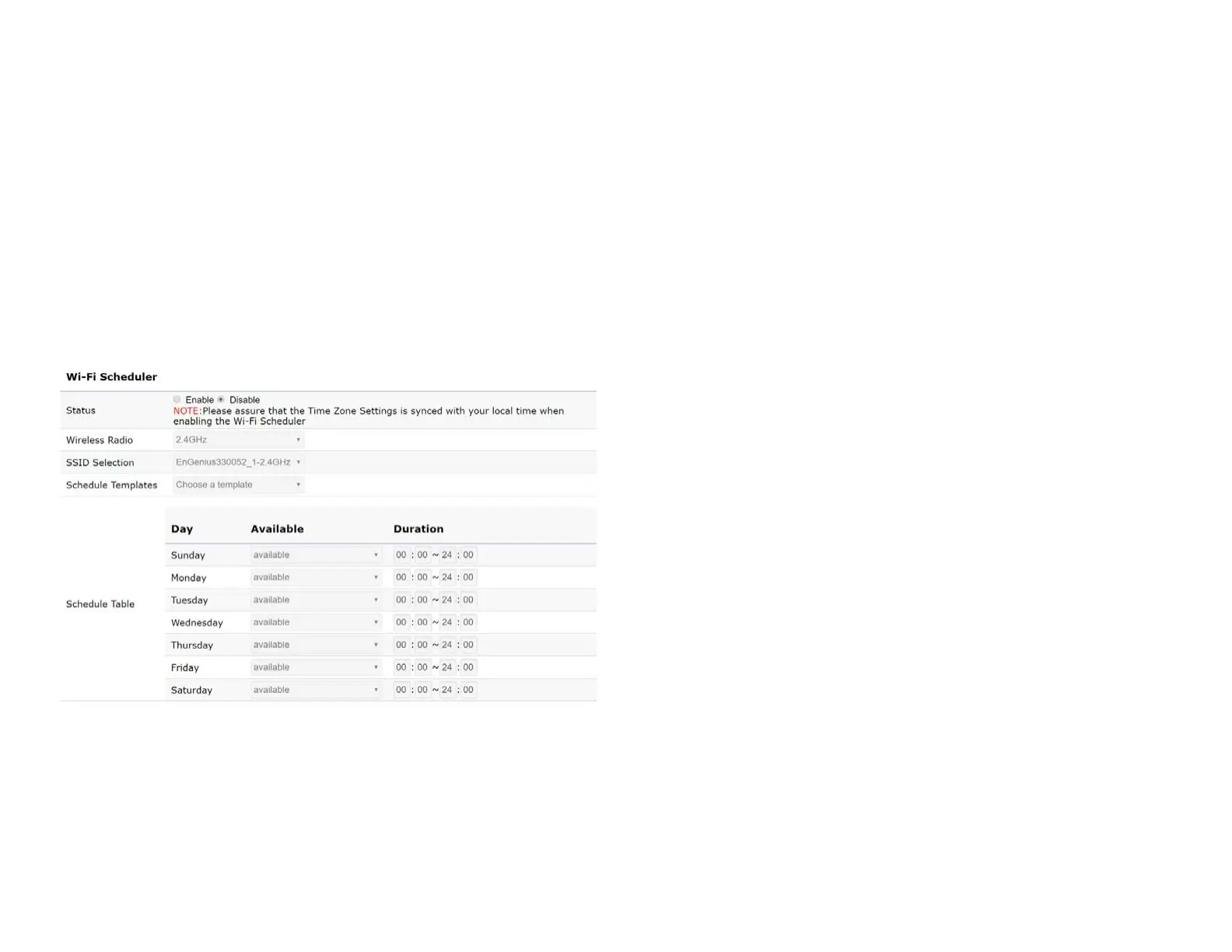
Wi-Fi Scheduler
The Wi-Fi Scheduler can be created for use in enforcing
rules. For example, if you wish to restrict web access to
Mon-Fri from 3pm to 8pm, you could create a schedule
selecting Mon, Tue, Wed, Thu and Fri while entering a Start
time of 3pm and End Time of 8pm to limit access to these
times.
Status: Enables or disables the Wi-Fi scheduler function.
Wireless Radio: Select 2.4 GHz or 5 GHz from the drop-
down list for the preferred band type.
SSID Selection: Select a SSID from the drop-down list.
Schedule Templates: Select a schedule template from the
drop-down list.
Day(s): Placeacheckmarkintheboxesforthedesireddays
or select the All Week radio button to select all seven days
of the week.
Duration:TheStartTimeisenteredintwoelds.Therst
boxisforhoursandthesecondboxisforminutes.TheEnd
Time is entered in the same format as the Start time.















 To Next Page