43
Priv Key: Speciestheprivacykeyforprivacy.
Engine ID: SpeciestheengineIDforSNMPv3.
Apply Save: Click Apply Save to apply the changes.
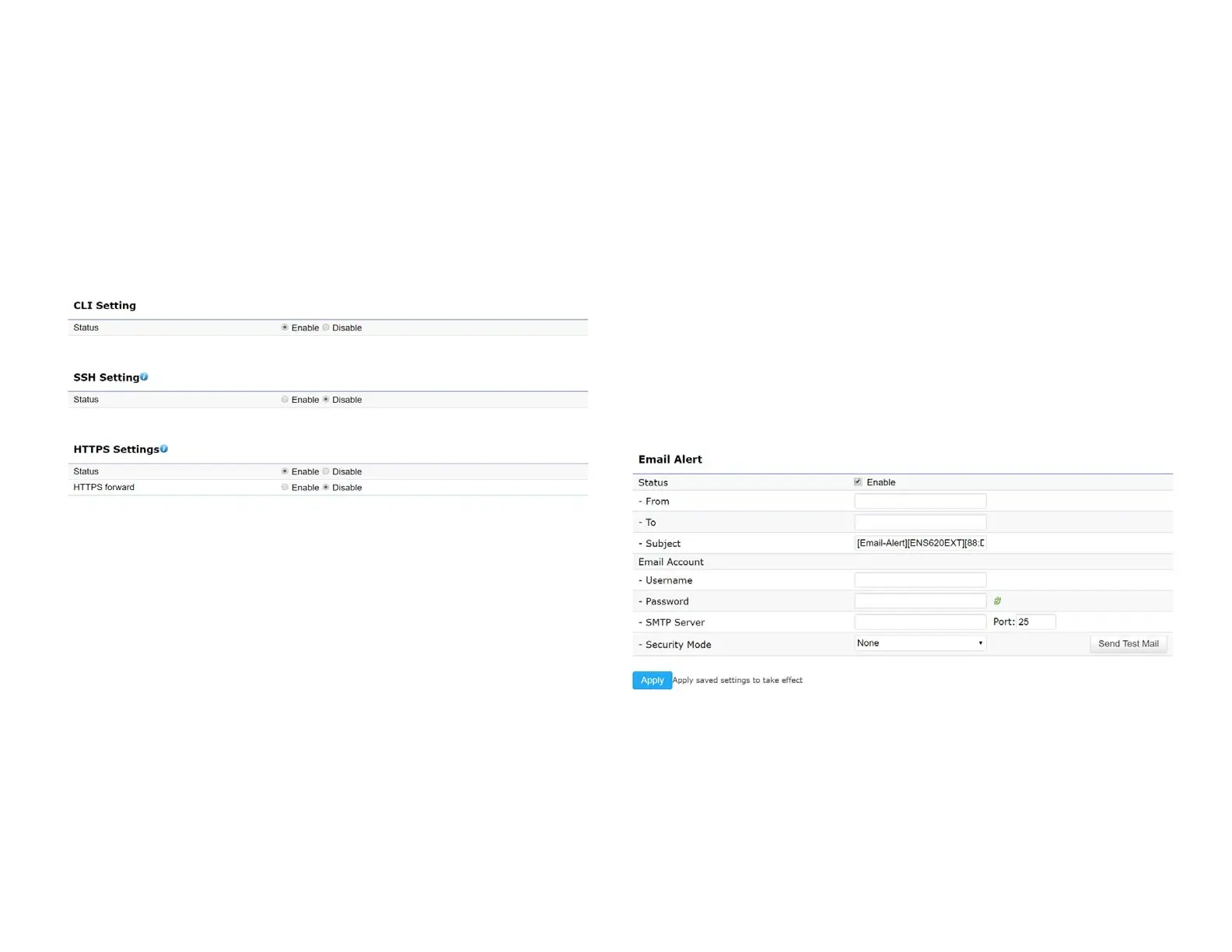
CLI Settings
CLI:TheCommandLineInterface(CLI)allowsyoutotype
commands instead of choosing them from a menu or
selecting an icon.
SSH:EnableSecureShell(SSH)tomakesecure,encrypted
connections in the network. Secure Shell is a network
protocolthatallowsdatatobeexchangedusingasecure
channel between two network devices.
HTTPS: Enable HTTPS to transfer and display web content
securely.TheHypertextTransferProtocoloverSSL(Secure
SocketLayer)isaTCP/IPprotocolusedbywebserversto
transfer and display web content securely.
Email Alert
You can use the Email Alert feature to send messages
to the congured email address when particular system
events occur.
Note:DoNOT use your personal email address as it can
unnecessarilyexposeyourpersonalemaillogincredentials.
Useaseparateemailaccountmadeforthisfeatureinstead
Status: Enable this function for further settings.
From: Enter the email address to show the sender of the
email.
To: Enter the address to receive email alerts.















 To Next Page