4.3 Router Setup
4.3.1 Configuring WAN Settings
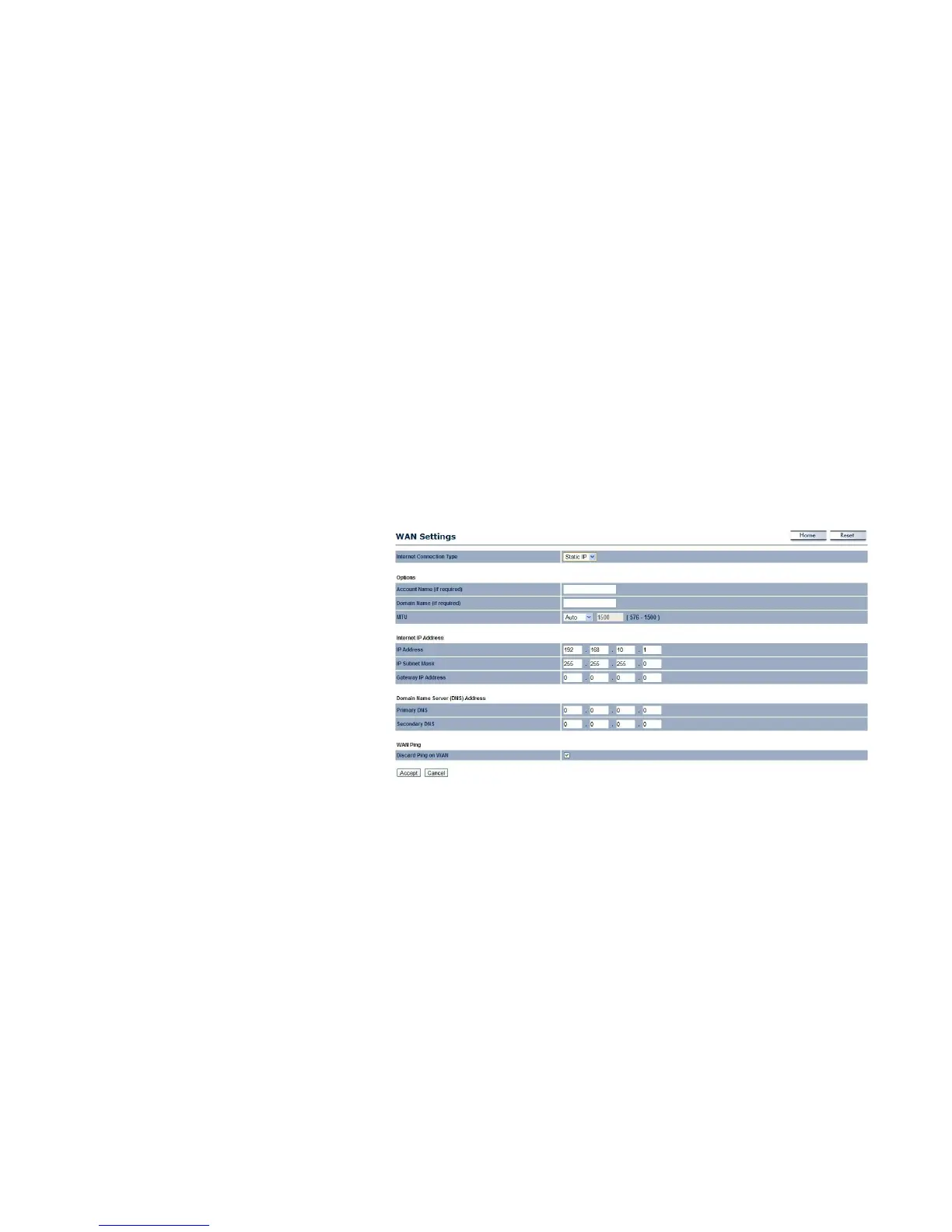
Configure the WAN settings for the EnStation2 using a static or dynamic IP address, PPPoE or PPTP.
Static IP
Setting a static IP address allows an administrator
to set a specific IP address for the router and
guarantees that it can't be assigned a different
address.
Account Name
Enter the account name provided by your ISP.
Domain Name
Enter the domain name provided by your ISP.
MTU
The maximum transmission unit (MTU) specifies
the largest packet size permitted for an Internet
transmission. The factory default MTU size for the
static IP is 1500. The MTU size can be set
between 576 and 1500.
IP Address
Enter the router’s WAN IP address.
Subnet Mask
Enter the router’s WAN Subnet mask.



 To Next Page