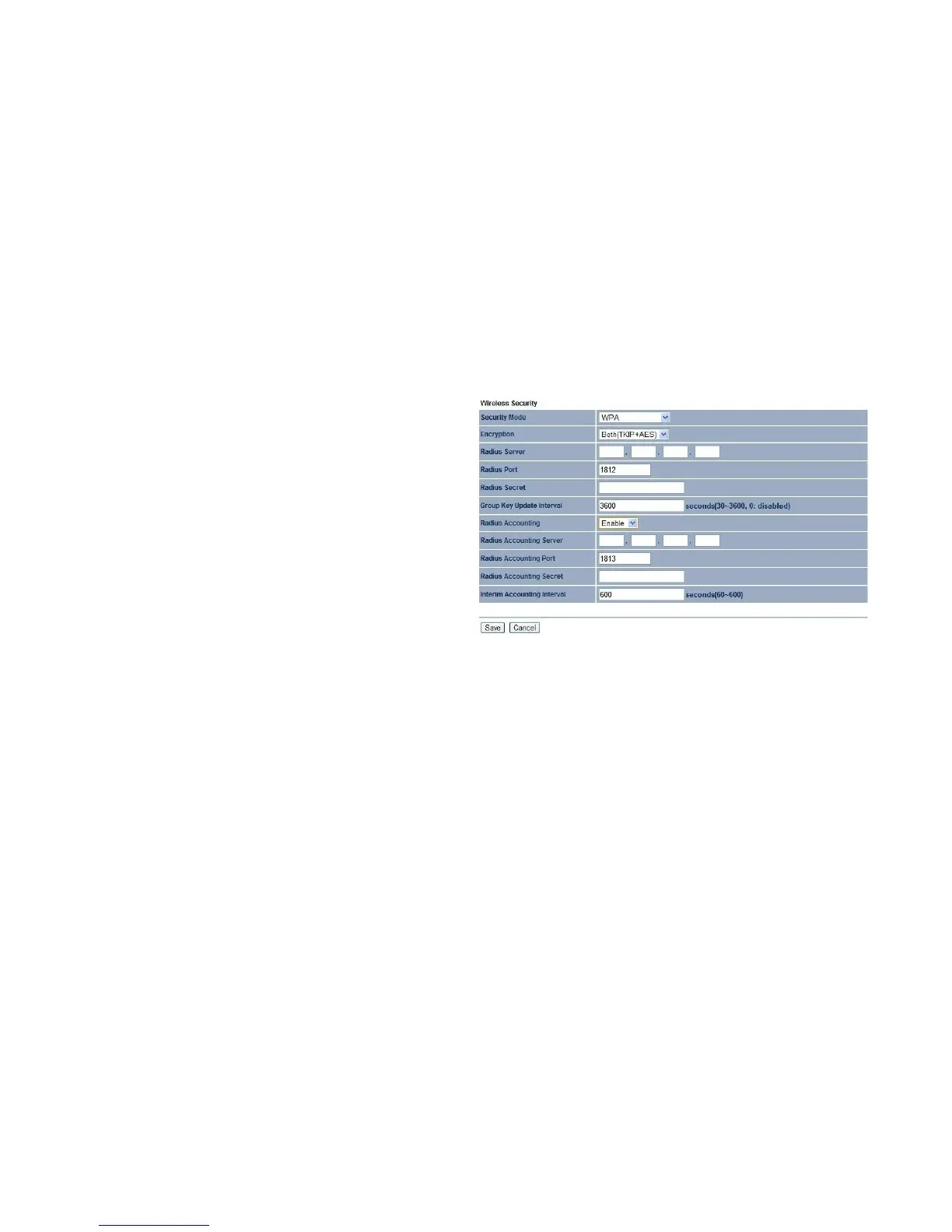
Wi-Fi Protected Access (WPA)
Security Mode
Select WPA from the drop-down list to begin the configuration.
Encryption Select Both, TKIP, or AES as the encryption type.
Both = uses TKIP and AES.
TKIP = automatic encryption with WPA-PSK; requires pass-
phrase.
AES = automatic encryption with WPA2-PSK; requires
passphrase.
Radius Server
Specify the IP address of the RADIUS server.
Radius Port
Specify the port number that your RADIUS server uses for authentication. The default port is 1812.
Radius Secret
Specify the RADIUS secret furnished by the RADIUS server.
Group Key Update Interval
Specify how often, in seconds, the group key changes.
Radius Accounting Select to enable or disable RADIUS accounting.
Radius Accounting Server
Specify the IP address of the RADIUS accounting server.
Radius Accounting Port
Specify the port number that your RADIUS accounting server uses for authentication. The default port is 1813.



 To Next Page