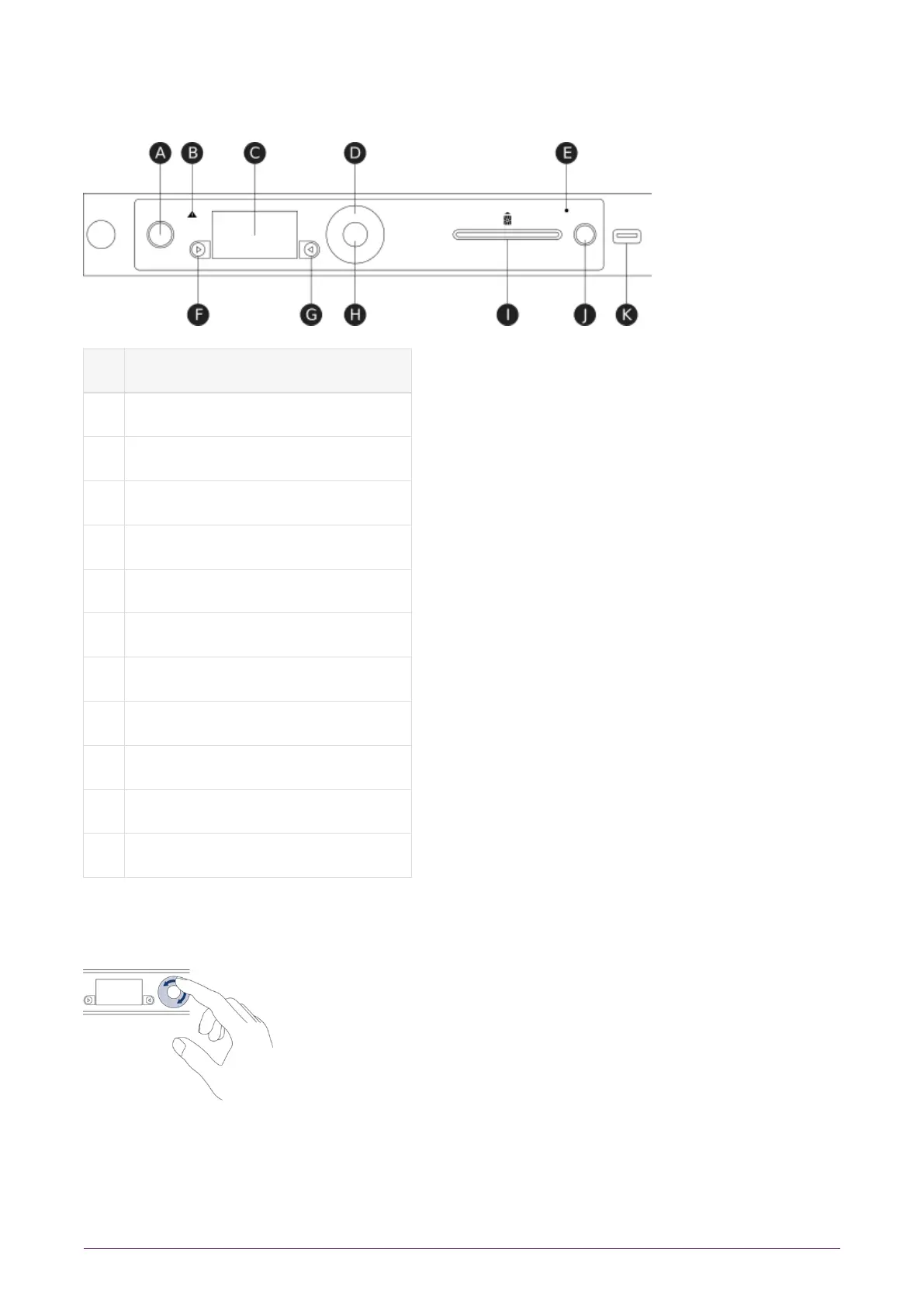
7. Front panel controls
Key Description
A Power button
B Warning LED (orange)
C Display screen
D Touch wheel
E Status indicator LED (blue)
F Display navigation button (left)
G Display navigation button (right)
H Select button
I Slot for smart cards
J Clear button
K USB connector
For more information about the user interface, including the front panel controls, see the
nShield Connect User Guide.
Use the touch wheel to change values or move the cursor on the display screen. To
confirm a value, press the Select button.
nShield® Connect Installation Guide 22 of 73


 To Next Page