Envirosight Verisight Pro
+
Attaching the CCU to the Coiler
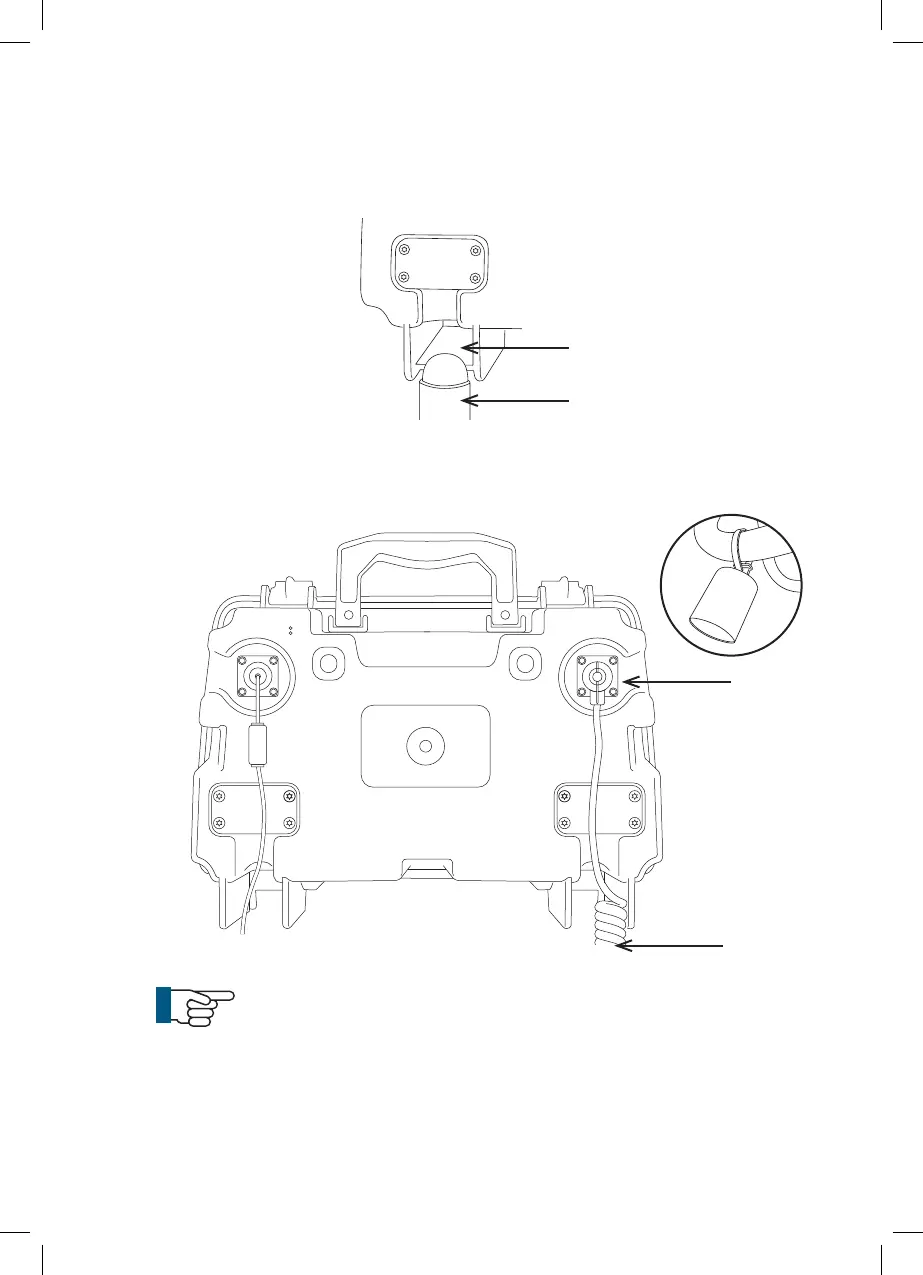
1 Position the CCU by aligning the location apertures (1) on the back of the
CCU over and down onto the CCU location pins (2).
2 Remove the connector dust cover (3). Connect the curly lead (4) supplied
with the coiler to the Coiler In connector (5) on the rear of the CCU.
NOTE!
The unit does not need to be installed on the coiler to operate.
It can be operated stand alone for setting up, viewing recorded
surveys and generating reports. It only needs to be installed on a
coiler when actually performing a survey.
4
3
1
2
5
25



 To Next Page