10
39
TV
Touch TV mode of the menu or press SOURCE button on remote control to switch to
TV mode, auto scan and store channels.
Press AMS/RPT button on remote control or SCAN touch button on display to auto
scan TV channels. The range of scan if full TV channel. The channels will auto store into
number button in sequence.
1. Switch channel
1) Press SEEK + / SEEK- button on panel or SEEK + / SEEK- on remote control or /
touch button on display, unit will skip to previous or next stored channel.
2) Press number button on remote control, unit will skip to appointed channel, for
example, press 6 button, unit will skip to 6 channel. Press 10+, “_ _” will appear on left
top corner of display, press number button 3,9, unit will skip to 39 channel.
2.Manual tuning TV channel
1) Press and hold SEEK + button on panel, SEEK + button on remote control, or
touch button on display to scan TV channel in increase direction.
2) Press and hold SEEK - button on panel, SEEK - button on remote control, or
touch button on display to scan TV channel in descending direction.
3.TV sound system switch
Press the AUDI button on the touch screen to switch TV sound system. The sequence is
as follows:
PAL I→PAL DK →PAL BG →PAL I
4.Blue screen
The display will be blue when there is no signal.
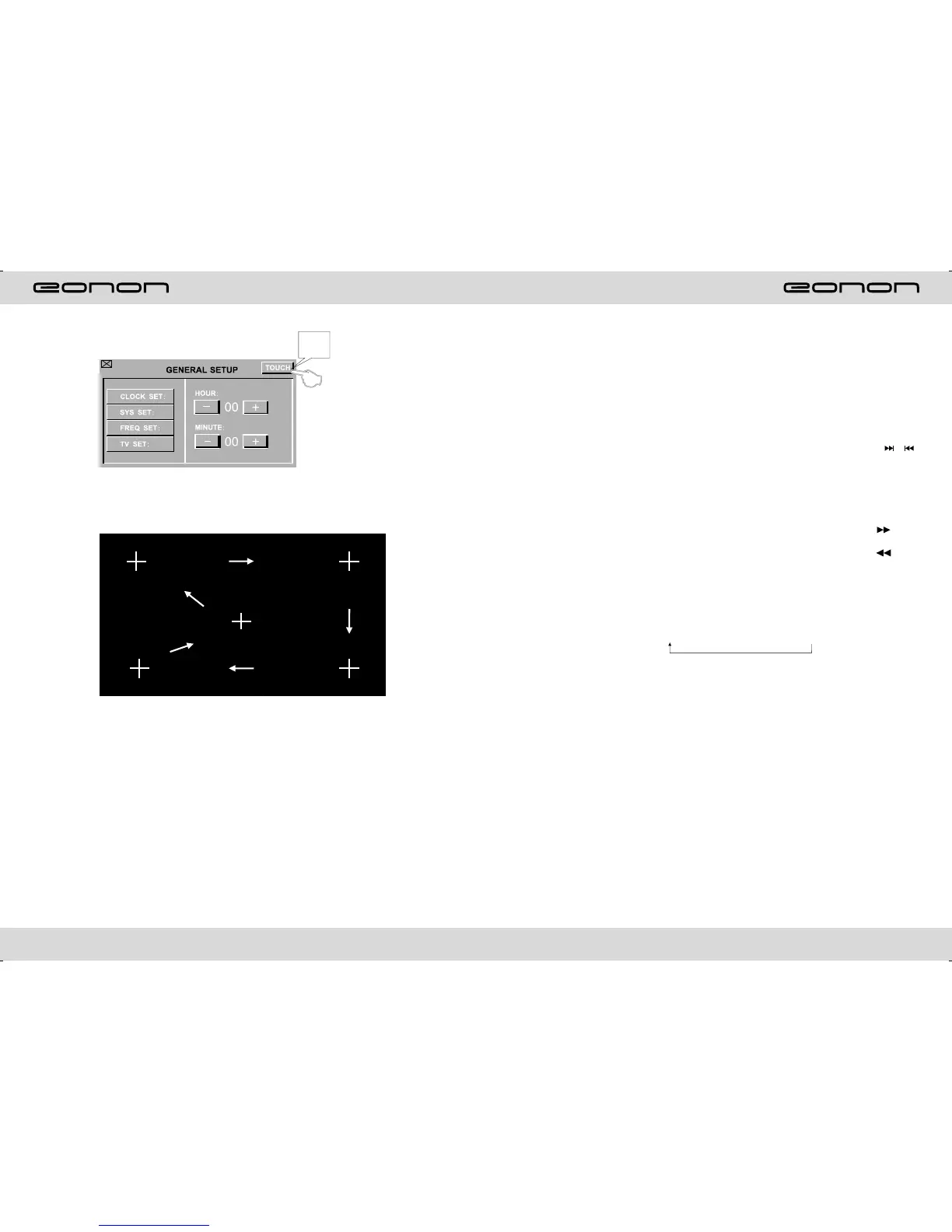
Touch
here.
If the touching is not just ,yuou can use CALIBRATION to adjust.Touch the middle of the
“+” cursor,adjust it as per the order of the figure.
After adjustment,the interface turn to FM status automatically.



 To Next Page