11
38
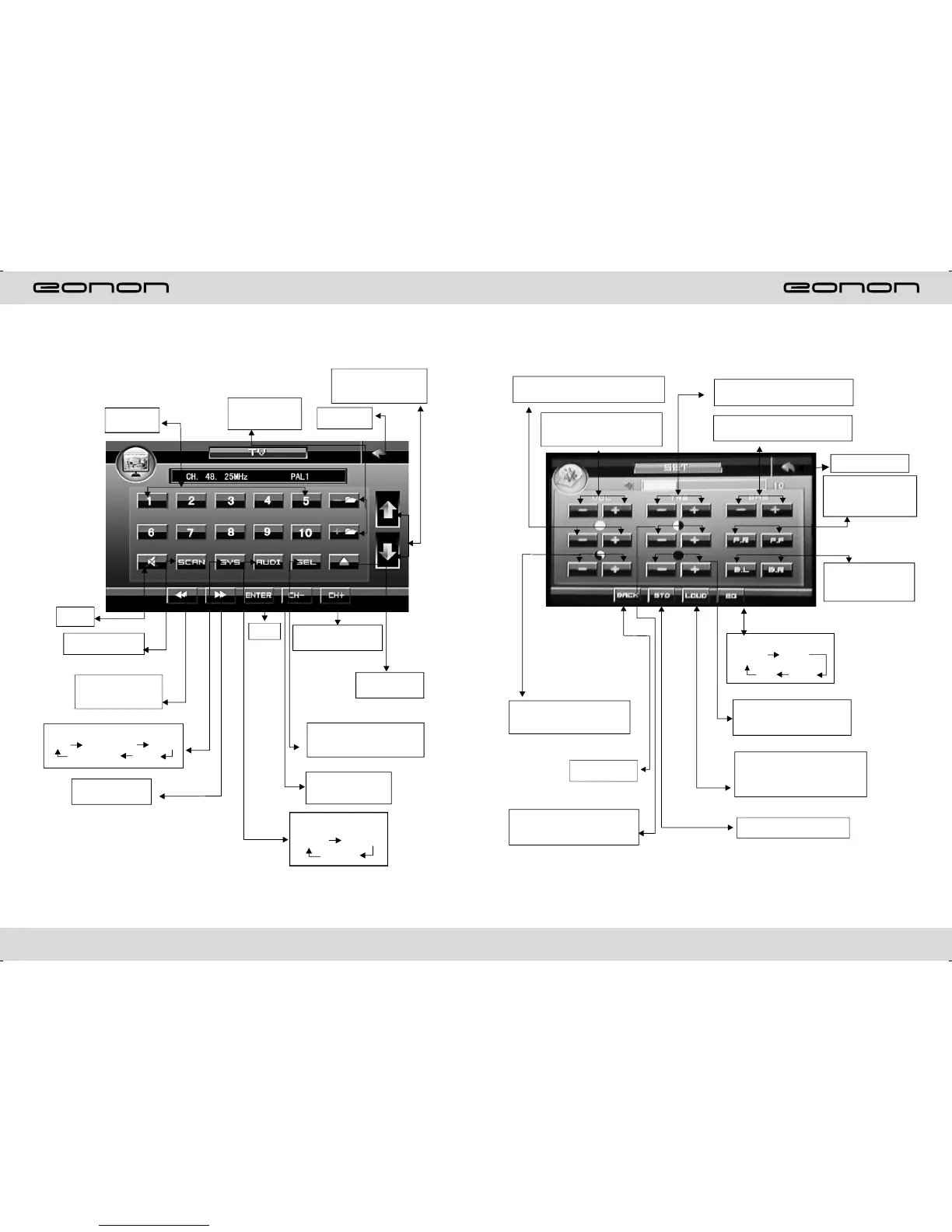
Modus einstellen
Brightness adjust: press this
button to adjust panel brightness
Volume adjust: press VOL -
/ VOL + button to adjust
volume
Saturation adjust; to adjust
multicolor saturation
Exit setup
Contrastness adjust: press
this button to adjust black
and white of panel
Sharp adjust: press this button to
adjust sharp sound high and low
Bass adjust: press this button to
adjust bass volume
Adjust front and
rear speaker
Adjust left and
right speaker
Return previous
menu
EQ mode
Rock POP
Aus Rock
Tonality adjust: to adjust
panel definition
Clangorous effects: press
once off clangorous,
press again to come back
Resume standard video
TV MODE
Channel
choosing
Disc open
/close
Press this function to
adjust angel of LCD
display
Back main
menu
Enter
TV system: Press
PAL I SECAM DK PAL M
NTSC M N PAL I
Function choosing: Please
see picture(3) for detailed
operation
Press this button to
select next channel
Press up and
down to switch
channel
Press this button to
turn back previous
channel
Audio system change:
Press from
PAL I PAL DK
PAL BG
One press down to
receive frequency
One press up to
receive frequency
Auto search and
store channel
Mute
on/off



 To Next Page