19
30
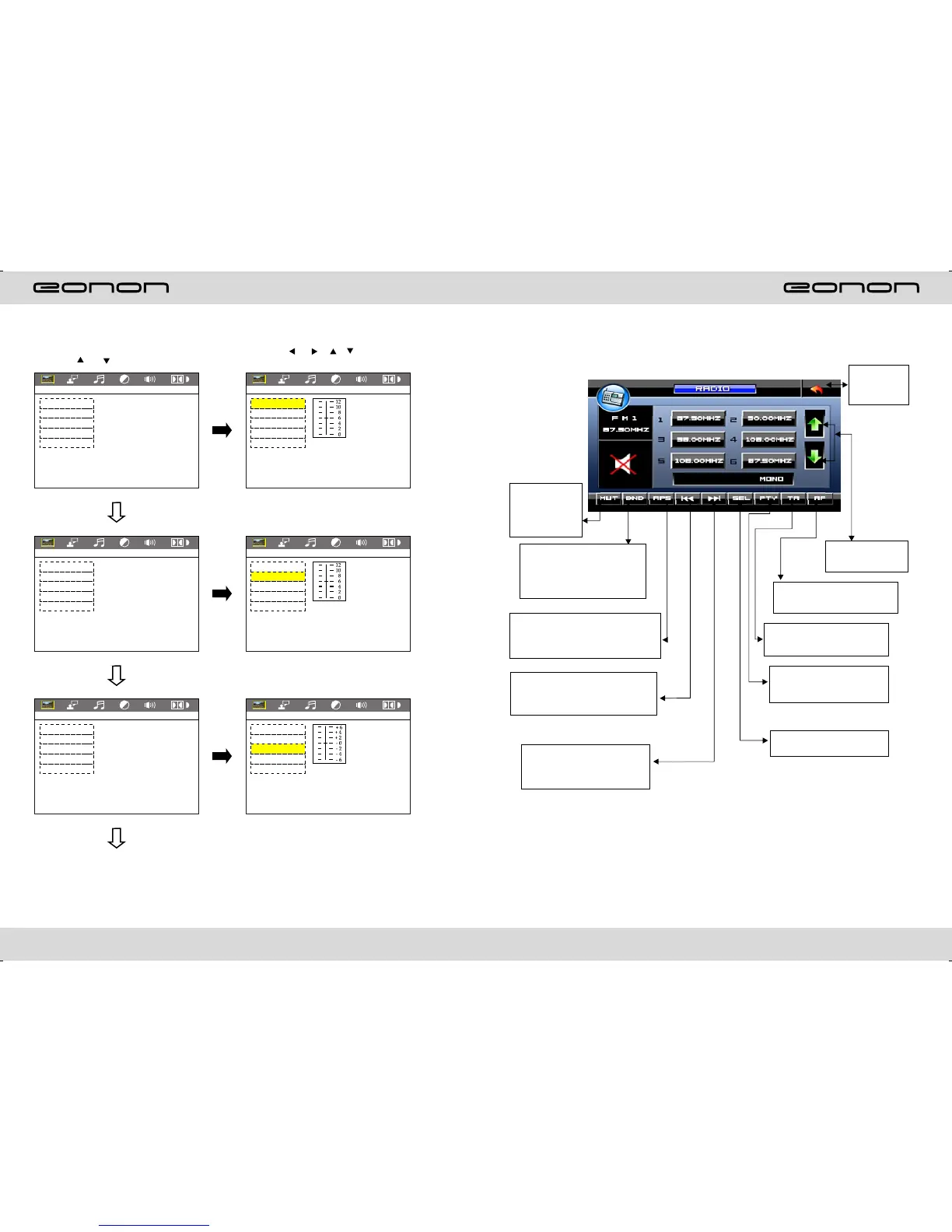
RDS USER OPERATION
Press this button
to close sound
output, re-press
this button to
resume sound.
Press this button each time, it
will automatically execute the
following operation in an
order of FM1 → FM2 → FM3 →
AM1 → Am2
Short press on this button to decrease
radio frequency; longer press on this
button to seek radio channels
frequency decreased direction.
Short press on this button to
increase radio frequency; longer
press on thisbutton to seek radio
channels frequency increased
direction.
Press TA, when TA is on, it
means the unit is automatically
track RDS radio channels.
Press PTY, when PTY is on, it
means there is strong RDS
signals output.
Press this button to choose
radio channels' name, please
refer to details user manual.
Press “SEL” to adjust other
functions, please refer to pic 3.
For details of RDS operation, please refer to other instruction
Press this button to
adjust angles of the
monitor.
In the radio state, press “APS” button,
it will automatically seek radio
channels in the whole band and preset
the strongest radio channels.
Touch this
area to enter
& exit main
menu
VIDEO SETUP
(1.Press or button
(2.Press or / / button, Then
to enter.
BRICHTNESS
CONTRAST
HUE
SATURATION
SHARPNESS
EXIT SETUP
VIDEO SETUP
VIDEO SETUP
VIDEO SETUP
VIDEO SETUP
VIDEO SETUP
VIDEO SETUP
BRICHTNESS
CONTRAST
HUE
SATURATION
SHARPNESS
EXIT SETUP
BRICHTNESS
CONTRAST
HUE
SATURATION
SHARPNESS
EXIT SETUP
BRICHTNESS
CONTRAST
HUE
SATURATION
SHARPNESS
EXIT SETUP
BRICHTNESS
CONTRAST
HUE
SATURATION
SHARPNESS
EXIT SETUP
BRICHTNESS
CONTRAST
HUE
SATURATION
SHARPNESS
EXIT SETUP



 To Next Page