17
32
DVD MODE
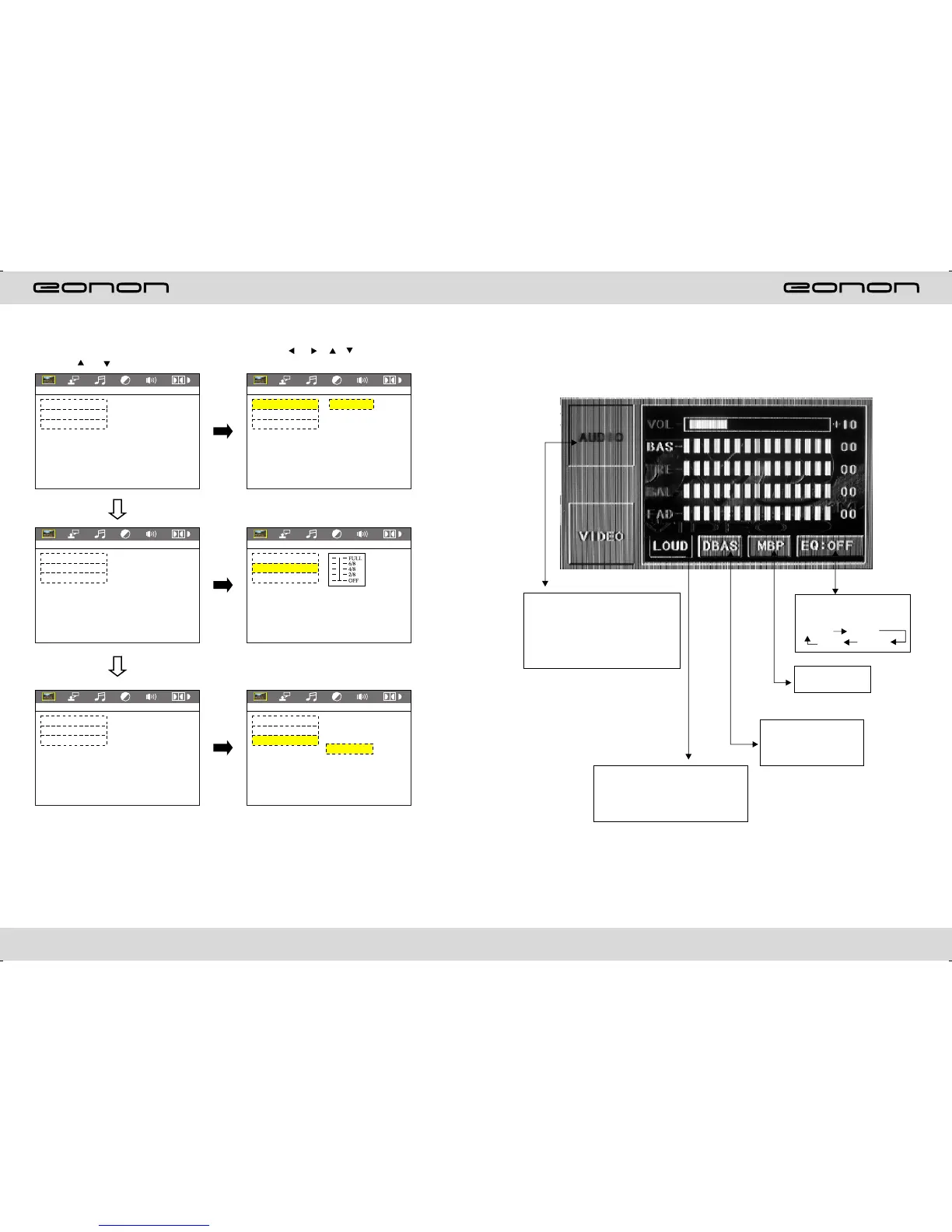
AUDIO SETTING ON TOUCH SCREEN
Audio selection:
VOL →BAS →TRE →BAL→FAD
When using this function, the
position will have a groove for
nothing.
Loud choosing: this function is
defined open, when it is touched at
the first time, the loud function will
be closed, at the same time, yellow
light disappear.
EQ mode: Touch the button
everytime from
ROCK POP
OFF ROCK
The best listening
position choosing
Bass choosing: when
touched the button will be
yellow, touch this button to
exit, touch it again to
resume..
DIGITAL SETUP
(1.Press or button
(2.Press or / / button, Then
to enter.
DIGITAL SETUP DIGITAL SETUP
OP MODE
DYNAMIC RANGE
DUAL MONO
EXIT SETUP
OP MODE
DYNAMIC RANGE
DUAL MONO
EXIT SETUP
LINE OUT
RF REMOD
DIGITAL SETUP DIGITAL SETUP
DIGITAL SETUP DIGITAL SETUP
OP MODE
DYNAMIC RANGE
DUAL MONO
EXIT SETUP
OP MODE
DYNAMIC RANGE
DUAL MONO
EXIT SETUP
OP MODE
DYNAMIC RANGE
DUAL MONO
EXIT SETUP
OP MODE
DYNAMIC RANGE
DUAL MONO
EXIT SETUP
STEREO
MONO L
MONO R
MIX MONO



 To Next Page