21
28
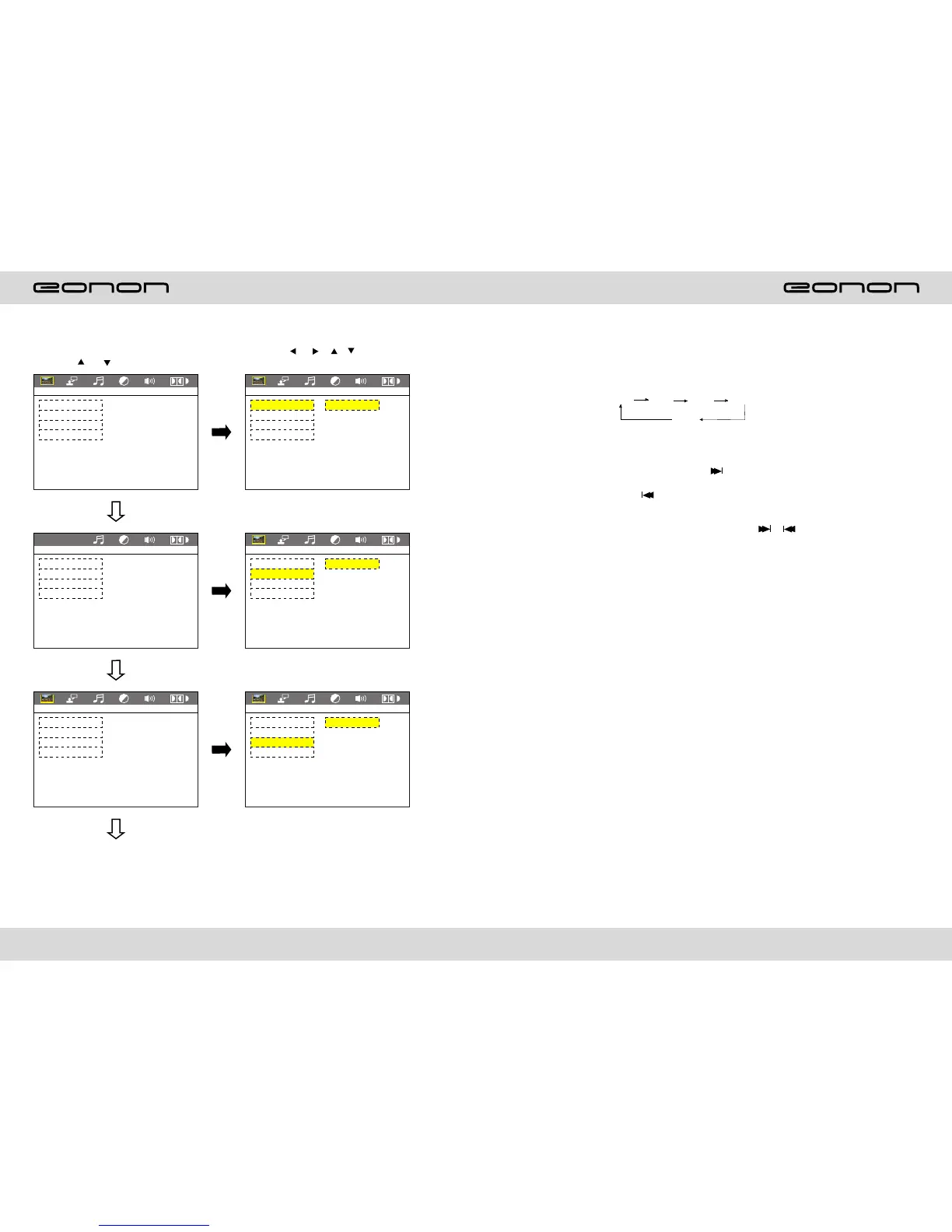
LANGUAGE SETUP
RADIO OPERATION
1.Band selection
In radio mode, press BAND button, BAND/P/N button on remote control, or touch position
of switch bank position every time to choose band, the sequence is as follows:
2.Adjust frequency
Manually adjust frequency:
Press SEEK + button on remote control, or touch button on display shortly every time,
frequency will increase one step by one step till you get desired frequency. Press SEEK -
button on remote control, or touch button on display shortly every time, frequency
will decrease on step by step till you get desired frequency.
Search station:
Press SEEK + / SEEK - button on remote control, or / touch button on display
shortly every time to search station in up/down direction. When get one station, it
will auto stop searching.
3.Browse / Auto search and store station
1)In radio mode, press AMS/RPT button on remote control, or APS button on display
shortly to browse preset station on 1-6;
2)In radio mode, press AMS/RPT button on remote control, or APS button on display
longer to auto search in whole band from present frequency and store 6 most strong
frequency on 1-6;
3)This unit has FM1, FM2, FM3, AM1, AM2 band, Each band can preset 6 stations, total
30preset stations.
Note: After preset station, unit will cancel the former preset stations.
4.Mono/Stereo Selection
In radio mode, press ST/PTOG button on remote control or ST touch position on display
to
choose mono/stereo program.
Note: In radio mode, start up the stereo function automatic, touch the ST button again on
the display, the TFT display will show the ST OFF & MOMO mark, that is to turn off the
stereo. When the right under foot appear the MONO mark, it show the MONO on.
5.Manual preset and store station
In radio mode, press 1-6 button on remote control, or 1-6 position on display longer to
store preset frequency into preset channel. For example, the present frequency is
89.8MHz, press 2 button longer, then 89.8MHz frequency is stored in 2 channel.
Fm1 Fm2 Fm3 Am1
Fm1
(1.Press or button
(2.Press or / / button, Then
to enter.
LANGUAGE SETUP
LANGUAGE SETUP
LANGUAGE SETUP
LANGUAGE SETUP
LANGUAGE SETUP
LANGUAGE SETUP
OSD LANGUAGE
AUDIO LANG
SUBTITLE LANG
MENU LANG
EXIT XETUP
OSD LANGUAGE
AUDIO LANG
SUBTITLE LANG
MENU LANG
EXIT XETUP
KOREAN
ENGLISH
GERMAN
SPANISH
FRENCH
PORTUGUESE
LATIN
JAPAN
OSD LANGUAGE
AUDIO LANG
SUBTITLE LANG
MENU LANG
EXIT XETUP
OSD LANGUAGE
AUDIO LANG
SUBTITLE LANG
MENU LANG
EXIT XETUP
KOREAN
ENGLISH
GERMAN
SPANISH
FRENCH
PORTUGUESE
LATIN
JAPAN
OSD LANGUAGE
AUDIO LANG
SUBTITLE LANG
MENU LANG
EXIT XETUP
OSD LANGUAGE
AUDIO LANG
SUBTITLE LANG
MENU LANG
EXIT XETUP
KOREAN
ENGLISH
GERMAN
SPANISH
FRENCH
PORTUGUESE
LATIN
JAPAN



 To Next Page