18
31
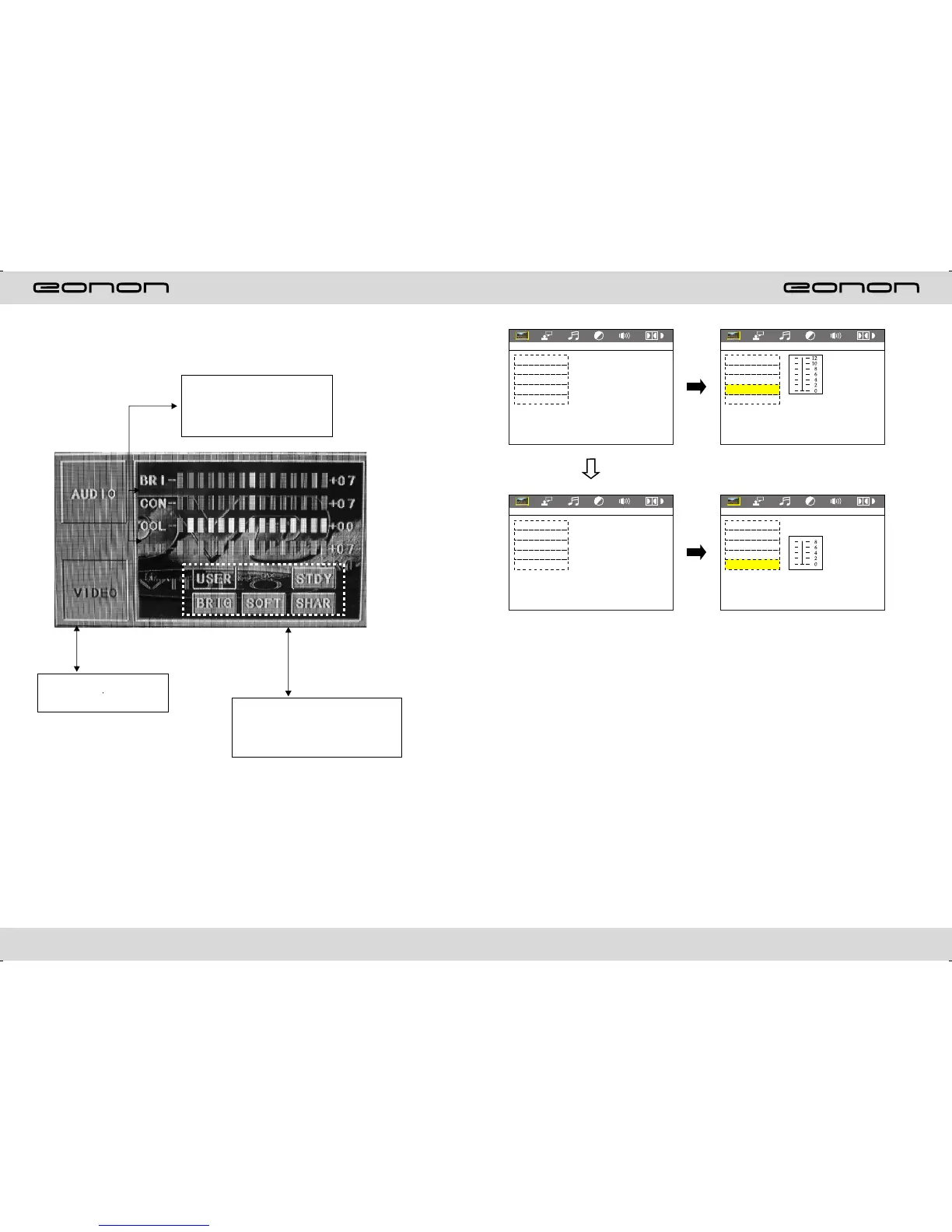
VIDEO SETTING ON TOUCH SCREEN
You can choose: Brightness,
contrastness, color, sharpness,
adjust the image effect according
to your favor, at the same time,
there will be blue light for noting.
Video mode: When using this
function, the position will have
a groove for nohing.
Image mode: You can choose the area in
the broken line on the panel, standard,
defined, soft, accord what you meed to
choose, when choosing the function, the
bule backsight will disappear.
VIDEO SETUP
VIDEO SETUP
BRICHTNESS
CONTRAST
HUE
SATURATION
SHARPNESS
EXIT SETUP
BRICHTNESS
CONTRAST
HUE
SATURATION
SHARPNESS
EXIT SETUP
VIDEO SETUP
VIDEO SETUP
BRICHTNESS
CONTRAST
HUE
SATURATION
SHARPNESS
EXIT SETUP
BRICHTNESS
CONTRAST
HUE
SATURATION
SHARPNESS
EXIT SETUP



 To Next Page