5
44
5.RESET
1) If unit is dad abnormal status appear because of wrong operation, press RES
button on panel by penpoint, unit will resume work.
2) After reset, all setting will resume to setting before leaving factory.
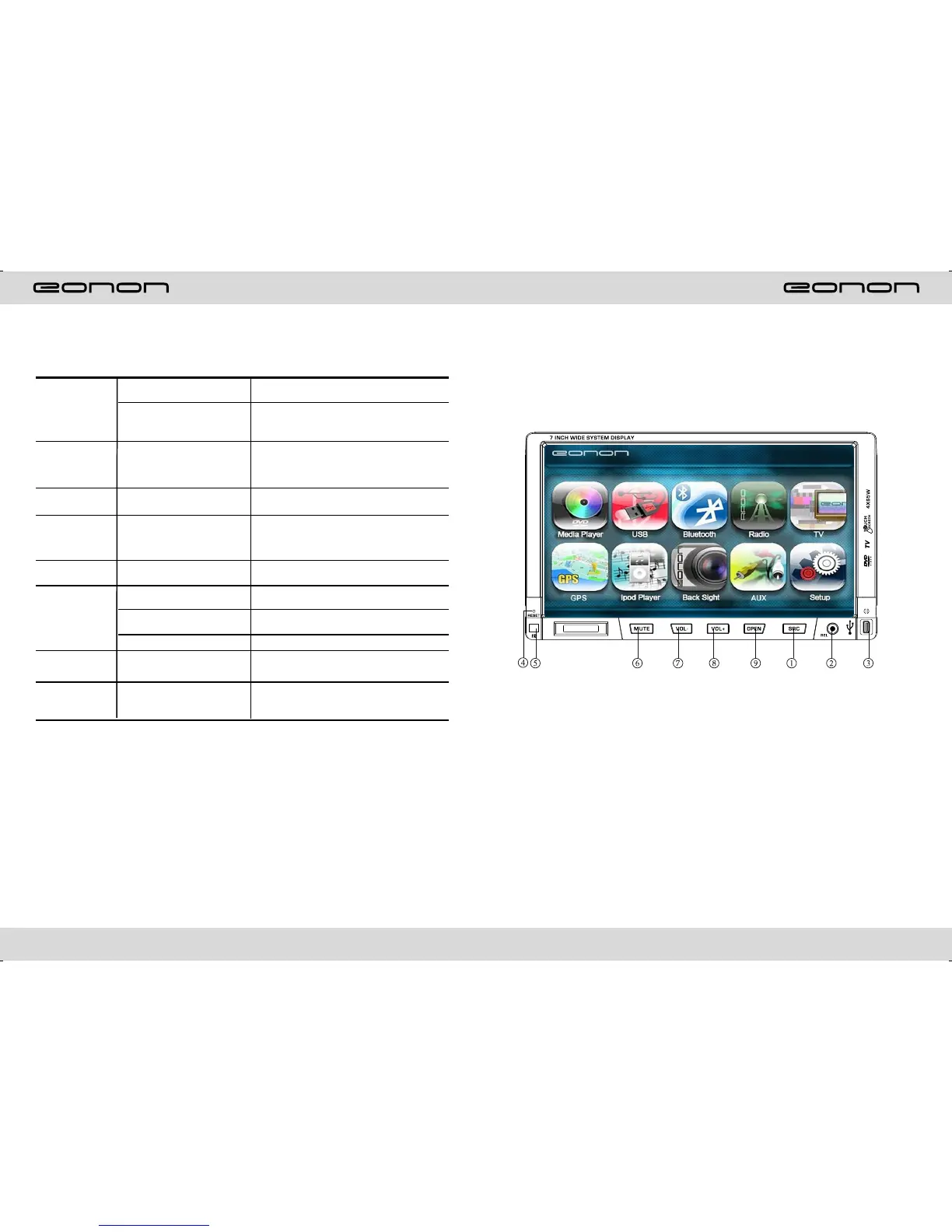
PANEL ARRANGEMENT
1.SOURCE BUTTON
2.REL BUTTON
3.MINI USB PORT
4.RESET BUTTON
5.REMOTE CONTROL RECEIVER
6.MUTE/TFT ON/OFF BUTTON
7.VOL- BUTTON
8.VOL+BUTTON
9.OPEN BUTTON
TROUBLE SHOOTING
PROBLEM
CAUSE
SOLUTION
Can not power on
Check whether power fuse
melt or not
Some factor cause MPU wrong
operation
Change fuse same as the old one
Press RESET button on the panel by pen
point, then, power on
After ignition
switch off, setting
information all lose
Wrong connection between
ignition line ACC and power
line anode pole BAIT
Reconnect line
Remote control no
function
No enough power supply
from battery
Change battery of remote control
Poor performance
of radio station
Improper set of length of
antenna, poor connection of
antenna grounding
Check whether antenna is connected or not,
or poor connection
Can not load disc
There is a disc in deck
Check grounding is connected or not
Can not play disc
Disc is scratched
Put wrong side of disc into unit
Lens has dirty
Change new disc
Clean lens by lens clean disc
Slot in the disk with sign side up
Can not switch
language/subtitle
There is only one language/
subtitle in disc
If disk is not with multi-language/subtitle, it
cannot switch language/subtitle
No image
Video line between unit and
TV is not properly connected
Reconnect lines



 To Next Page