Sub-menu Function
Language
You can set the language for messages and menus.
Reset
You can reset the adjustment values for Display
*1
and
Operation
*2
from the Extended menu to their default
settings.
See the following to return all menu items to their default
settings.
s "Reset Menu" p.75
*1When User's Logo Protect is set to On in Password Protect, settings related
to user's logo cannot be changed. You can make changes after setting User's
Logo Protect to Off.
s "Managing Users (Password Protect)" p.52
*2 Except for High Altitude Mode.
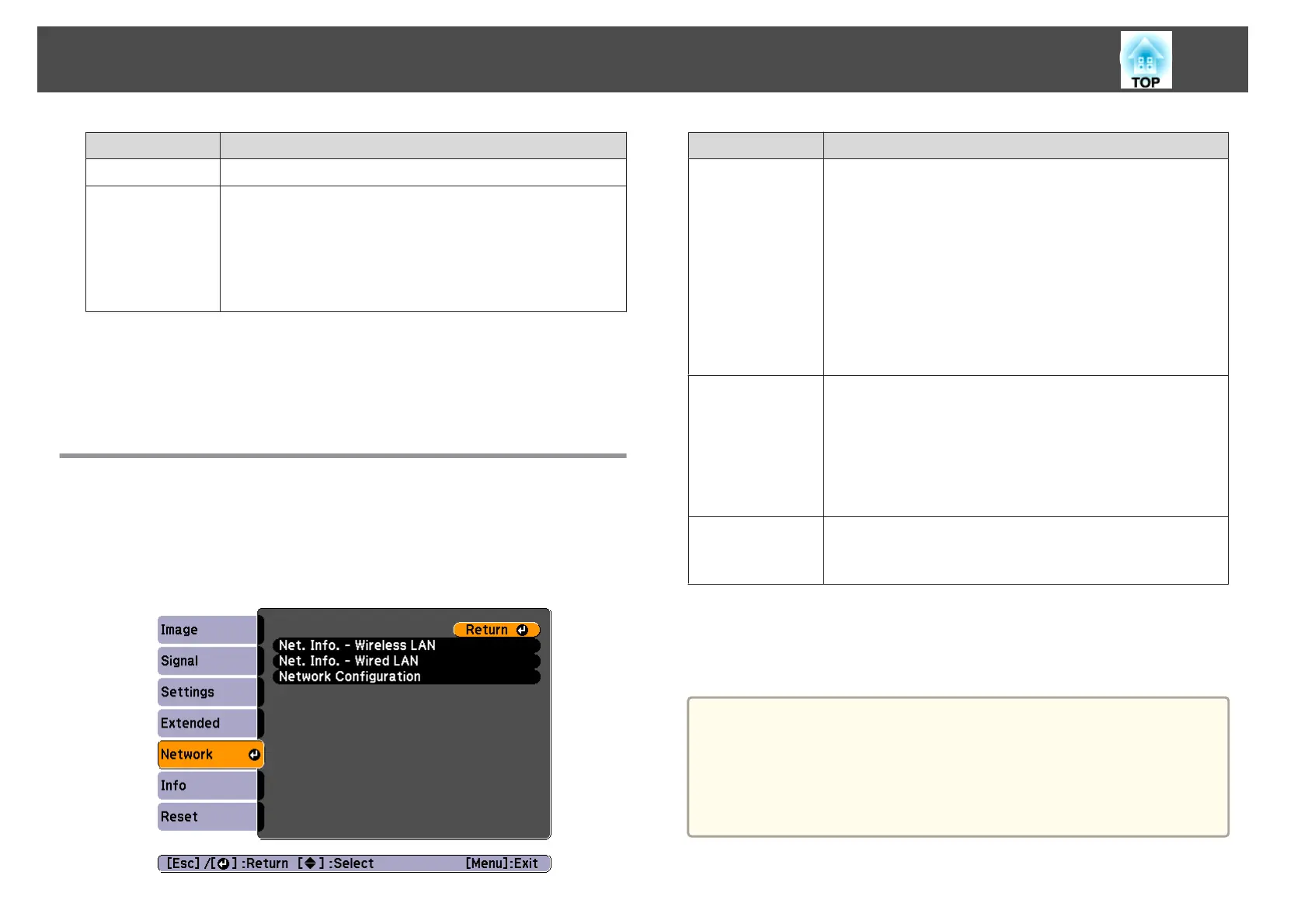
Network Menu
When Network Protect is set to On in Password Protect, a message is
displayed and the network settings cannot be changed. Turn Network
Protect Off and then configure the network.
s "Setting Password Protect" p.52
Sub-menu Function
Net. Info. - Wire-
less LAN
Displays the following network setting status information.
• Connection Mode
• Antenna Level
• Projector Name
• SSID
• DHCP
• IP Address
• Subnet Mask
• Gateway Address
• MAC Address
• Region Code
*
Net. Info. -
Wired LAN
Displays the following network setting status information.
• Projector Name
• DHCP
• IP Address
• Subnet Mask
• Gateway Address
• MAC Address
Network Config-
uration
The following menus are available for setting network items.
Basic, Wireless LAN, Security, Wired LAN, Mail, Others,
Reset, and Setup complete
*
Displays available region information for the Wireless LAN unit being used.
For more details, contact your local dealer or the nearest address provided in
the Epson Projector Contact List.
s Epson Projector Contact List
a
By using a Web browser of a computer connected to the projector on
a network, you can set functions and control the projector. This
function is called Web Control. You can easily enter text using a
keyboard to make settings for Web Control such as Security settings.
s "Changing Settings Using a Web Browser (Web Control)"
p.108
List of Functions
66


 To Next Page