13
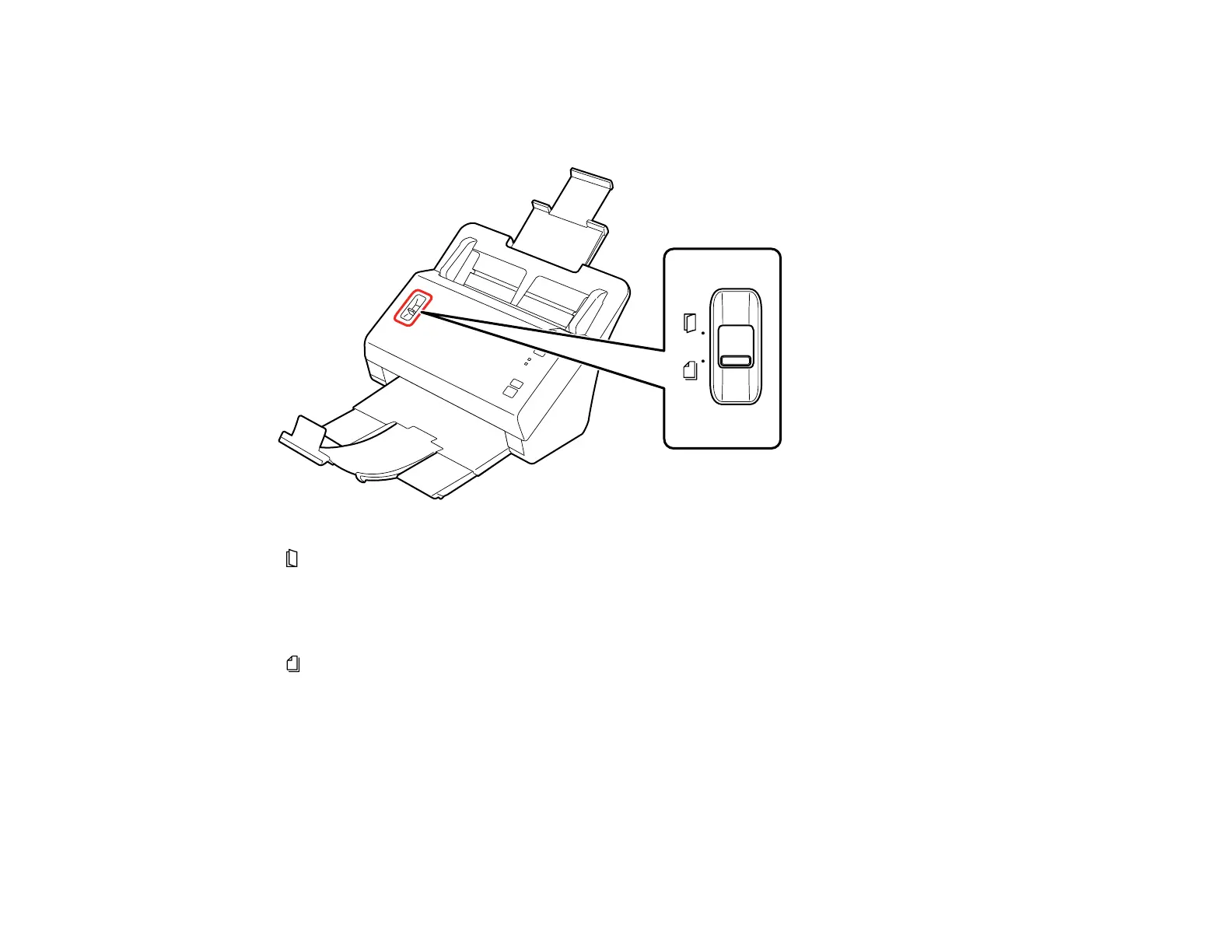
Page Separation Lever
You can scan plastic cards, folded documents, envelopes, or any document or photo that requires a
carrier sheet by adjusting the position of the page separation lever.
Move the separation lever to this position only when scanning plastic cards, folded documents,
envelopes, or any document or photo that requires a carrier sheet.
Note: Use a carrier sheet to load small, fragile or irreplaceable photos, valuable original
documents, or artwork.
Leave the separation lever in this position to prevent paper jams when scanning batches of photos
or standard single- or multiple-page documents.
Parent topic: Scanner Parts Locations
Related tasks
Loading Photos in the Input Tray
Loading Documents in the Input Tray
Loading Plastic Cards in the Input Tray
Loading Special Documents








 To Next Page