30
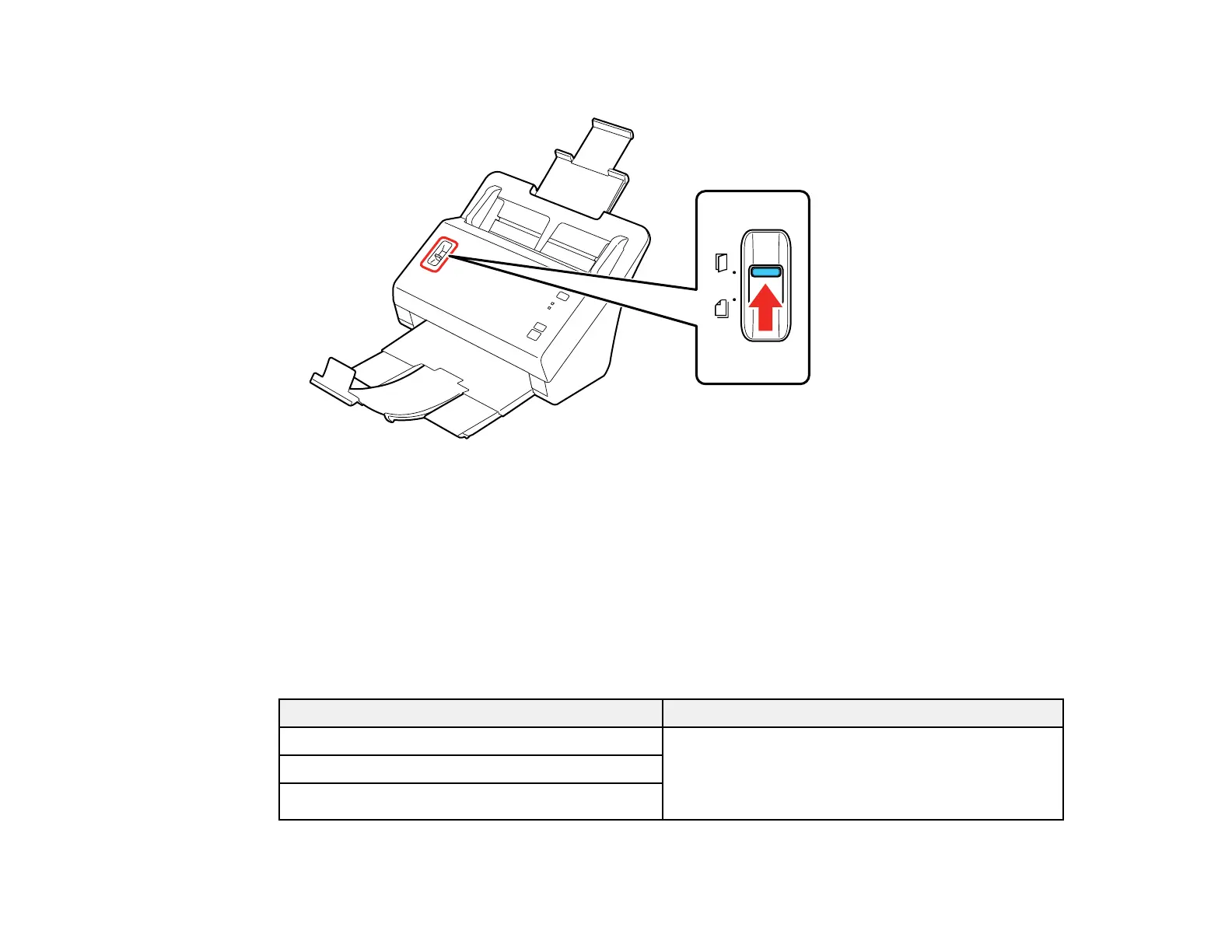
7. Set the page separation lever to the position shown here.
Parent topic: Loading Photos in the Input Tray
Related references
Photo Loading Capacity
Photo Loading Capacity
You can load photos that meet these specifications in your scanner.
Note: Use a carrier sheet to load large or thick photos, fragile or irreplaceable photos, valuable original
documents, or artwork.
Photo size Loading capacity
3 × 5 inches (76 × 127 mm) 30 photos (thickness less than 0.009 inch [0.23 mm]
without photo curling)
20 photos (thickness between 0.009 and 0.011 inch
[0.24 to 0.3 mm] without photo curling)
4 × 6 inches (102 × 152 mm)
5 × 7 inches (127 × 178 mm)








 To Next Page