22
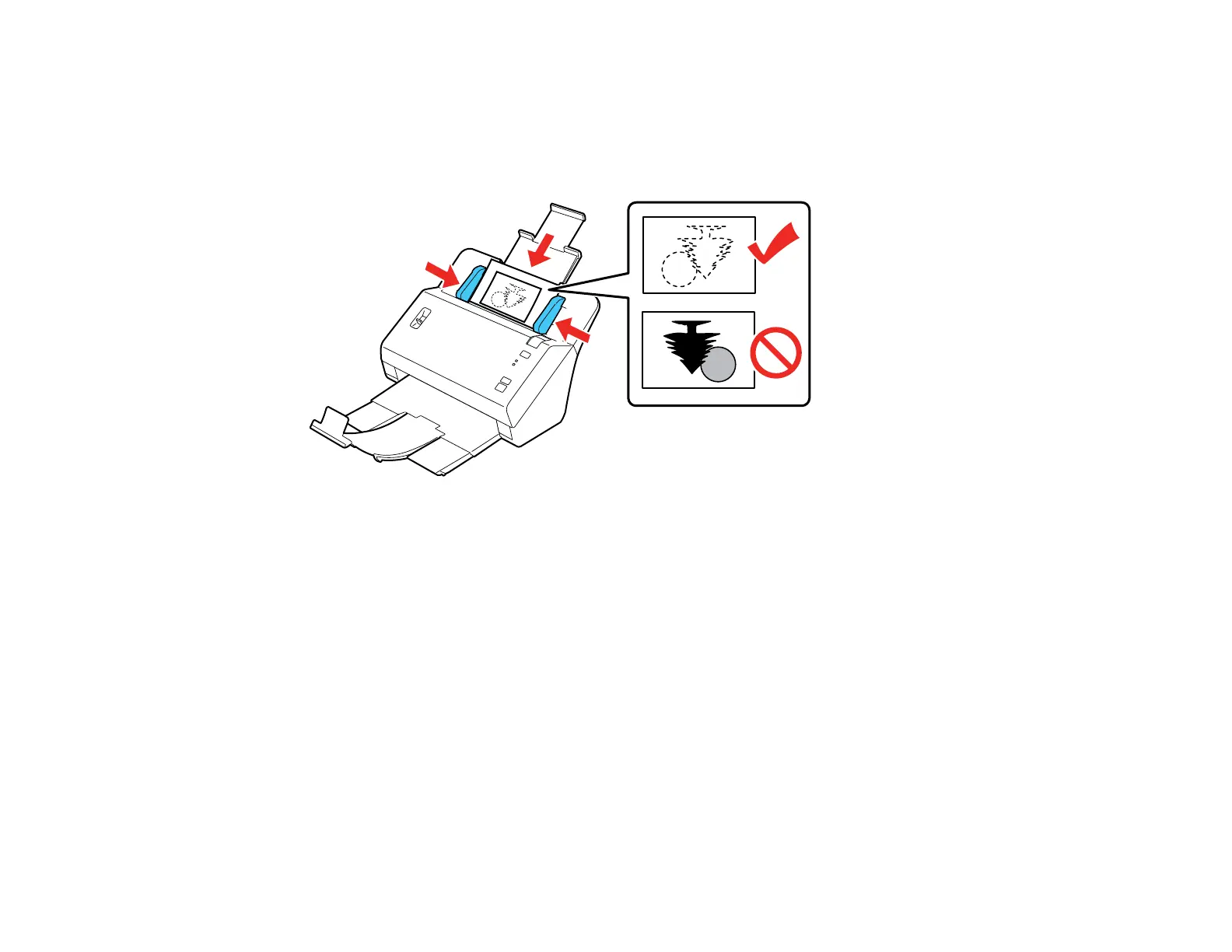
6. Load your photos into the center of the input tray facedown, in landscape orientation and top edge
first, then slide them in until they meet resistance.
Note: If you have both portrait- and landscape-oriented photos in the same stack, you can rotate the
portrait images after scanning.
7. Slide the edge guides against the edges of the photos.
Loading Multiple Sizes of Photos in the Input Tray
Loading a Photo with a Carrier Sheet
Photo Loading Capacity
Parent topic: Loading Originals
Related references
FastFoto Edit Menu - Windows
Related tasks
Preparing Photos for Scanning








 To Next Page