75
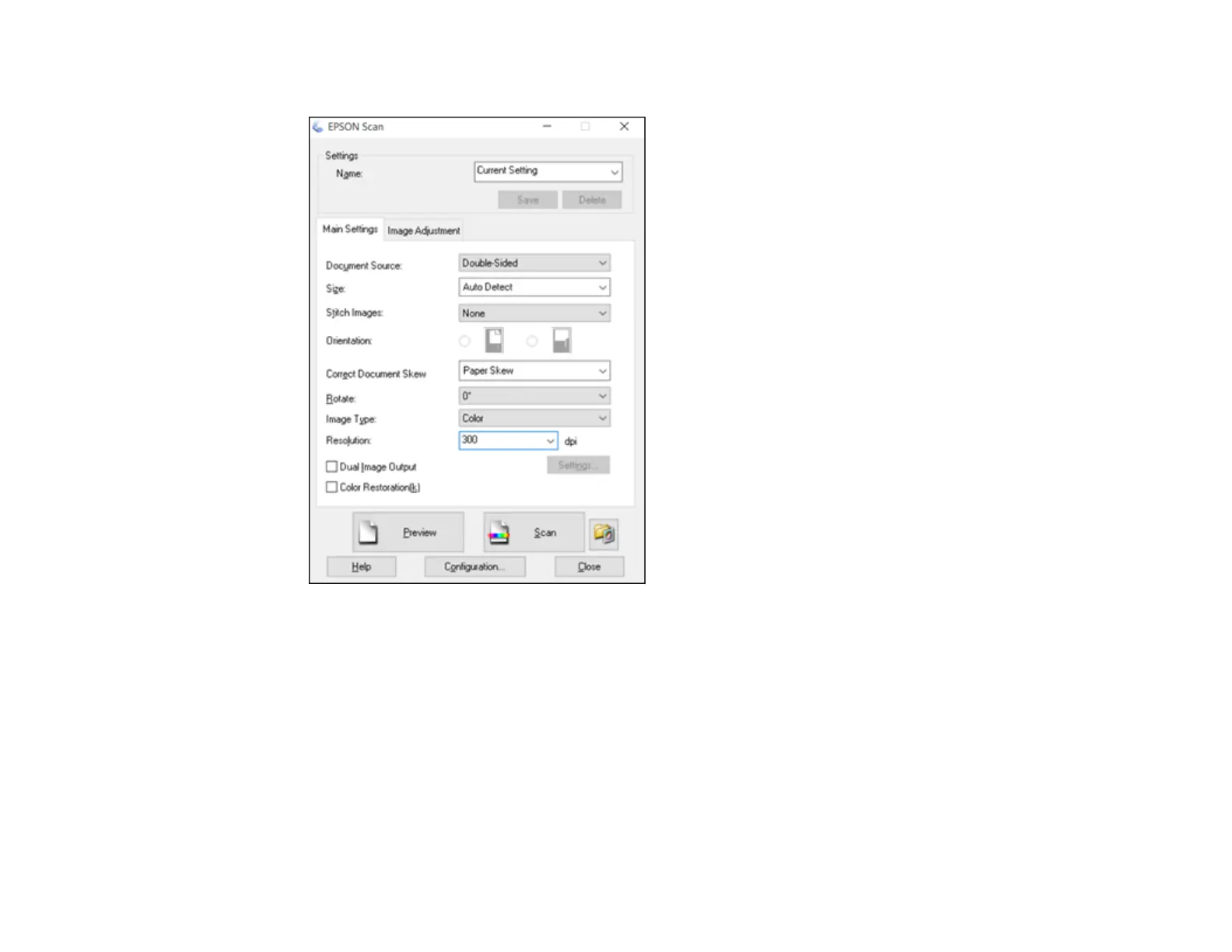
You see an Epson Scan window like this:
4. Select Double-Sided as the Document Source setting.
5. Select the original document size as the Size setting.
6. Select one of the following as the Stitch Images setting:
• Top&Bottom: Places the scanned images one above the other.
• Left&Right: Places the scanned images side by side.
7. Click OK.
8. Click Scan.
The scanned image is displayed.








 To Next Page