Maintenance 9. Troubleshooting
206 RC700 / RC700-A Rev.23
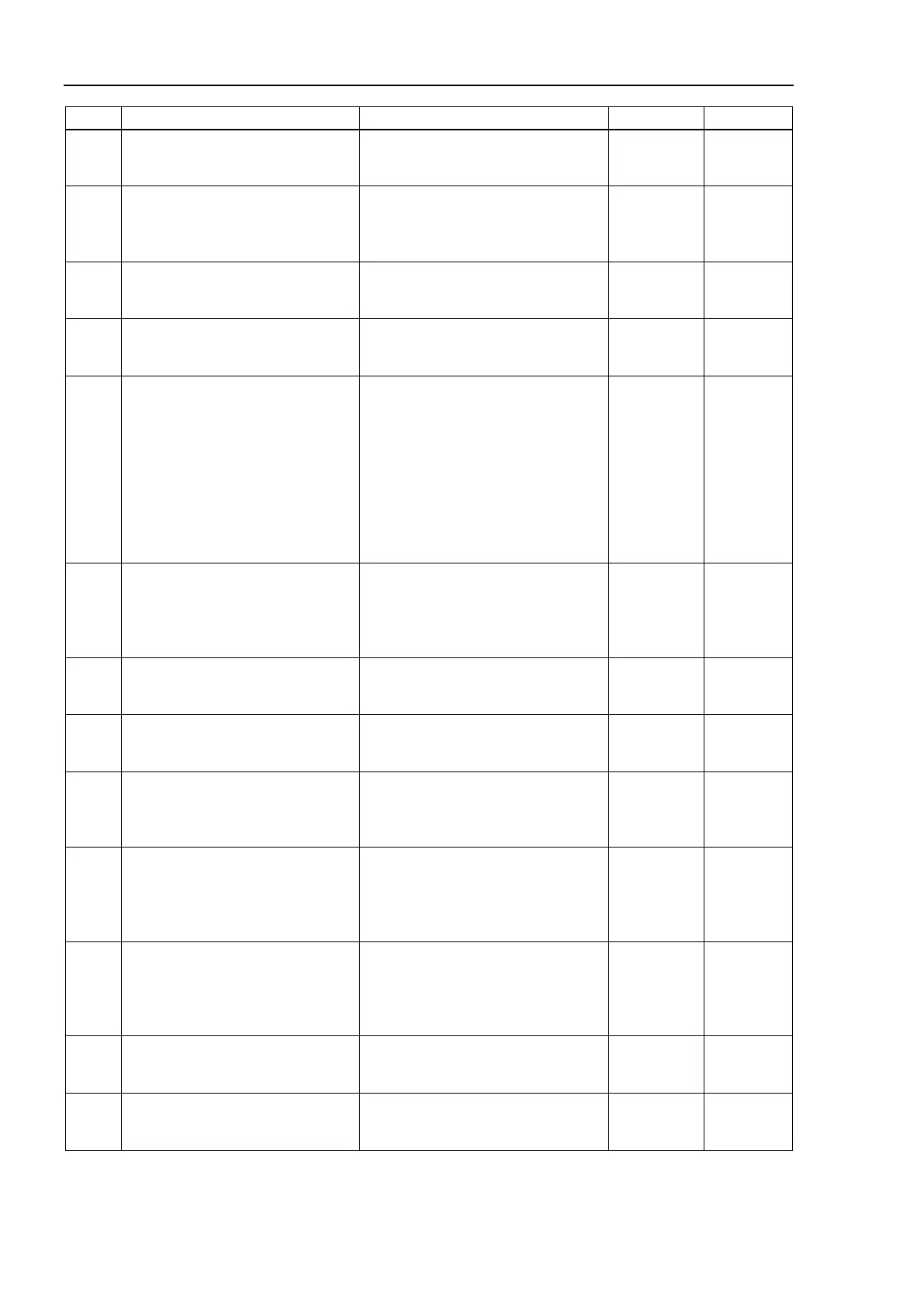
No. Message Remedy Note 1 Note 2
The dip switch setting of the Force
Sensor I/F unit is improper.
It is necessary to change the dip
switch setting.
The Force Sensor I/F unit to which
the Force Sensor is registered is
not connected.
Please confirm whether it is possible
to connect it with Force Sensor I/F
unit correctly.
Failed to initialize the Force Sensor
I/F unit.
Please confirm whether it is possible
to connect it with Force Sensor I/F
Failed to initialize the Force Sensor
I/F unit.
Please confirm whether it is possible
to connect it with Force Sensor I/F
2851
The Force Sensor which is different
from the registered sensor is
connected.
Check connection or review the
setting.
The serial number of the sensor
connected with the registered sensor
is not corresponding.
Please exchange it for a new sensor
after confirming the connection,
returning to the connected sensor, or
invalidating the sensor. In case of
intended replacement, configure the
connection settings again in the
2852
The registered Force Sensor is not
connected.
Check connection.
Please confirm whether it is possible
to connect it with the registered
sensor correctly.
Please invalidate the sensor when
you do not connect the sensor.
2853
Failed to update the Force Sensor
I/F unit software.
Review the update procedure.
Please review the soft update setting.
Please confirm the connection with
2854
Failed to update the Force Sensor
I/F unit software.
Review the update procedure.
Please confirm the file name.
Please confirm the update file.
2855
Failed to update the Force Sensor
I/F unit software.
Review the update procedure.
Please confirm the power supply and
the connection of Force Sensor I/F
unit.
2856
The Force Sensor I/F unit with an
old version is connected.
Update the Force Sensor I/F unit
software.
The version of the connected Force
Sensor I/F unit needs to be updated.
Update the Force Sensor I/F unit.
For update procedures, please
2857
The robot registered to the Force
Sensor I/F unit is not connected.
Review the robot registration or the
Force Sensor configuration.
The robot that relates to the sensor is
not registered.
Please review the registration of the
robot or invalidate the robot
2858
Failed to allocate memory for the
force monitor.
Please inquire with us if a similar
error occurs after rebooting it.
2859
Failed to allocate memory for the
force log.
Reboot the controller.
Please inquire with us if a similar
error occurs after rebooting it.



 To Next Page