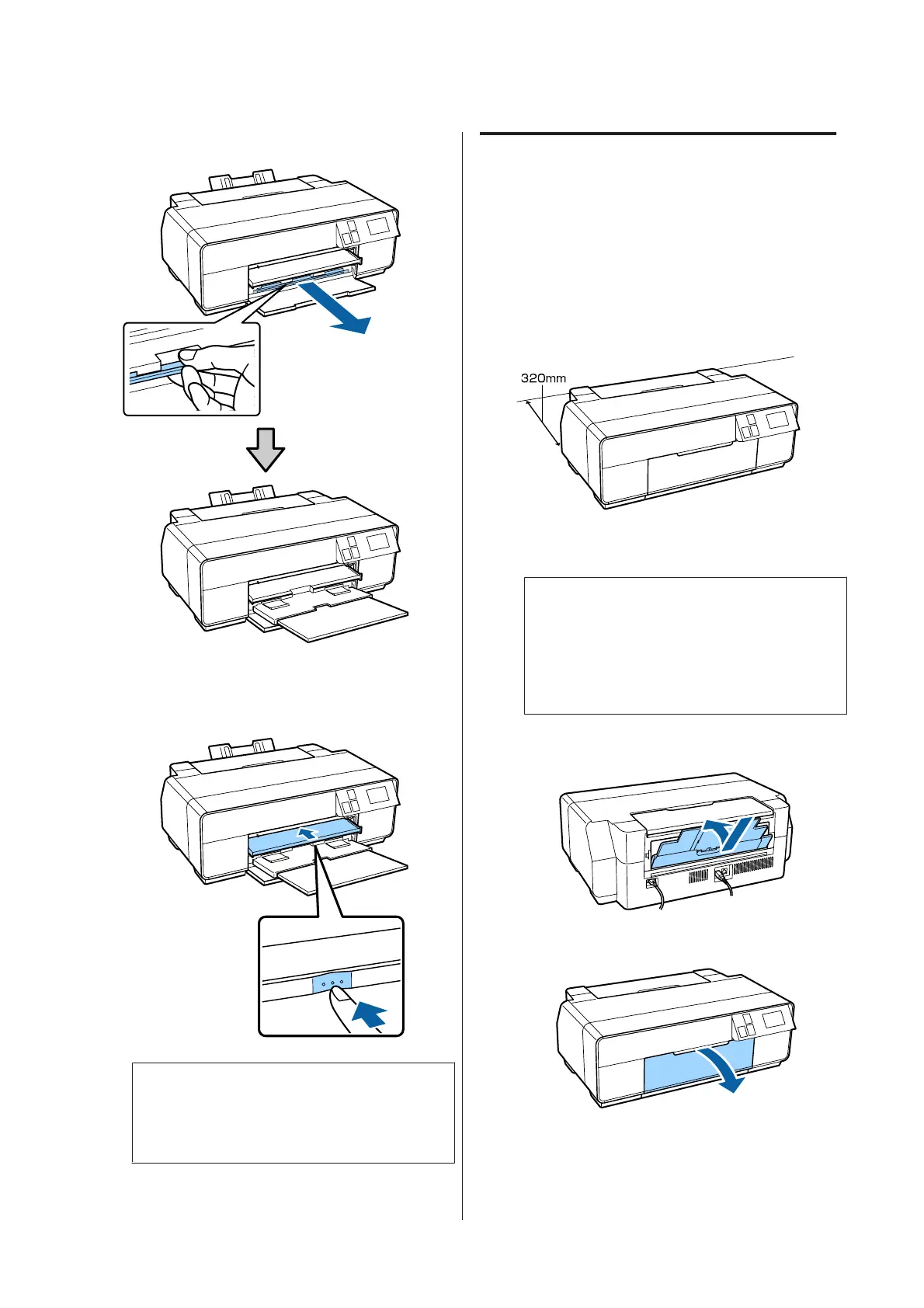
I
Fully extend the output tray.
J
With the paper loaded and the printer idle, push
the center of the front manual feed tray to close
the tray.
Note:
To eject the paper, press Eject on the control panel's
Home screen, and then follow the on-screen
instructions.
Loading Poster Board
Use the front manual feed tray to load poster board.
You can load poster board with a thickness of 0.7 to 1.3
mm.
Poster board sticks out from the rear of the printer when
it is loaded. Leave a space of at least 320 mm between the
rear of the printer and the nearest wall.
A
Turn on the printer.
c
Important:
An error may occur if you perform the
following operations during printing.
❏ Extend the front manual feed tray.
❏ Load poster board.
B
If the rear support is open, close it.
C
Open the front cover.
SC-P600 Series User’s Guide
Basic Operations
25


 To Next Page
 Loading...