77
Chapter 2 Setup
2
Test Printing
If the TM-C7500 printer driver has been installed already, a test printing can be performed.
Perform a test printing with the following steps.
1
Open the [Devices and Printers].
For Windows 8:
Select [Control Panel] of Sidebar [Settings] on [Desktop], and click [Hardware and
Sound], then [Devices and Printers].
For Windows 7:
Click [View devices and printers] of [Control Panel] on [Start] menu.
For Windows Vista:
Click [Printers] of [Control Panel] on [Start] menu.
For Windows XP Professional:
Click [Printers and Faxes] on [Start] menu.
For Windows XP Home Edition:
Click [Control Panel] on [Start] menu, and click [Printers and Faxes].
For Windows Server 2003 R2:
Click [Printers and Faxes] on [Start] menu.
2
Right-click [EPSON TM-C7500], and click [Printing References].
3
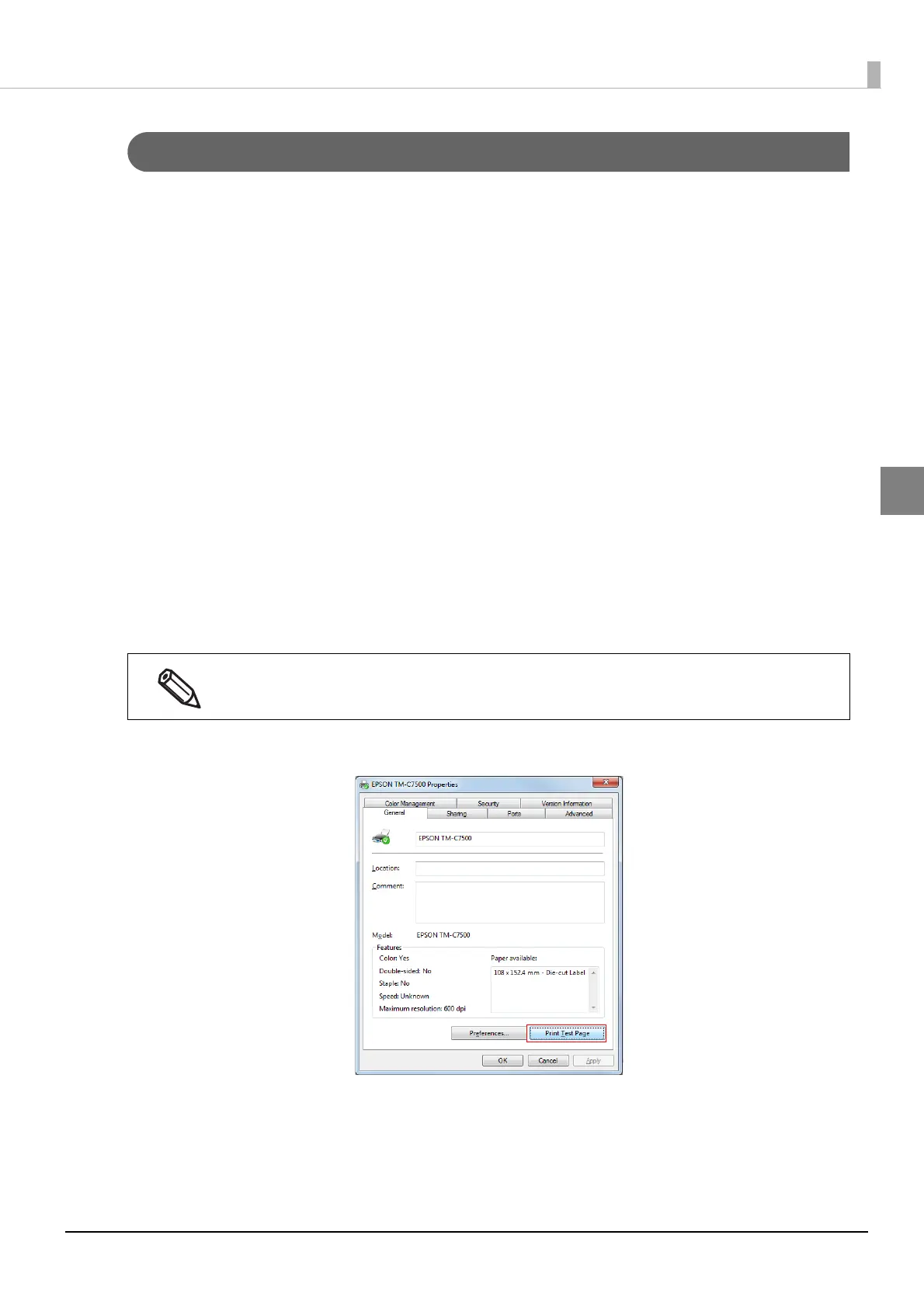
The Properties screen is displayed. Click [Print Test Page].
Registered name of this product to display in the case of the [EPSON TM-C7500].



 To Next Page
 Loading...