43
Chapter 2 Setup
2
5
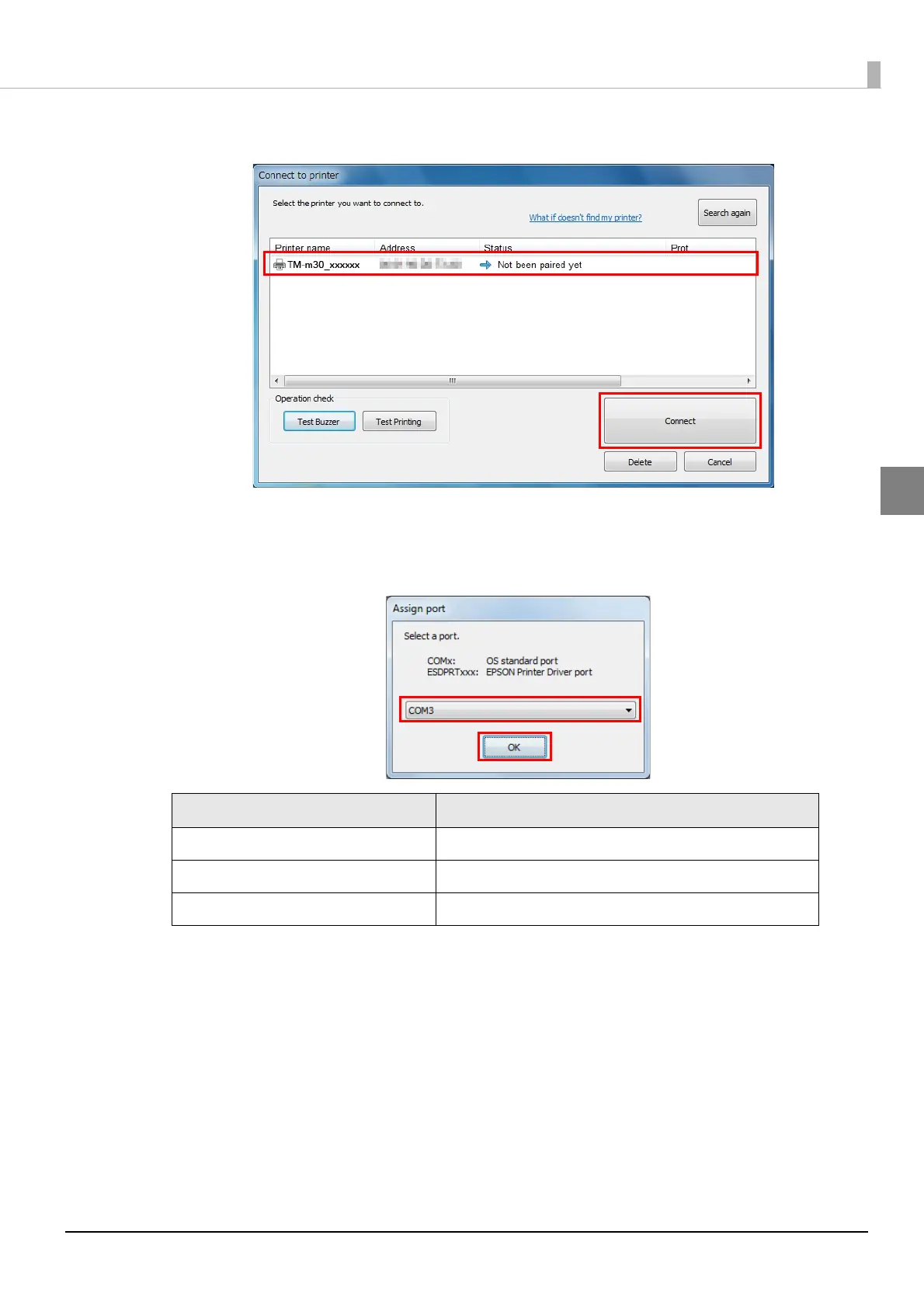
Select the printer to be paired, and then click [Connect].
6
If the window to enter a passkey appears, enter a passkey and click [OK].
7
Select the port to be used from the pull-down list, and then click [OK].
Printing method Port name
APD print queue ESDPRTxxx (TM-m30: Queue name)
UPOS ESDPRTxxx (UPOS for TM-m30)
ESC/POS command Displayed virtual COM port (e.g. COM4)



 To Next Page
 Loading...