Chapter 4 UB-E03 Specifications
55
4
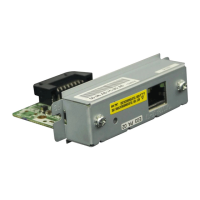
Setting of the network parameter of the UB-E03
ThenetworkparameteroftheUB‐E03canbesetbythefollowingmethods:
•EPSON TMNet WinConfig
•Setting using a Web browser (EPSON TMNet WebConfig function)
•Using the ARP command (Only the IP Address)
How to check the Mac Address
TheMacaddressoftheUB‐E03canbecheckedwiththefollowingmethod:
•Printing the status sheet
•Label attached on the product
•A printer self-test (May not be supported by some TM printers.)
•EPSON TMNet WinConfig
• Web browser (EPSON TMNet WebConfig function)


 To Next Page