QX5
QXFXO4/QXISDN4/QXE1T1/QXFXS24; (SW Version 6.0.x) 84
QXFXO4/QXISDN4/QXE1T1/QXFXS24 Manual II: Administrator’s Guide
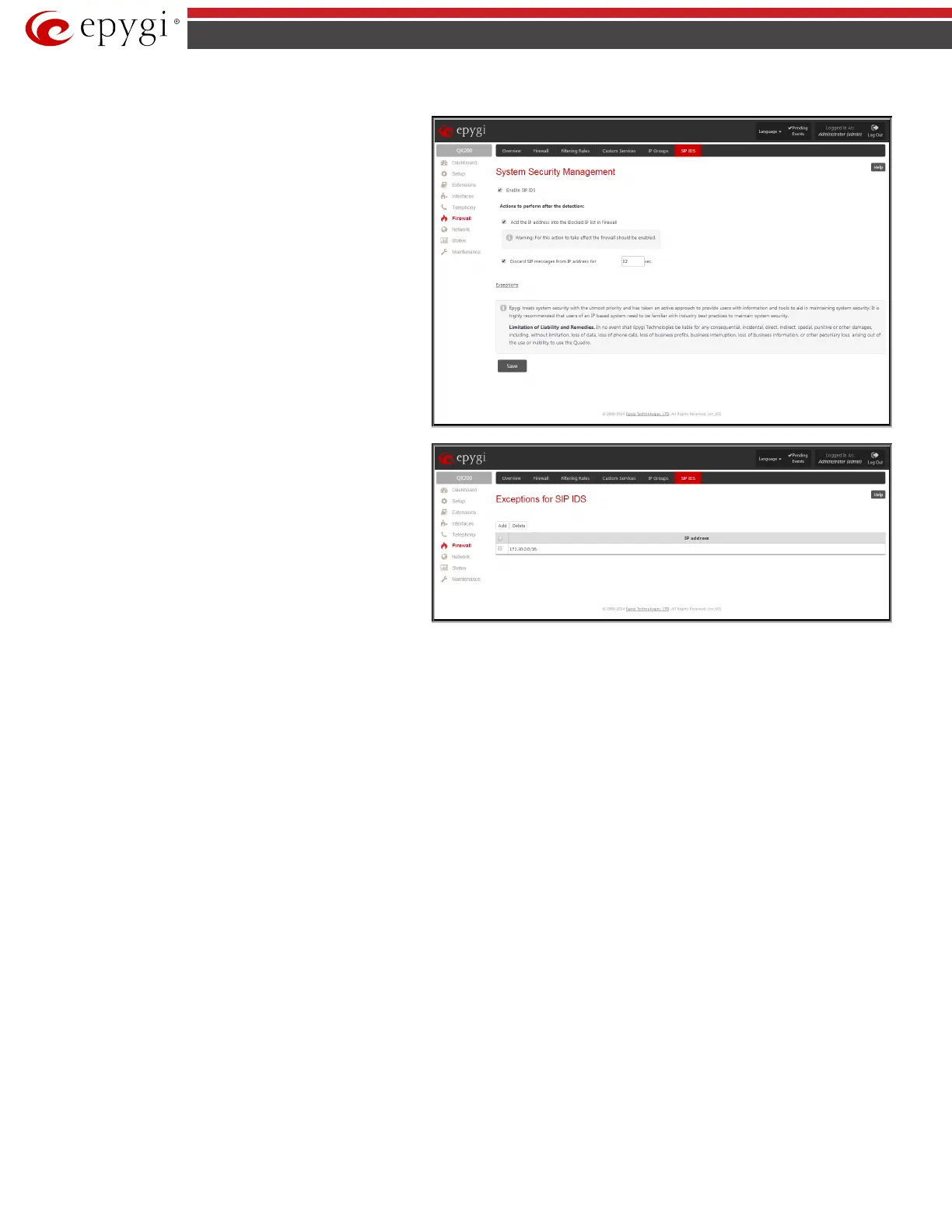
SIP IDS Settings
SIP IDS Settings
page includes the following components:
Enable SIP IDS checkbox selection allows to prevent the SIP
attacks.
The Add the IP address into the Blocked IP list in Firewall
checkbox allows to block SIP attacker’s IP address. SIP attacker’s
IP address will be blocked by QX gateway Firewall and will be
added on the Firewall Blocked IP List table.
The Discard SIP messages from IP address for checkbox allows
to discard the accumulated SIP messages from the QX gateway
SIP cash after defined timeout (default timeout value of “Discard
SIP messages from IP address for” service is 32 seconds).
Fig.II- 119: SIP IDS Settings page
Exceptions
Exceptions
for SIP IDS
where user can require the trusted IP address(es) that can't be
blocked.
Add opens the page Exception IP- Add Entry, where a trusted IP
address can be established.
Fig.II- 120: Exceptions for SIP IDS Table



 To Next Page
 Loading...

