46
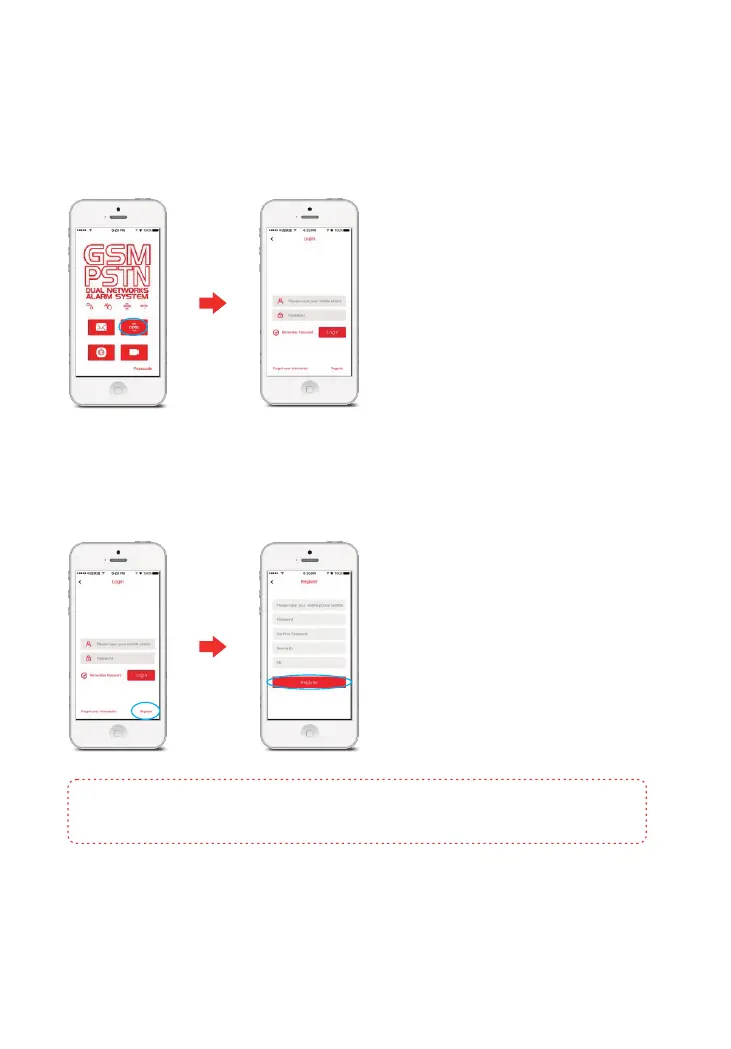
1. Register
① Enter login interface
Tap E11 APP, choose , and then the login interface appears.[GPRS]
Registering an account enables you to link the alarm system to your smartphone.
② Register an account
Tap , input your mobile number, password and code (Serial No) and device ID [Register]
(as shown on the label on the back of the Control Panel), and then tap .[OK]
Note: When registering, please input the user’s mobile number and NOT the Control Panel
SIM card number. The device ID, SN code are shown on the back of the Control Panel.



 To Next Page