3 Components
ers2 – 1-Channel ECG Telemetry System 25
201000401000 / Rev 04
These are the functions of the button and function indicator LED in the firmware update mode:
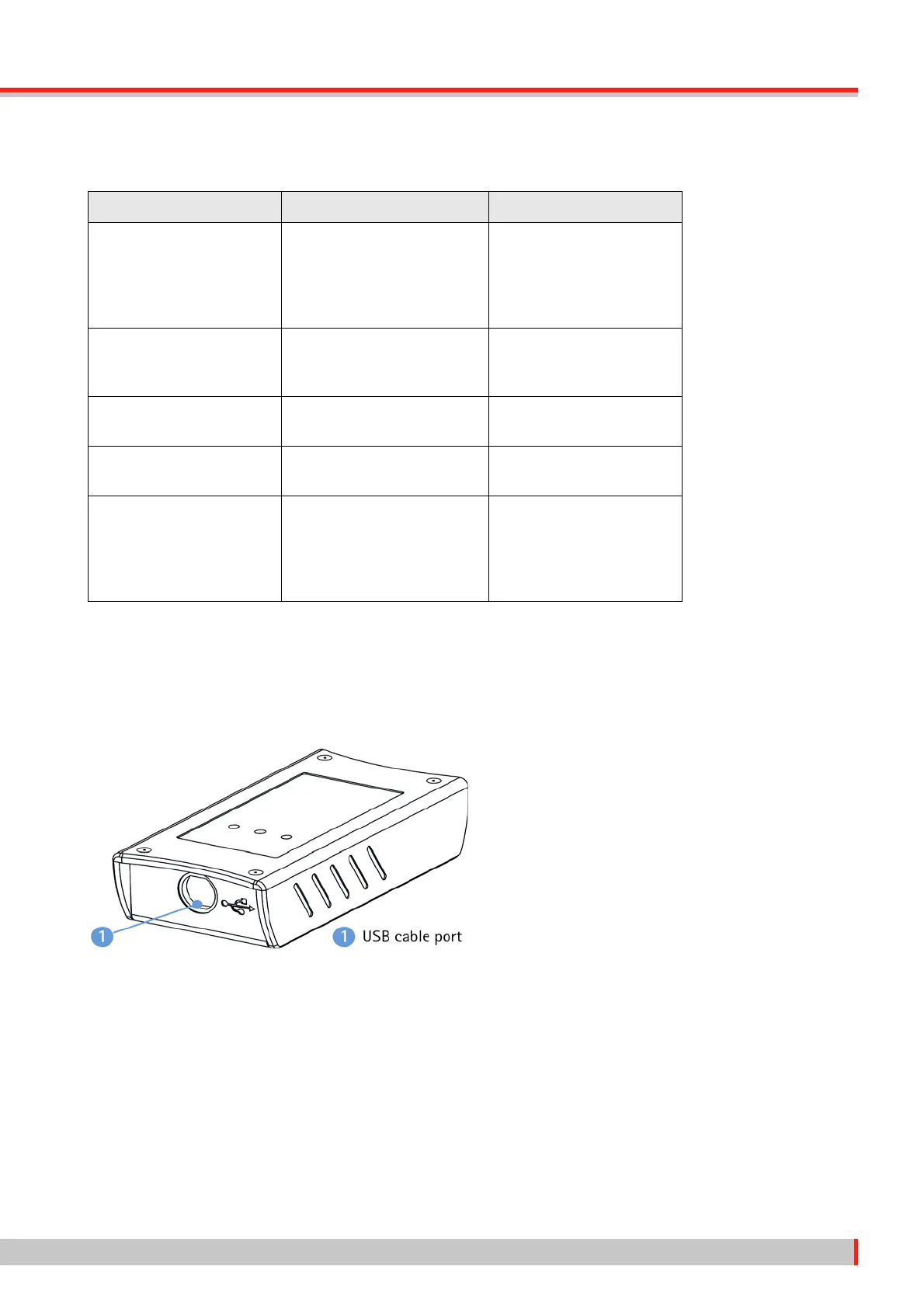
3.3 Receiver
The receiver, connected to a PC via USB, receives the ECG signals sent by the 1-channel transmit-
ter by radio transmission. A receiver can connect to a maximum of six 1-channel transmitters.
Operating controls
• USB cable port
Front view
• Indicator LED: ON/OFF – status
• Function LEDs S1 and S2
Rear view
• Threaded inserts for installation
Operation LED Status Operating Status
Switching on to firmware
update mode
• Press On/Off button for
more than 30 seconds
and release
LED is illuminated while button
is held down
Initializing
Wait for connection LED continuously flashing
(3 short blinks and 2 long blinks)
Transmitter waiting for con-
nection in firmware update
mode
Firmware update mode LED continuously flashing
(3 short blinks and 1 long blink)
Transmitter connected in
firmware update mode
Low battery voltage in firm-
ware update mode
LED continuously flashing
(3 short blinks and 3 long blinks)
Low battery voltage, no con-
nection possible
Switching OFF
1. Press On/Off button until
status LED is permanently
lit
2. Release On/Off button
1. LED continuously flashing in
previous mode
2. LED permanently lit
3. LED OFF
1. Transmitter shuts down
2. Transmitter ready for
switch-off
3. Transmitter OFF



 To Next Page