-- 3 9 --
fzb2d3ea
MAIN MENU settings for Roller bed, Positioner and Linear axis
Roller bed (ROL)
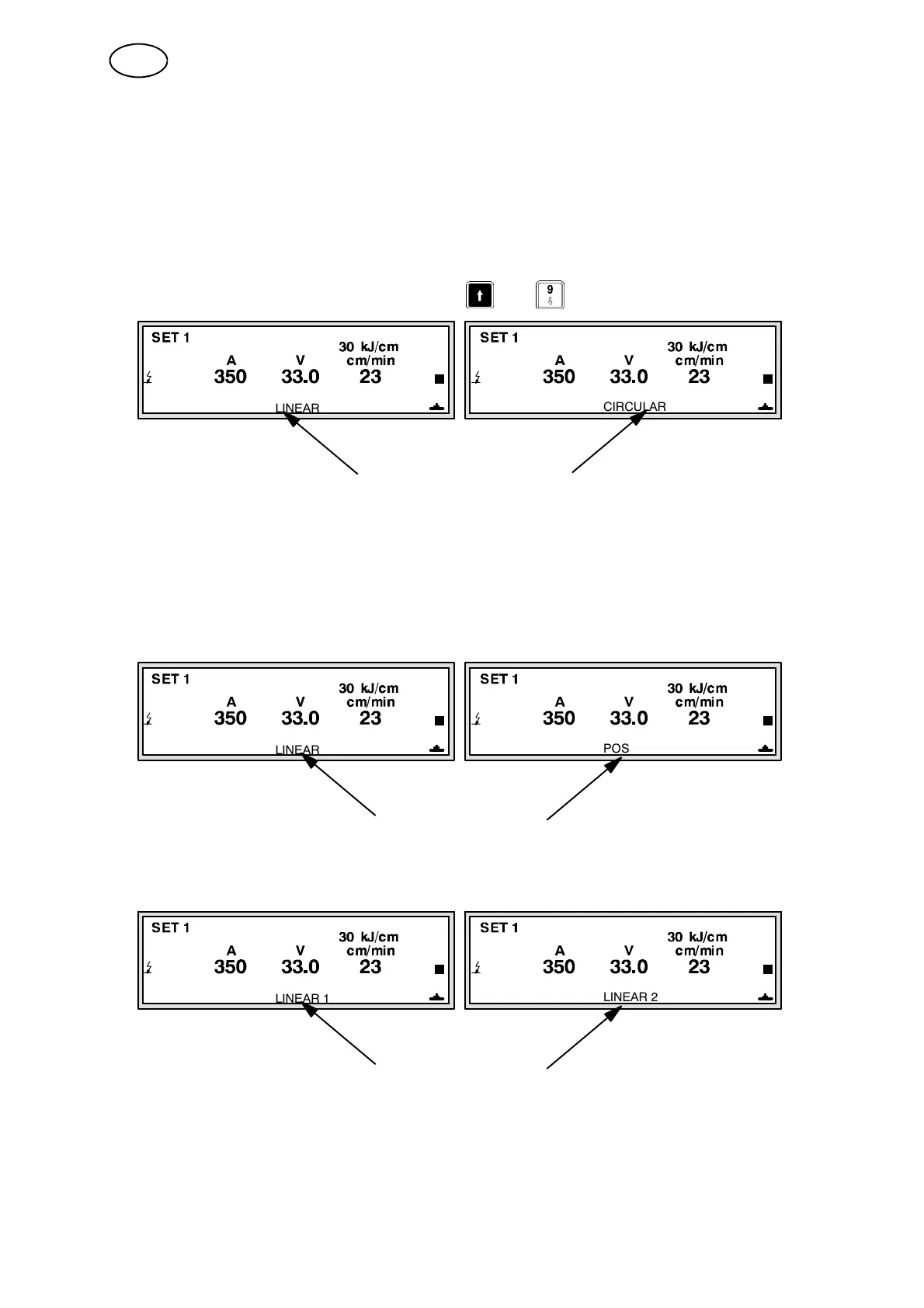
When the Roller bed settings have been made, the active motion is displayed on
the MAIN MENU (see figure below).
Select an axis by pressing the Axis selection key on the remote control unit
RCC.
In systems without an RCC unit, press
+
to select an axis.
LINEAR
CIRCULAR
The axis activated is presented here:
PEH 4.0 PEH 4.0
LINEAR = Boom or carriage (LINEAR1 = Boom, LINEAR2 = Carriage)
CIRCULAR = Roller bed
Positioner (POS)
To select active axis, proceed in the same way as for the Roller b ed.
LINEAR
POS
PEH 4.0 PEH 4.0
The axis activated is presented here:
LINEAR AXIS (LIN)
To select active axis, proceed in the same way as for the Roller b ed.
LINEAR 1
LINEAR 2
PEH 4.0 PEH 4.0
The axis activated is presented here:
GB



 To Next Page