User’s Guide Special keys
F.7
3. When the desired name and number appears . . .
. . . delete the entry by pressing either
or HOLD.
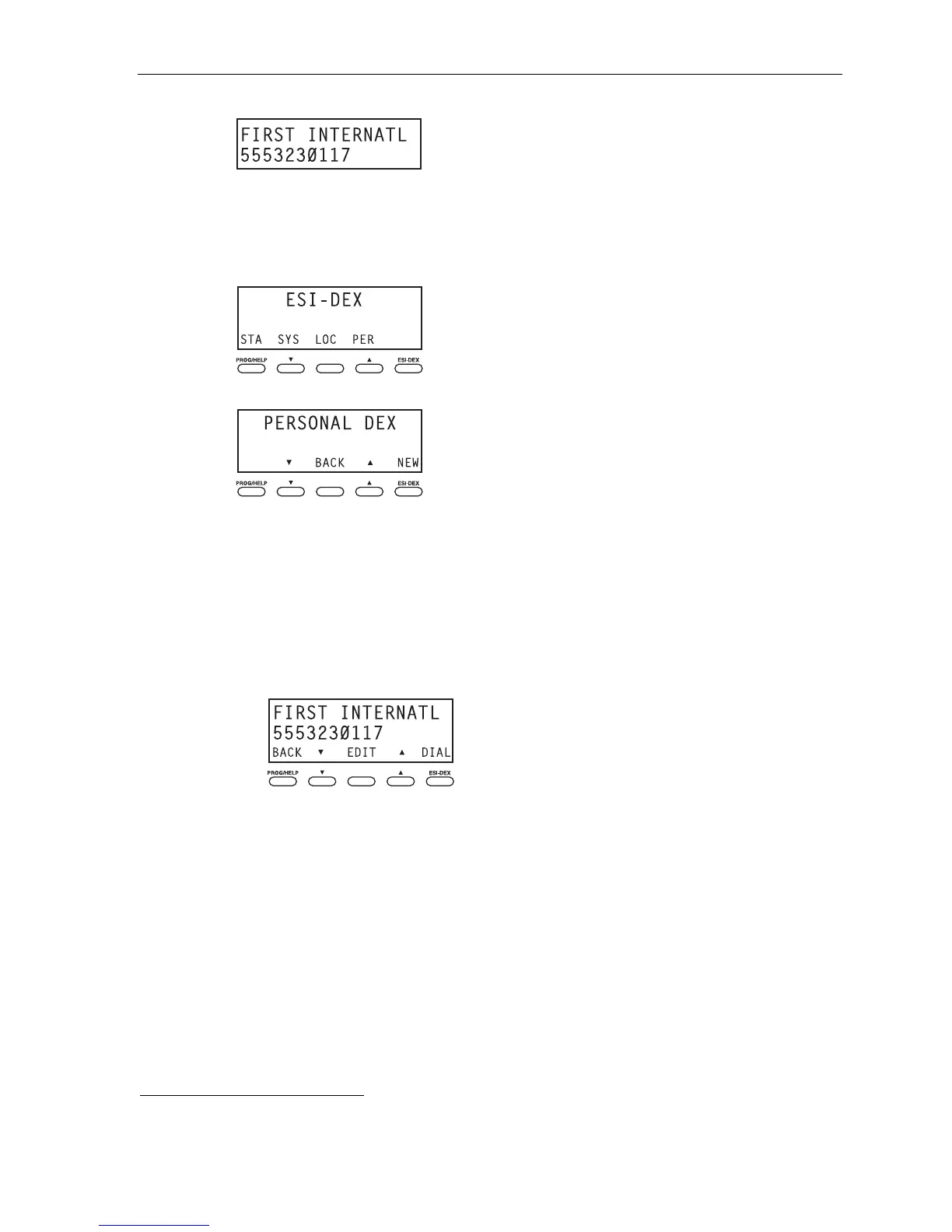
. . . On an ESI phone with a three-line display
1. While your station is idle (or just after receiving dial tone), press ESI-DEX. This causes the Esi-Dex
menu to appear, as shown:
2. Press PER to choose the Personal Dex.
3. Choose the desired name from the Personal Dex, using one of two methods.
Either:
(a.) Scroll — Press the scroll keys (
and
) to look up and down through the Dex until you find
the name (names will appear in the order in which they were stored in the Dex).
. . . Or . . .
(b.) Dial-by-name — Dial up to the first three characters
1
of the name. For example: to bring up
the listing for First International Bank, dial 3 4 7 (because it spells F I R). You’ll begin to see
names that begin with those letters. You can then use the scroll keys (
and
) until you find
the desired name and number.
4. Delete the entry by pressing HOLD.
1
You can also dial just one or two characters, and then press # to enter.



 To Next Page