IP Camera (C5900) User Manual
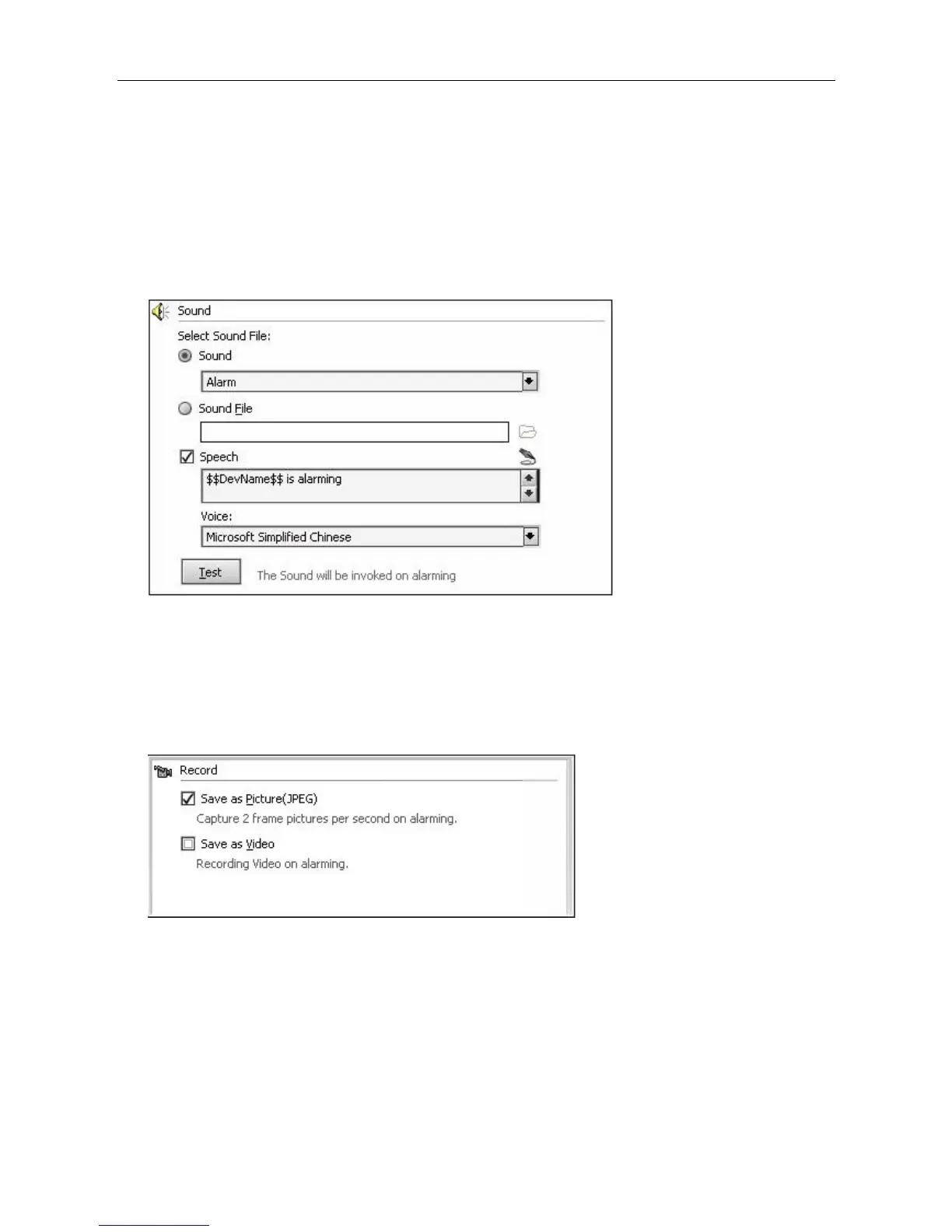
defines the content, such as the name of alarm equipment, alarm time. These pre-defined contents
have “$$” at the beginning, “$$” at the end
For example:
$$DevName$$: that the alarm occurred in the name of the equipment;
$$AlarmTime$$: that time when the alarm occurred;
$$Trigger$$: the reasons that trigger alarms;
If you only want to read text without background sound, you can choose "sound files" and do not
specify a sound file. And then check the "Speech".
Record: While alarming, the program will record the live video and save it automatically, user can
save either pictures or videos. When saving JPEG picture, the program will take a JPEG picture every
0.5 second till the end of the alarm, when saving video, the program will record from the beginning to
the end of the alarming period. Records will be saved automatically in the folder set in advance, and
can be managed or browsed under the History record management menu.
Email: When alarming, the program will send an email acknowledgement with picture or video clips
attached.
Attachment: User can choose send email with or without attachments, with picture or video, live
record function need to be enabled if you want send video clips.
Receiver: Email address to which the alarm acknowledgement will send.
Copy: Email address to which the alarm acknowledgement will copy, use a comma to separate multi
email addresses.



 To Next Page