IP Camera (C5900) User Manual
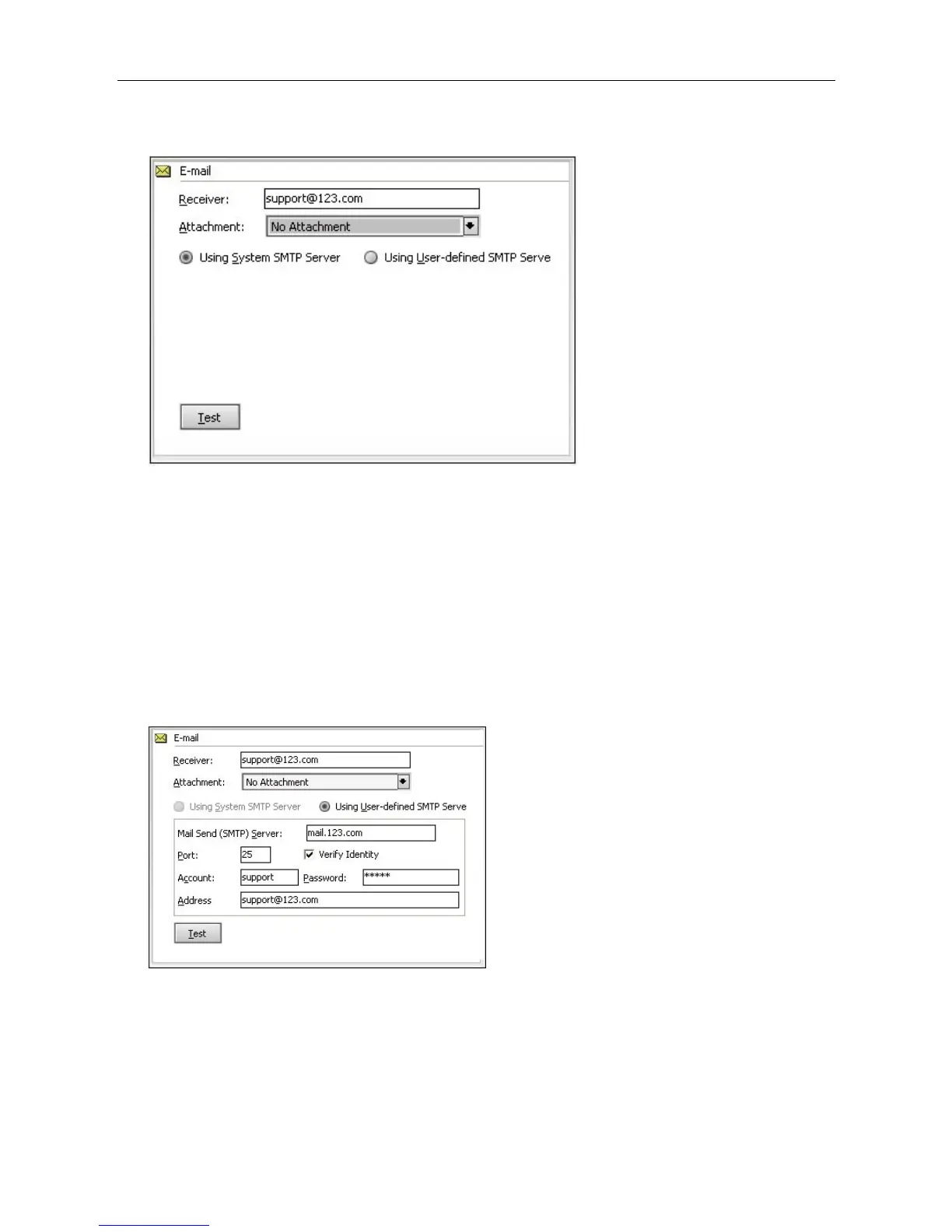
Test: Click test button, the program will send a testing email, users can check whether it is correctly
set or not, if sending failed, you should check out the details to get things square.
Email SMTP setting is the same as the setting in Outlook or Foxmail, user also can log in the web mail
and refer to the help file.
SMTP server: Email sending server, i.e. Gmail SMTP server is smtp.gmail.com
Port: SMTP service port which the email providers, Gmail is 465 under TSL protocol.
Verification: user account verification, now many SMTP servers need verification, so please select
this option.
User account: Email account, normally means the part before @, i.e. if the receiver email is
support@123.com,support is his user account, but sometimes it needs to fill in completely as
support@123.com;
Password: the password of sender mail
Email address: sender's email address.
FTP Uploading: While alarming, the program will upload the snap shot to the FTP server
Upload file:Three options: picture only, video only and both picture and video.
FTP host address: FTP host address;
FTP port: Generally,it is 21;
User name: FTP log in user name;



 To Next Page