7.9.2 Changing Objectives
The IncuCyte™ ZOOM provides researchers the opportunity for live content imaging at
three different objectives; 4X, 10X, and 20X. Users with administrator privileges are the
only users who can change the objectives within the software. Changing objectives is
manual, therefore it is suggested that the User organize the workflow such that the
objective is changed after a length of time as opposed to changing it on a daily basis. In
order to change the objective, Users will want to be certain the current schedule is free
of vessels and scans.
NOTE: Once the objective is changed, all vessels from the previous schedule will
automatically be deleted.
To change the objective follow the steps indicated below.
1. As mentioned above, only ZOOM Users with administrative privileges can
reconfigure the optics. The administrator should log in and select the Administer
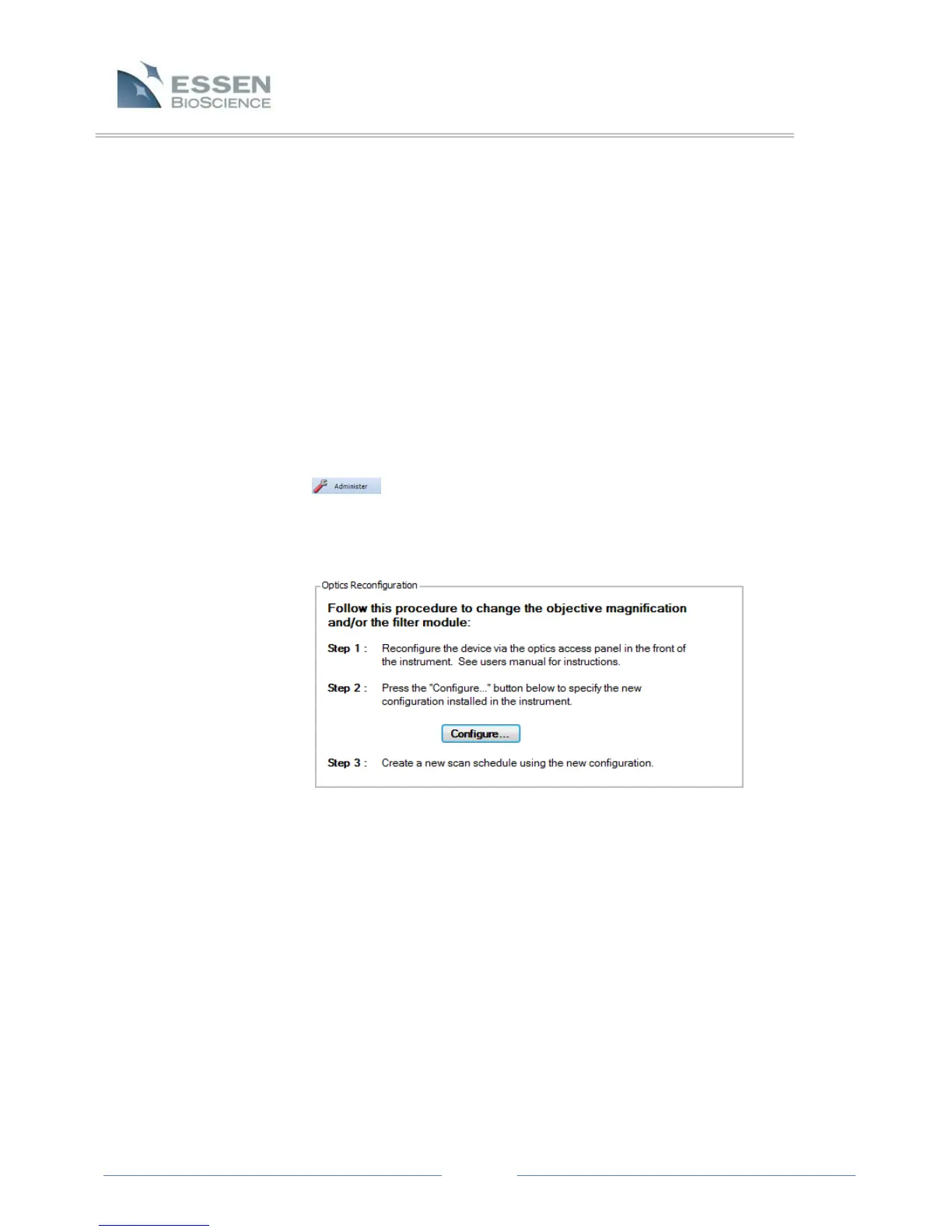
tab on the left side of the screen, under Task List. The first tab on the
Administer screen is “Optics Reconfiguration”, which displays a box in the center
of the screen showing the 3 steps required to change the objective magnification
(refer to Figure 27).
2. In order to change the objective, Users must open the small, square-shaped
optics access panel on the lower, right-hand side of the IncuCyte™ ZOOM
instrument by pushing down and pulling forward on the panel door. When this
door is removed Users will have access to the objectives and filter cube. The User
can open the ZOOM drawer for better visibility as needed.
Figure 27. Optics Reconfiguration Screen



 To Next Page