17
7.2.2.1. Connecting to the programming track
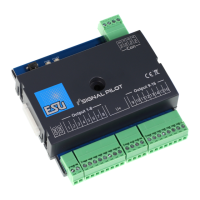
SwitchPilot
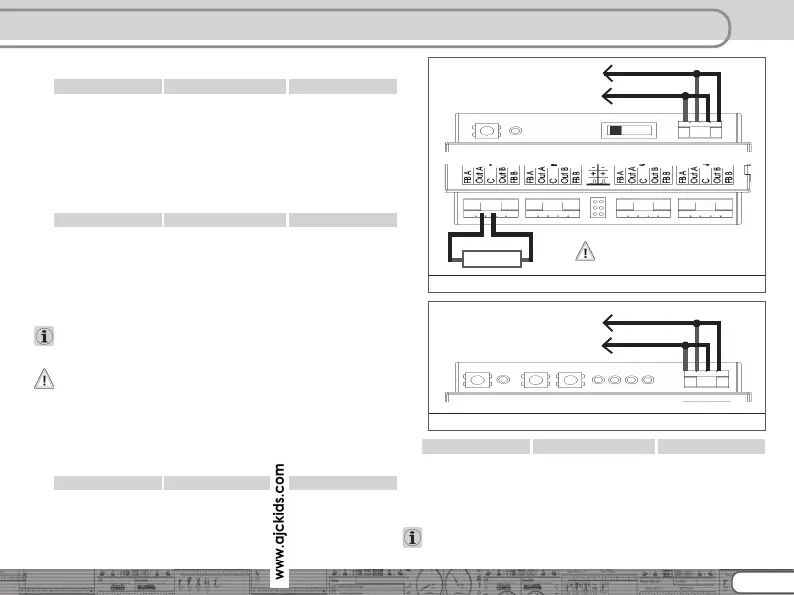
For programming please connect the SwitchPilot as shown in
figure 10 to your digital system. In this instance the power must
be supplied from the command station.
The SwitchPilot “understands” all relevant DCC programming
modes. It is best to program it in DCC Direct Mode.
In order to be able to read out any data you must connect a load
to output 1 Out A that draws more than 60 mA, for instance a
light bulb or a 180 Ohm / 1 Watt resistor.
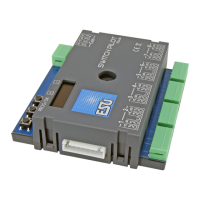
SwitchPilot Servo
For programming please connect the SwitchPilot as shown in
figure 11 to your digital system. In this instance the power must
be supplied from the command station.
The SwitchPilot Servo “understands” all relevant DCC
programming modes. It is best to program it in DCC Direct Mode.
A load resistance with 180 ohm is already built in.
The reading of CVs should function with all DCC conformal
central units and was tested with ESU ECoS, Bachmann® Dyna-
mis ProBox®, Uhlenbrock® Intellibox® and Lenz® Digital Plus
V3®. Unfortunately, Digitrax® units do not supply enough current
on the programming output, ZIMO® units sometimes report an
over current. Therefore, use the main track programming 7.2.1.
7.3. Programming with Märklin® central stations
A direct programming possibility with a Marklin central unit (e.g
6021, Mobile Station®, Central Station®) is not possible due to
the missing DCC format. However, the most important properties
can still be changed.
SwitchPilot
The desired turnout numbers can be set directly with buttons.
Chapter 8.4 has more information. By means of the operating
mode switch you can chose between k83 or k84 mode (find
more 5.2.1).
SwitchPilot Servo
The desired turnout numbers can be set directly with buttons.
Chapter 8.4 has more information. The end positions and speeds
of all servos can be changed with the help of the input unit. See
Chapter 10.4.
For all options we recommend the use of the ESU Lokprogramer.
connect to programming
track output of digital system
Figure 11: SwitchPilot Servo connection to programming track
Figure 10: SwitchPilot connection to programming track
connect to programming
track output of digital system
180 Ohm
Always switch off servo
while programming!



 To Next Page