18 Controlling Parameters
Controls the parameters of the selected light(s). Only lights with parameters may be controlled here.
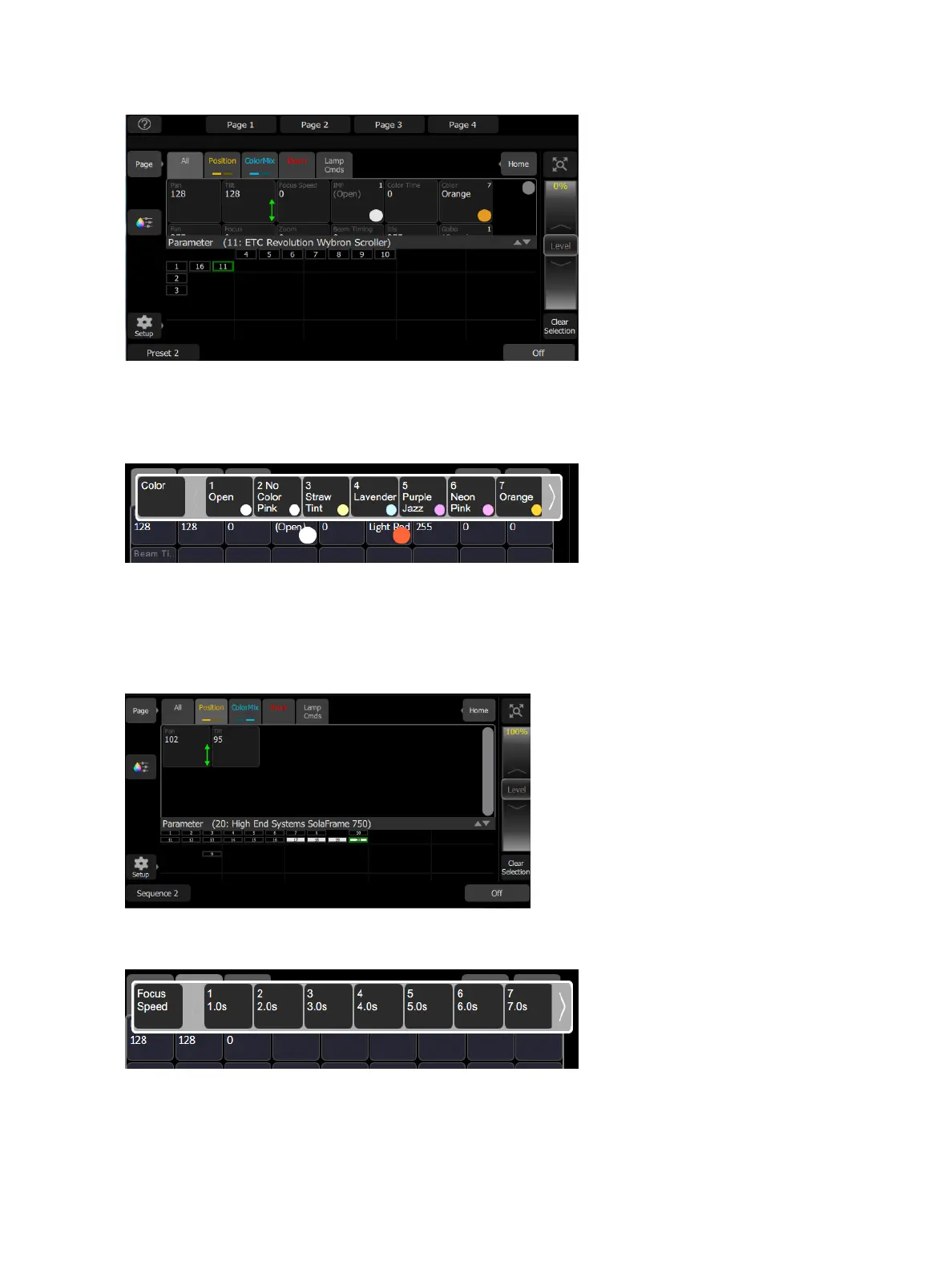
Pick a parameter and swipe the value box up and down to change values. A green arrow will appear on the
value box when you are swiping it.
Pick the value box with one press to open a filmstrip view of the available settings.
The filmstrip may be scrolled left or right to see all the choices.
Parameter, Position
Show only the position parameters, pan and tilt. There are two pages of pan and tilt controls. The first page dis-
plays value boxes for pan and tilt.
Control the parameters of the selected light(s). Only lights with parameters may be controlled here.
Pick a parameter and wipe the value box up and down to change values.
Pick the value box with one press to open a filmstrip view of the available settings. The filmstrip may be
scrolled left or right to see all the choices.



 To Next Page