20 Controlling Parameters
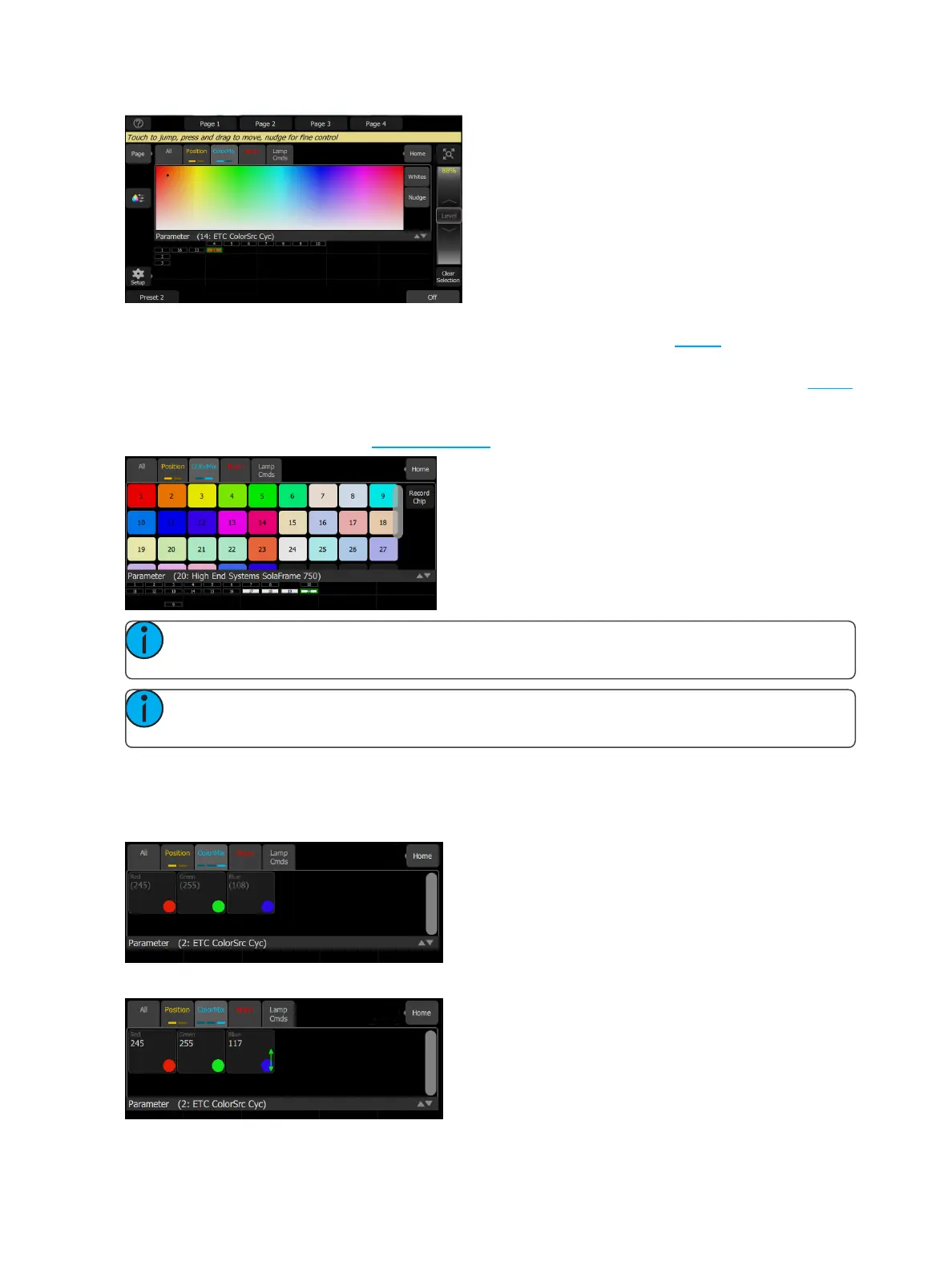
The color picker is a diagram of the visible spectrum varying by hue from left to right and by saturation (pale-
ness) from top to bottom. The color picker can be set to colors or whites mode. See Whites for more inform-
ation.
A black dot is used to indicate the color selected. Press Nudge to put the color picker in fine mode. See Nudge
for more information.
The second page displays the color chips. Color chips are a set of preset color chips. Color chips may be pro-
grammed to carry any color mix. See Setup Color Chips for more information.
Note: Not all color mixing systems can produce precise color matches and a full range of colors. It is
advisable to control color on only one fixture type at a time.
Note: You may find it necessary to pick colors independently for different lights in order that they all
produce a similar color.
The third page is for direct emitter control. Direct emitter control provides an additional method of color control
that allows for the manipulation of each individual LEDemitter.
When color values are set via the color picker, their values will display in parentheses when viewed in the dir-
ect emitter page.
To change an individual emitter, pick a color and wipe the value box up and down to change values.



 To Next Page