26 Recording Your Looks For Playback
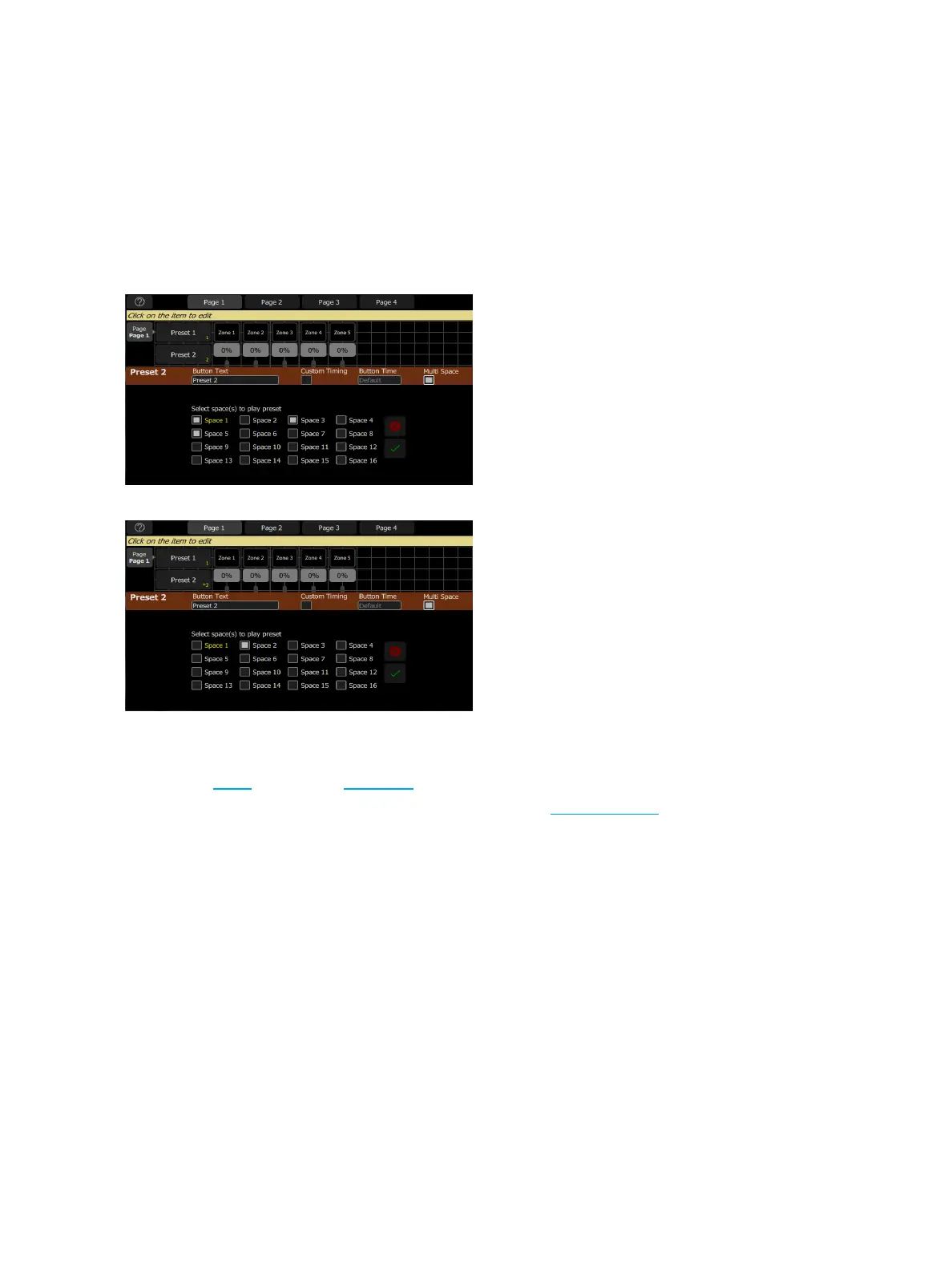
2. Press Edit Item.
3. Select your preset. The edit preset display will open.
4. Select Multi Space. The space options will display. The space assigned to your EchoTouch will be dis-
played in yellow.
5. Select the space(s) that you want this preset button to control.
6. Select Accept to assign, or Cancel to exit.
You can assign the preset button to control that preset number in multiple spaces including the space that your
EchoTouch is in.
You can also assign a button to control presets in other spaces not including the one that your EchoTouch is in.
Off
The Off button takes all outputs in a space to 0% level and non-intensity parameters to their home position.
This includes zones, presets, and sequences.
A default time for Off can be set it in Presets tab in Settings. See Settings: Presets for more information.



 To Next Page