32 System Settings and Setup
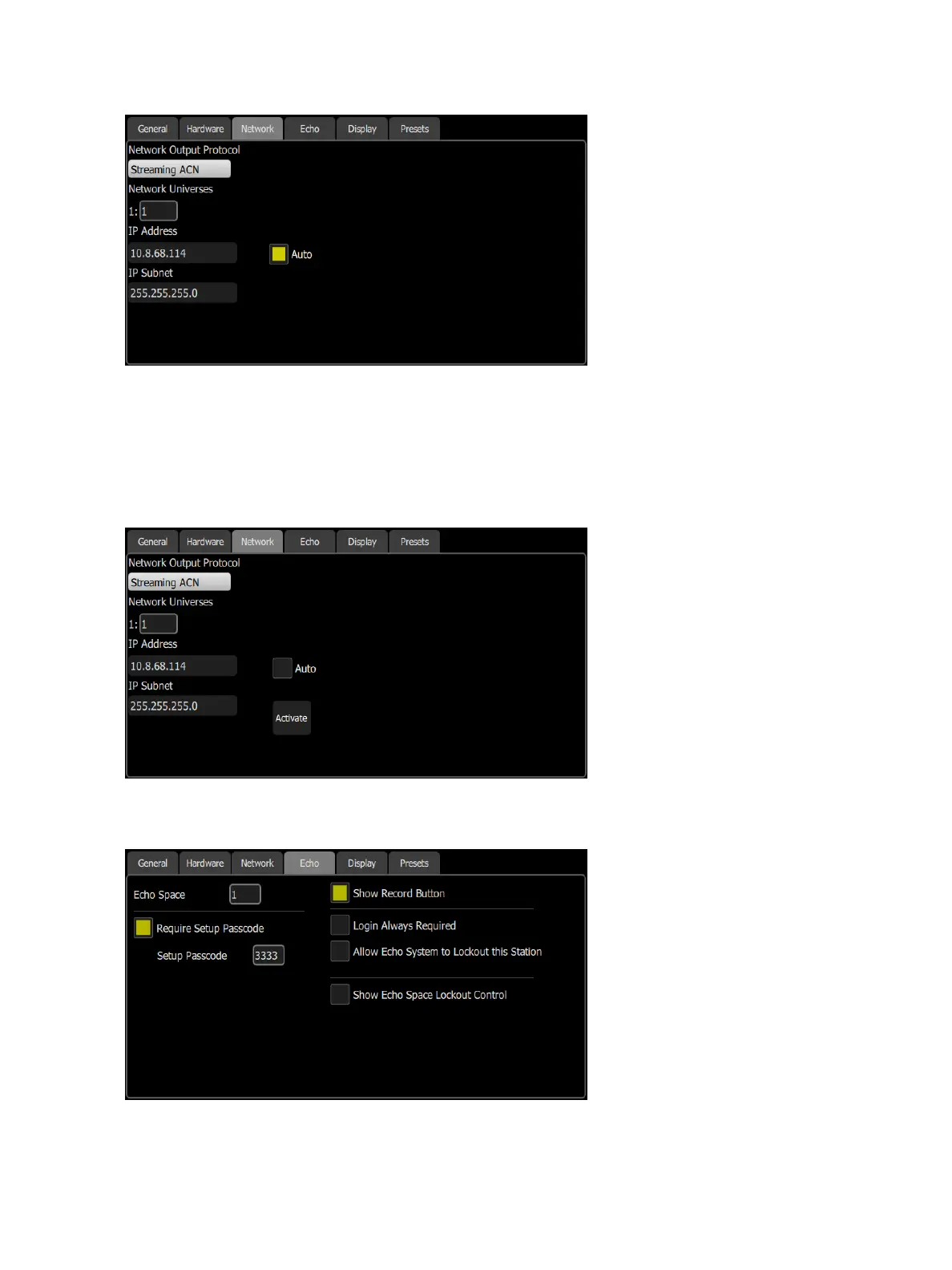
Choose the network output protocol. Current options are Streaming ACN(sACN) or ArtNet.
You can assign the internal network universe to any sACN universe number. In the Patch display, the internal
universe number will be displayed first with the assigned sACN universe in parentheses.
When Auto is enabled (the box will be yellow), the IPaddress and subnet will automatically be set via a DHCP
server. This is the recommended setting.
If Auto is disabled, you will need to set the desired IP address and subnet. After you set those, press the Activ-
ate button to apply your changes.
Settings: Echo
This tab contains Echo specific settings.
The following options are available:



 To Next Page