ETC Quick Guide
Source Four LED Profile
Source Four LED Profile Page 3 of 8 ETC
used with R20 Relay Module or Unison Echo
®
Relay Panel (consult breaker-trip curves when used
with other equipment)
• Up to 32 device loads on the DMX daisy-chain
5: Connect the power cable to AC power.
Focus
1: Supply power and wait for the fixture to boot up.
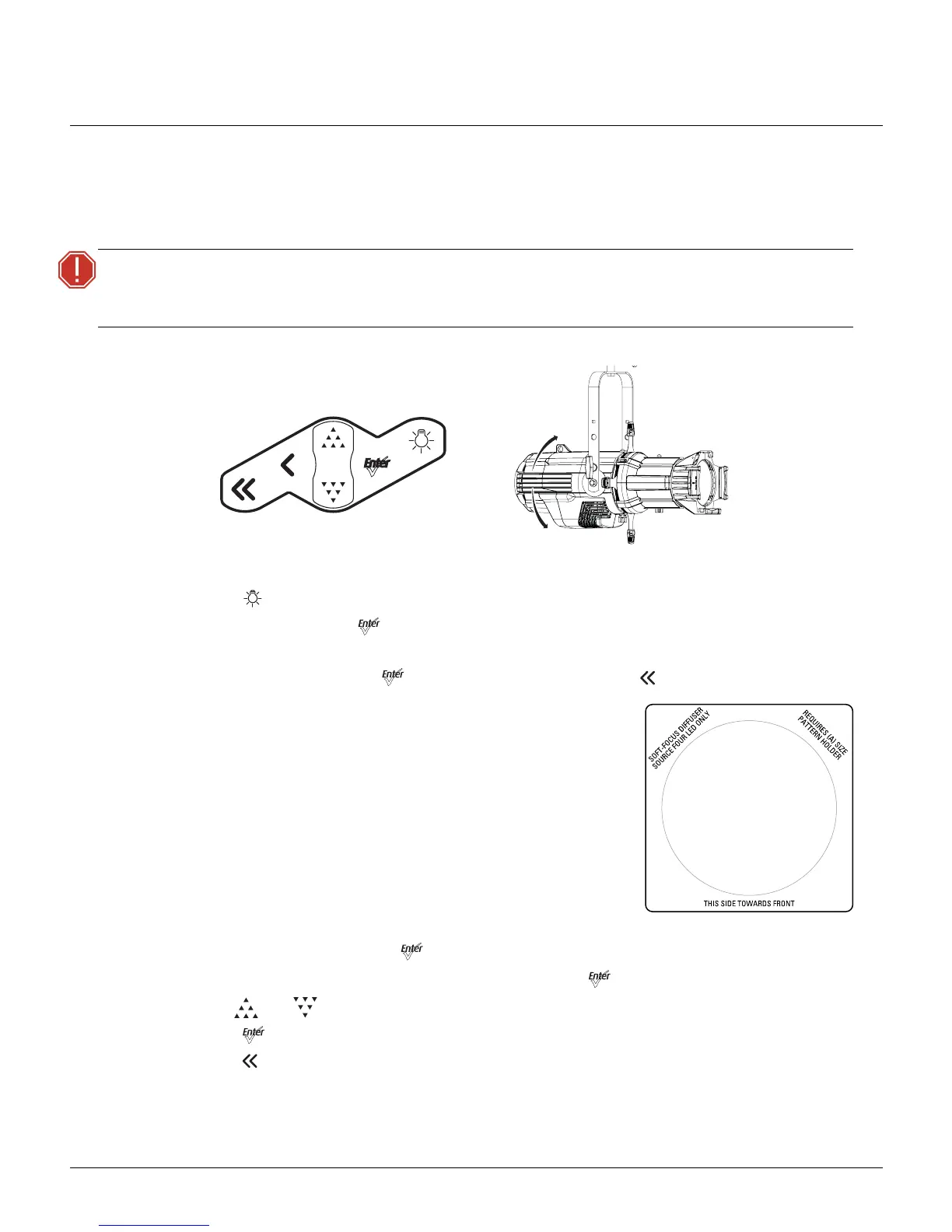
2: Press [] to open the Presets & Sequences menu.
3: Select Focus and press [] to turn on the LED array.
4: Adjust the fixture to the desired position.
5: Once the focus is set, press [] to turn off the LED array and then [] to return to the home screen.
Soft Focus Diffuser
1: Install the diffuser into an A-Sized Pattern holder.
2: Install a pattern in front of the diffuser, if needed.
3: Insert the pattern holder with diffuser into the Pattern holder slot,
making sure the writing on the diffuser faces the front of the
fixture.
Address
A DMX address is not needed if using stand-alone or
master/slave control.
1: From the home screen, press [] to open the Main Menu.
2: In the Main Menu, scroll to DMX Start Address and press [].
3: Use [] or [] to scroll to the desired fixture address.
4: Press [] to select the address number.
5: Press [] to return to the home screen.
WARNING:
The fixture must be connected to a non-dimmable power source in order to avoid
damage to its internal power supply and other electrical components. Dimming
will damage the fixture and void the warranty.




 To Next Page