ETC Quick Guide
Source Four LED Profile
Source Four LED Profile Page 5 of 8 ETC
Studio Quick Setup
From the home screen:
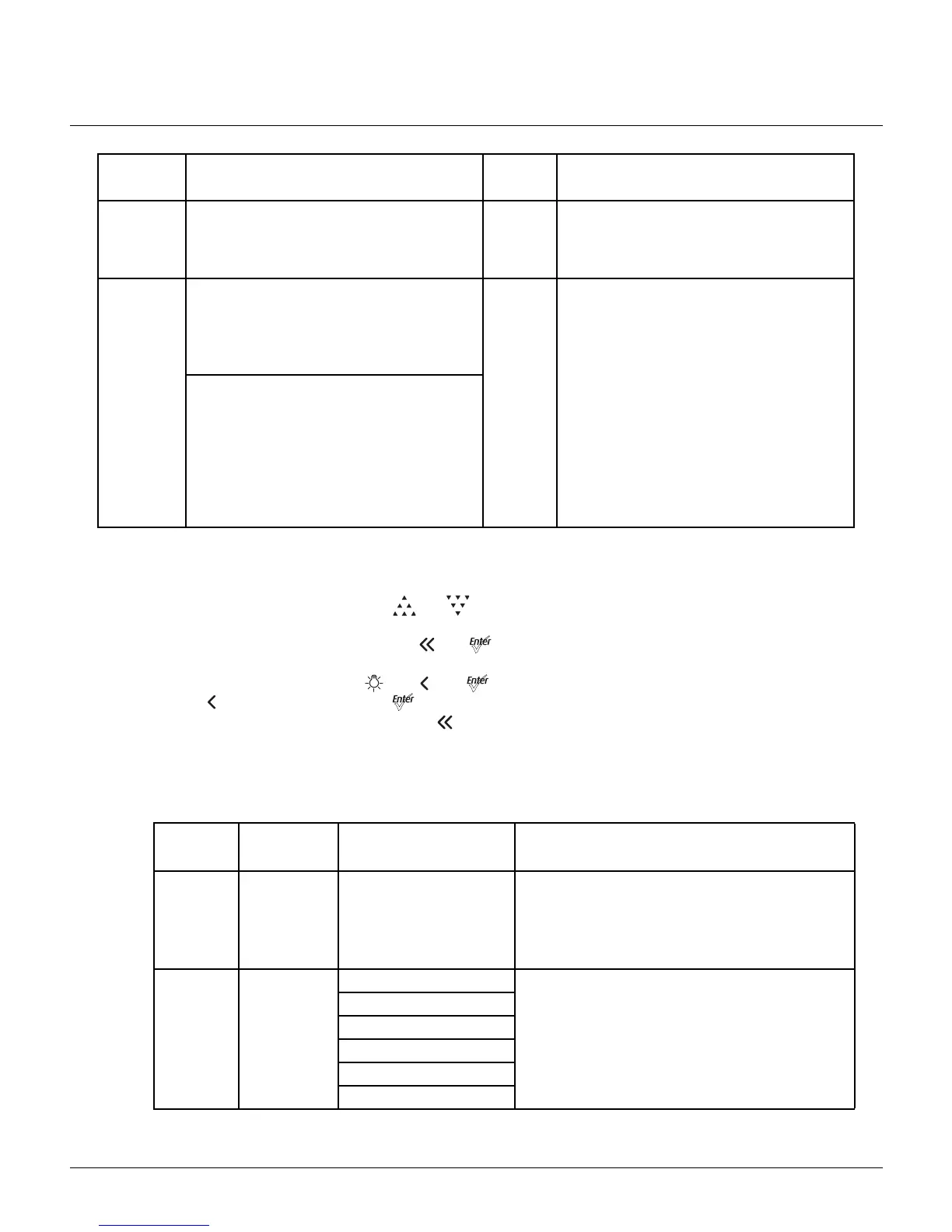
•To adjust the Intensity, press [] or [].
The range is 0 to 100%.
•To adjust the White Point, press [] or [].
The range is 2700 to 6500K.
•To adjust the Tint, press [] & [] or [].
[] increases magenta and [] increases green.
• To return to the Main Menu, press [].
DMX Profiles
Lustr+ and Series 2: Lustr, Daylight HD, Tungsten HD, and Studio HD
High
Impact
• For concerts and high impact lighting
• Enables quickest response, simple RGB
control and strobe channel for maximum
effect usage
RGB
• Quick dimming response
• Boosted output for maximum intensity
• Reduced consistency of output
• White point: 5600K
Studio
• For video or film lighting
• Enables quick, comprehensive control of
white light via DMX or the fixture’s
onboard user interface
• High-quality white-light output
Studio
• Linear dimming curve
• Regulated output for brightness
consistency
• Variable white point 2700K–6500K
• Variable + or – green (tint) with the
Lustr+, Series 2 Lustr, and Studio HD
The Studio Quick Setup is operational in all
fixtures for excellent white light
performance. It is the default setting for
Series 2 Daylight HD, Series 2 Tungsten HD
and Studio HD fixtures. In addition, Studio
Quick Setup enables stand-alone operation
from the User Interface on the back of the
fixture if no console is present.
DMX
Profile
DMX
Channels
Channel Assignments Notes
Direct 10
See
Channel
Assignments in Direct
Mode
on
page 7
.
Direct control of each individual color with a
separate master intensity channel. Color
calibration of LEDs is not active in this mode. The
ten-channel profile will produce the highest
quality color crossfades.
RGB
6
(Ch. 4 not
used)
1 - Red
Effectively addresses all seven colors via three
channels of control. RGB profile will produce
medium quality color crossfades.
2 - Green
3 - Blue
4 - n/a
5 - Strobe
6 - Fan Control
Quick
Setup
Description Profile Features




 To Next Page