ETC Quick Guide
Source Four LED Profile
Source Four LED Profile Page 4 of 8 ETC
Features
Quick Color
(Lustr+ and Series 2: Lustr, Daylight HD, Tungsten HD, and Studio HD)
Quick Color allows you to easily select a color and its intensity from a predefined menu. This feature
overrides any presets or sequences previously selected and is only available when there is no external DMX
signal to the fixture.
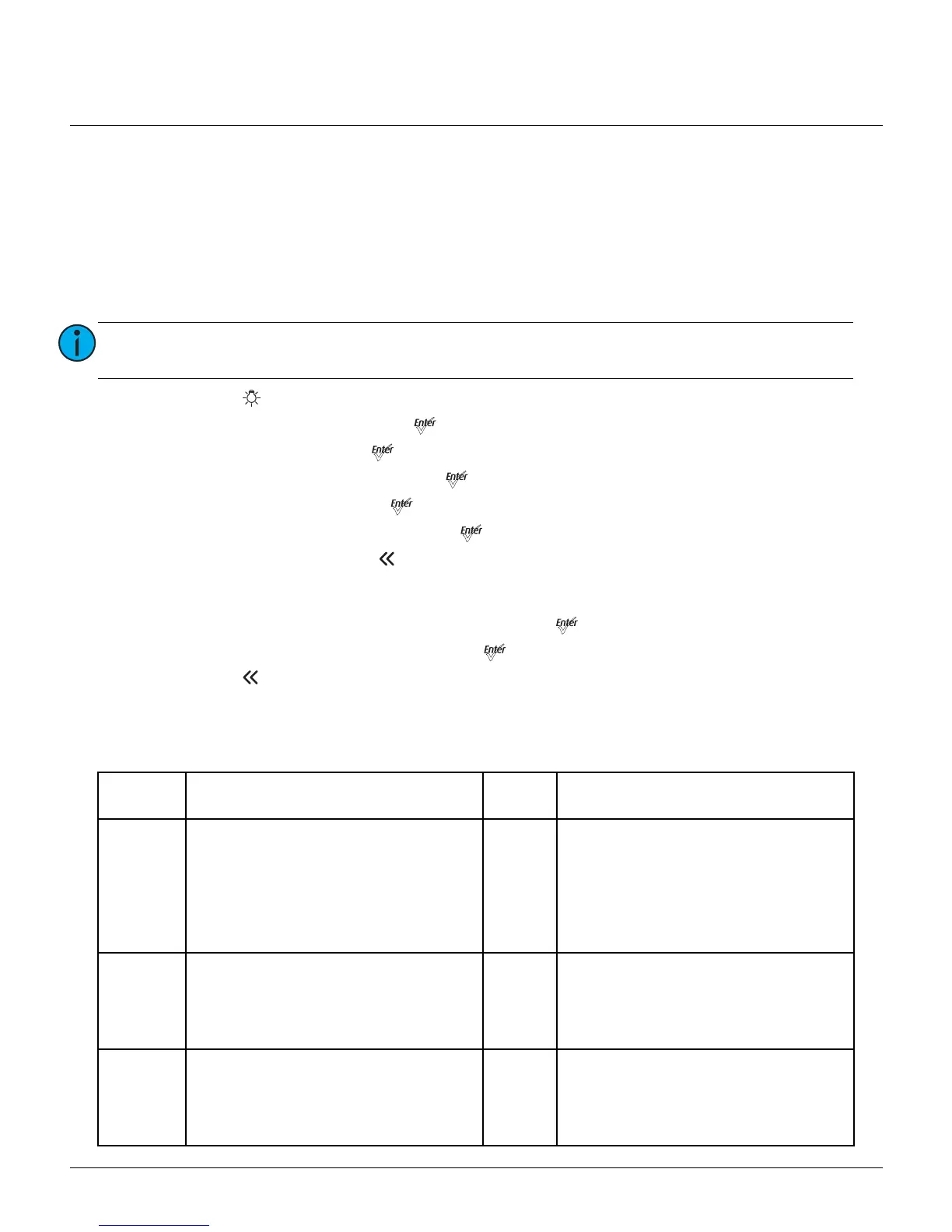
1: Press [] to open Presets and Sequences.
2: Scroll to Quick Color and press [].
3: Scroll to Color and press [].
4: Scroll to the desired color and press [].
5: Scroll to Intensity and press [].
6: Scroll to adjust the intensity and press [].
7: To exit Quick Color, press [].
Quick Setup
1: On the Main Menu, scroll to Quick Setups and press [].
2: Scroll to the desired setup and then press []. An asterisk (*) indicates which setup is active.
3: Press [] to return to the home screen. The top line of the home screen displays the name of the
active setup.
Individual features and settings are adjustable under the Advanced menu. See the
Source Four LED Profile
User Manual
for more information on advanced features of Source Four LED fixtures.
Note:
Exiting the Quick Color menu will return the fixture to the state it was in prior to entering
the menu.
Quick
Setup
Description Profile Features
General
• For general lighting
• All-purpose settings for most lighting
applications
• The default setup for the Lustr+ and
Series 2 Lustr
Direct
control
• Standard dimming curve
• Regulated output for brightness
consistency
• Individual color channels plus master
intensity control
• Allows for native color space crossfades
• Output is NOT color-calibrated
Stage
• For theatrical lighting
• Tungsten-like performance and precise
color-control
• Uses the most DMX channels of all quick
setups
HSI
Plus
Seven
enabled
• Incandescent dimming curve
• Regulated output for brightness
consistency
• White point: 3200K
XT Arch
• Longevity and reliability in applications
with limited access and extreme
environments
• High degree of output consistency and
protection against temperature swings
HSI
• Standard dimming curve
• Protected output for high-heat
environments
• Reduced overall brightness
• White point: 3200K




 To Next Page