R E M O T E M O N I T O R I N G M A D E E A S Y !
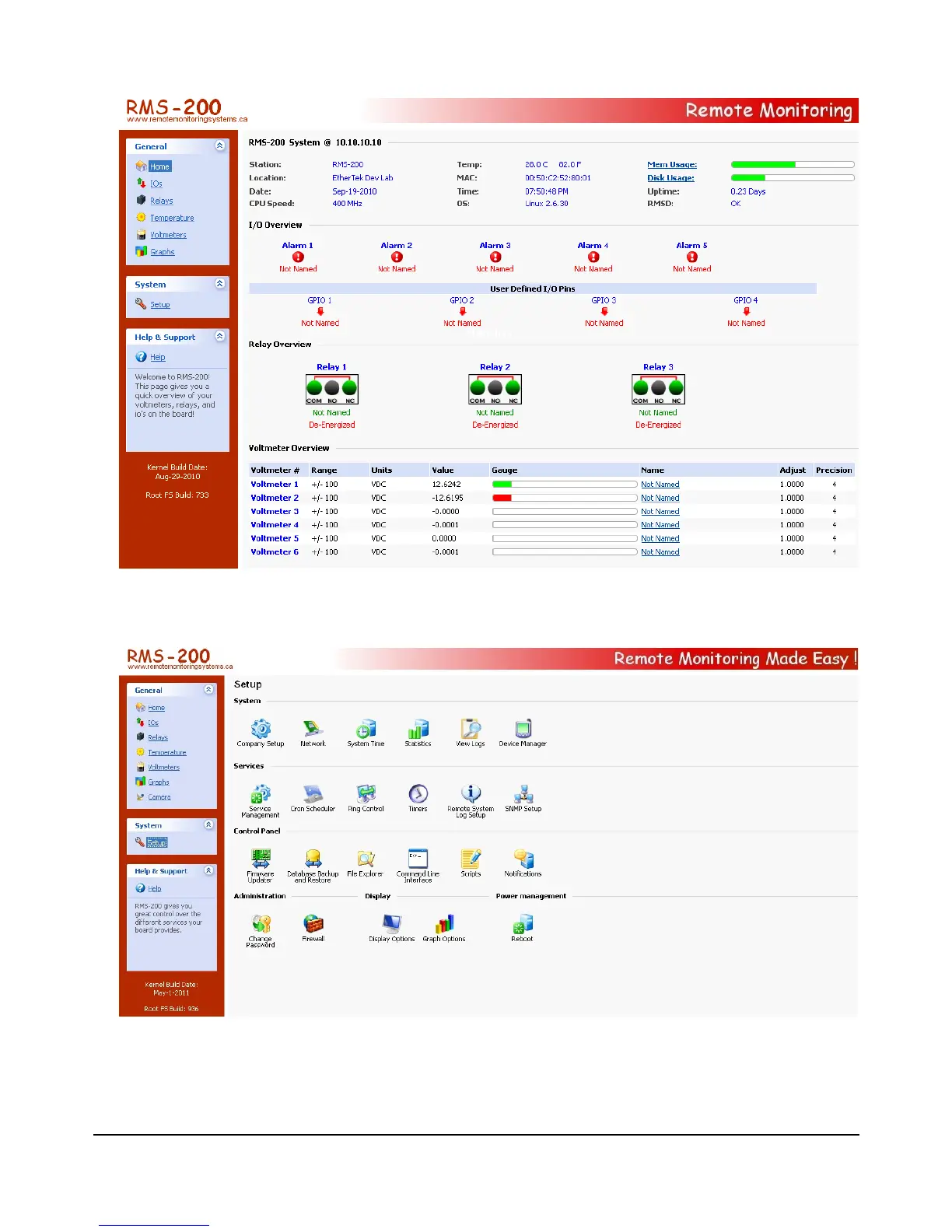
In the left side panel, click on the Setup icon. This takes you to the System Setup area
shown below.
Here you will want to visit the following areas: Company Setup , Network , System Time ,
and Change Password. Adjust the Station Name, Location, Domain Name, IP Address,
Subnet Mask, Gateway, DNS, and password you want the RMS-200 device to have.
6



 To Next Page