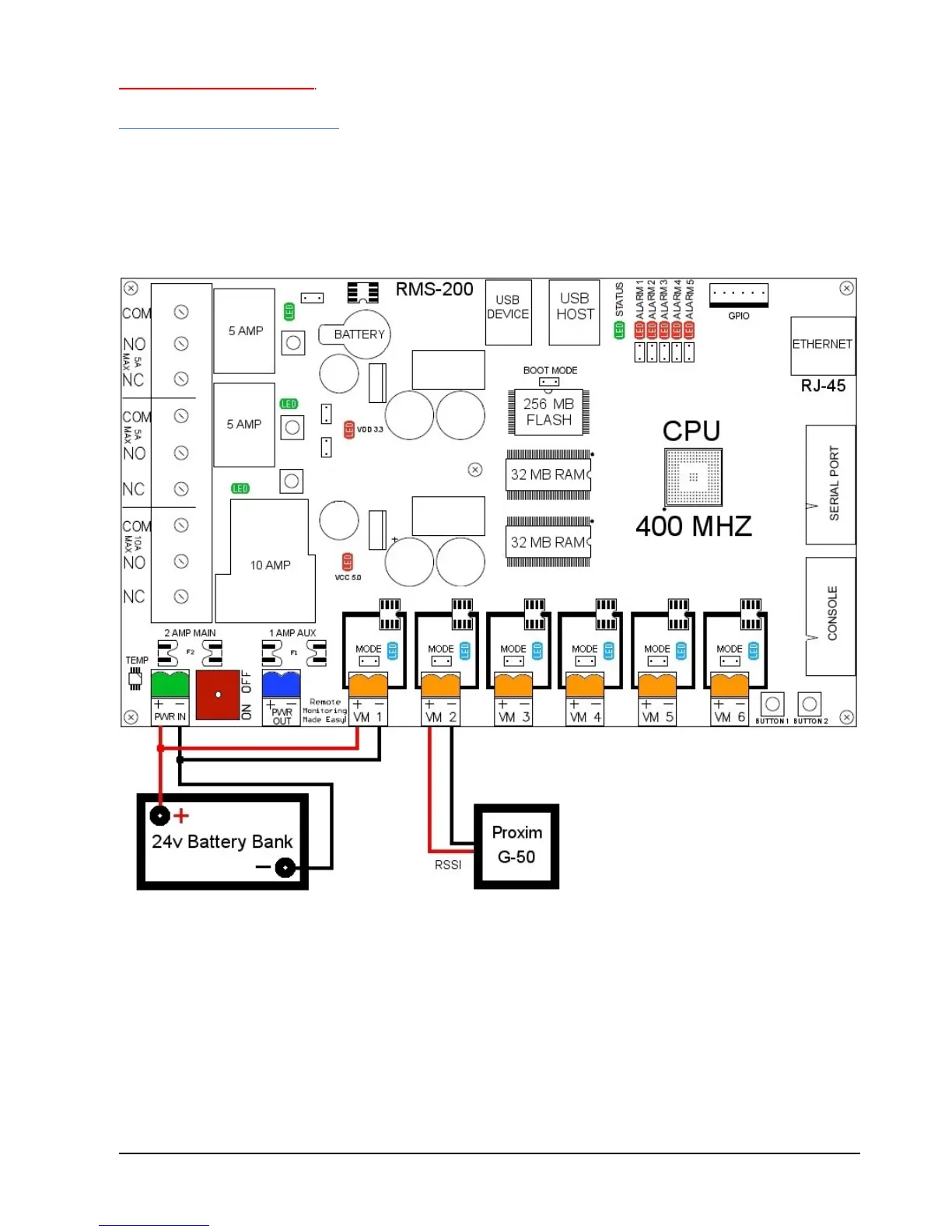
Basic installation example 2
Signal strength on Link CX Radios
Radios that have an external RSSI port for checking signal strength can be monitored
with ease. Simply attach the RSSI output from the radio to one of the Voltmeter inputs on
the RMS-200 board (see Figure 3). Monitor the signal strength of your radios with a web
browser and/or have RMS-200 alert you by email if the signal falls below a certain
threshold.
FIGURE 3



 To Next Page