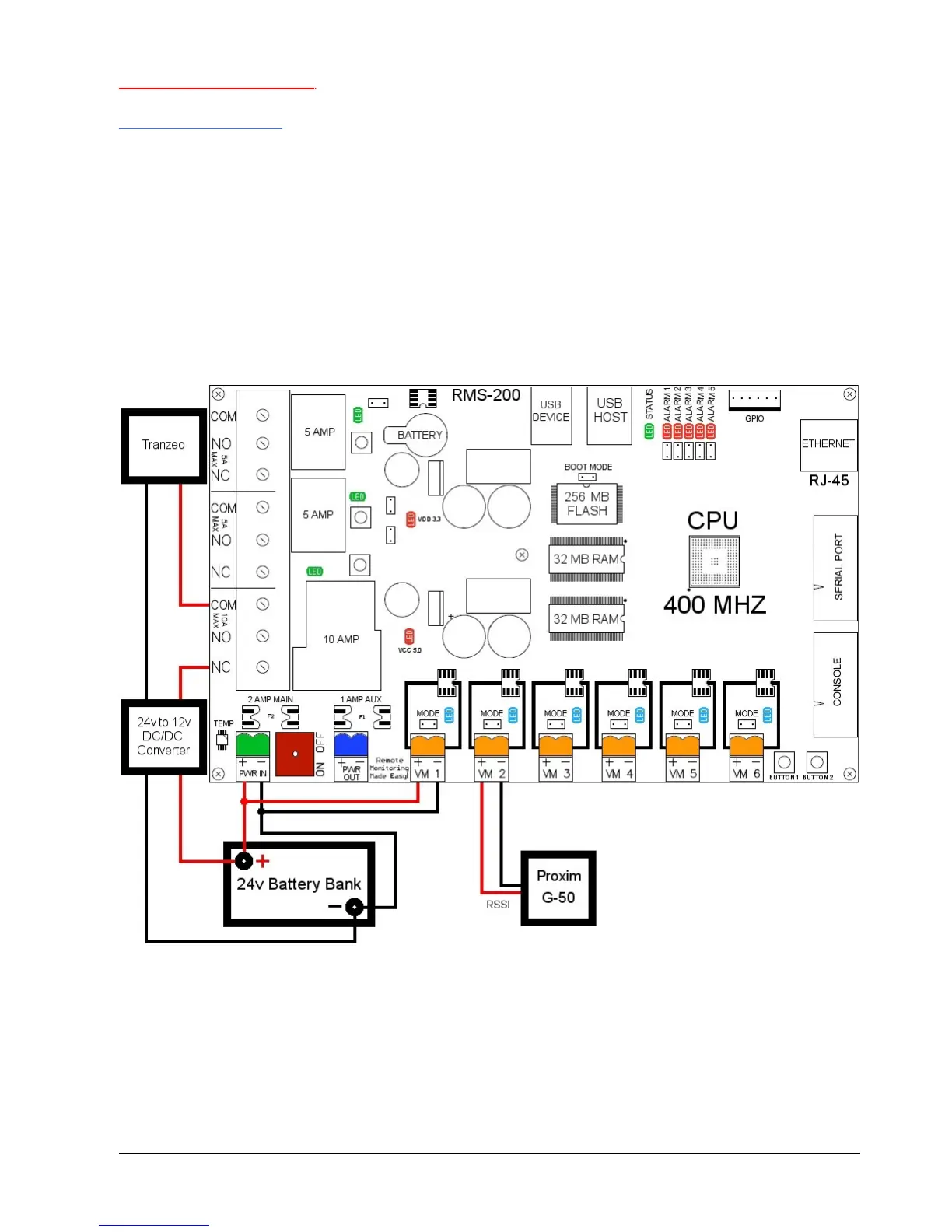
Basic installation example 3
Turning Devices ON/OFF
To make any device remotely reset able, simply cut one of the wires in the power cord of
a device. Attach one side of the cut wire to the COM terminal on one of the Power
Relays. Attach the other side of the cut wire to the NC (normally closed) terminal on the
corresponding Power Relay. Reset your device at any time using RMS-200. Note: in the
Normally Closed configuration, power still flows to your device even when the RMS-200
device is turned off. Virtually any 1 to 240 volt AC or DC device can be turned ON/OFF
remotely this way. The two small Power Relays can pass up to 5 amps each, the larger
Power Relay up to 15 amps!. For devices that should be by default turned off, use the
COM and NO (normally open) configuration. Figure 4 illustrates just one of the many
ways you can set up devices for remote reset.
FIGURE 4



 To Next Page