Basic installation example 4
Using the alarm pins to monitor door contacts
To give your equipment room some security you can use widely available common door
contacts. These contacts allow current to flow through them when they are in close
proximity with each other. RMS-200 can sense when the contacts are together or apart.
Program the alarm pins to send an email, run a custom file, and/or toggle a relay when
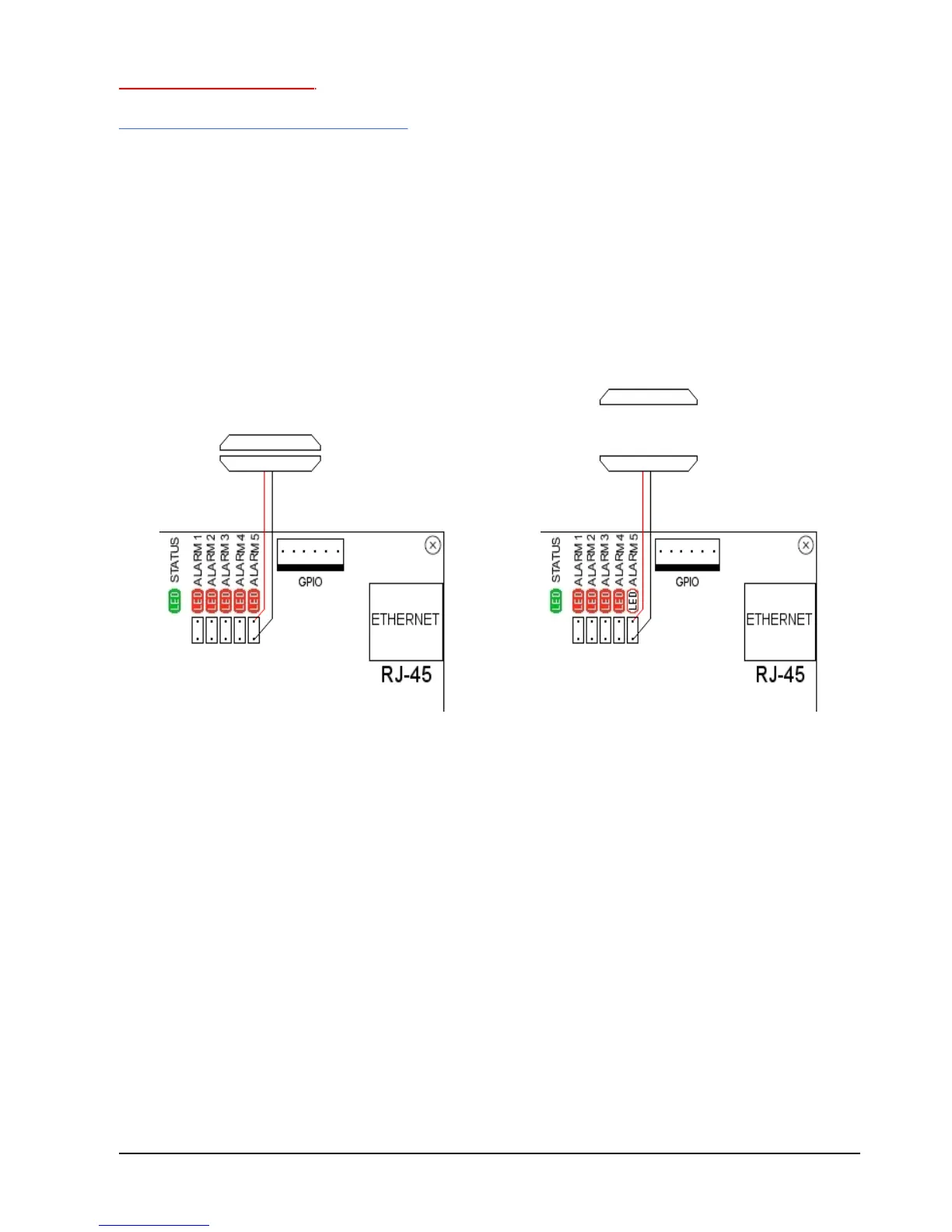
the door gets opened. The diagram below (figure 5) shows how to use Alarm pin 5 to
monitor door contacts.
Note1: the LED5 light is on when the contacts are together. This is the armed position.
Note2: each Alarm pin has a corresponding LED.
FIGURE 5



 To Next Page