R E M O T E M O N I T O R I N G M A D E E A S Y !
Caution must be taken when configuring the device, entering incorrect values may cause
you to lose connectivity with the device, forcing the need for a factory reset. Once you
have RMS-200 configured properly, it is ready to deploy in the field. Below are some
basic examples of how to install the RMS-200 unit.
Installation
Basic installation example 1
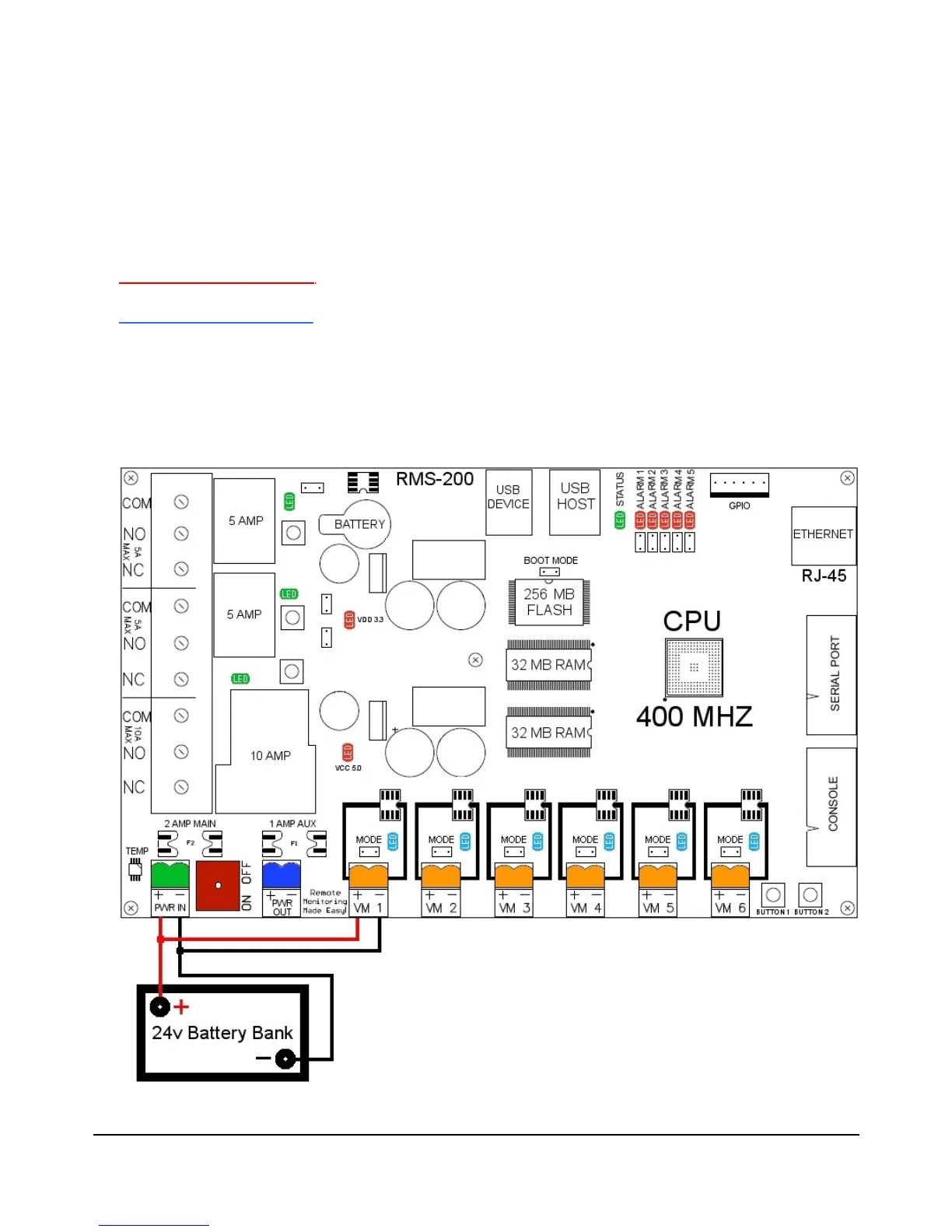
Monitoring your Battery Bank
To monitor your main battery power supply, run a wire from the positive side of the
battery bank to one of the Voltmeter positive inputs. Run a second wire from the negative
side of the battery bank to the corresponding Voltmeter negative input as shown in Figure
2. Connect RMS-200 to the internet with a common Ethernet cable and monitor the
voltage level of your battery bank with a web browser.
FIGURE 2
7



 To Next Page