R E M O T E M O N I T O R I N G M A D E E A S Y !
Configuration
Setting up RMS-200
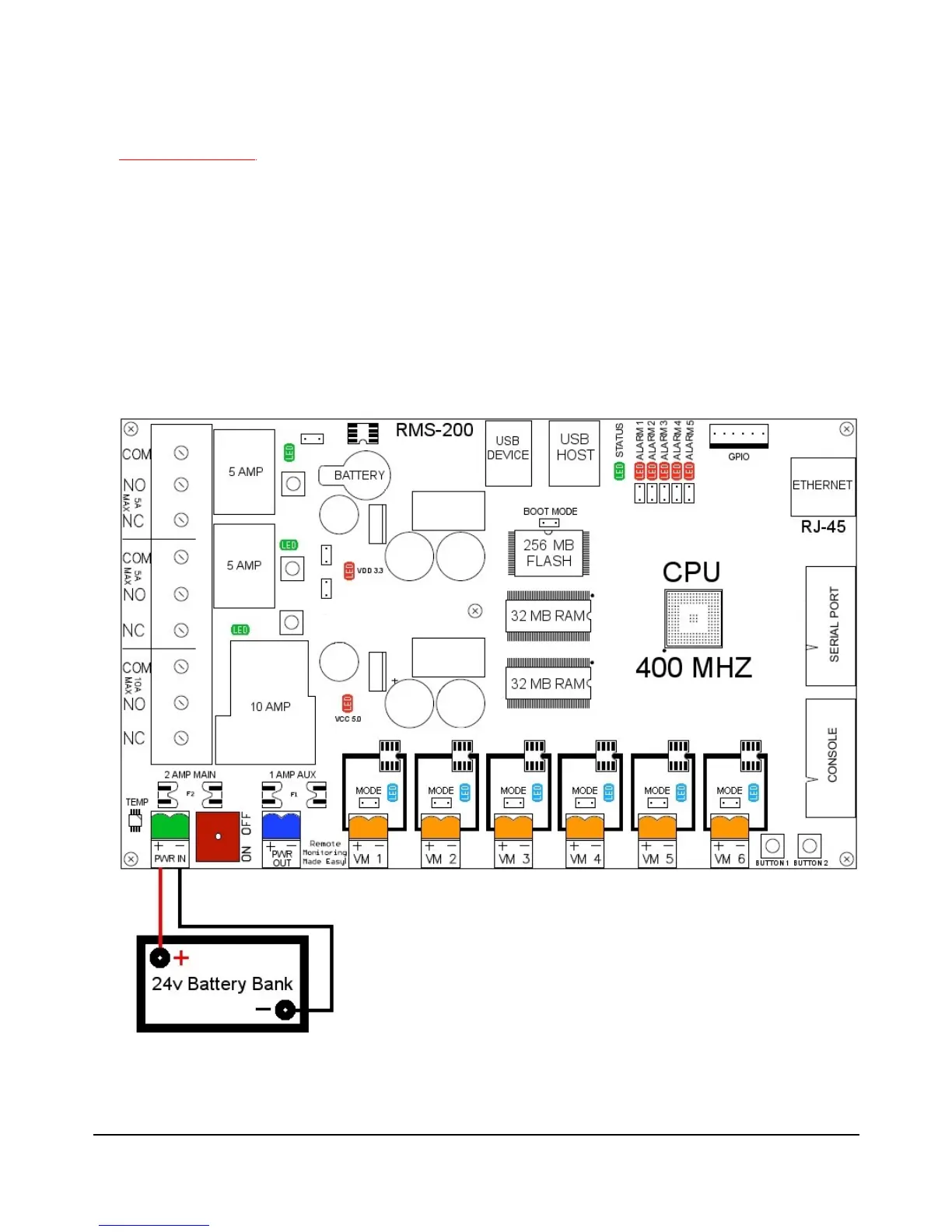
Connect 8 - 60 volts dc power (minimum 500 ma) to the green terminal block that is
beside the on/off switch (See figure 1). Connect an Ethernet cable to the rj-45 jack on the
RMS-200 board. Turn the device on with the on/off switch. It takes the RMS-200 board
approximately 30 seconds to bring up the Linux operating system. The RMS-200 will
signal it is ready by first blinking the green status light in a continuous heartbeat
sequence. After a few seconds the red alarm leds will display a light sequence. The
board is now fully booted up and is ready for configuration.
Note1: RMS-200 units should be mounted inside a steel enclosure that is grounded
properly to prevent Electro Magnetic Interference.
FIGURE 1
4



 To Next Page