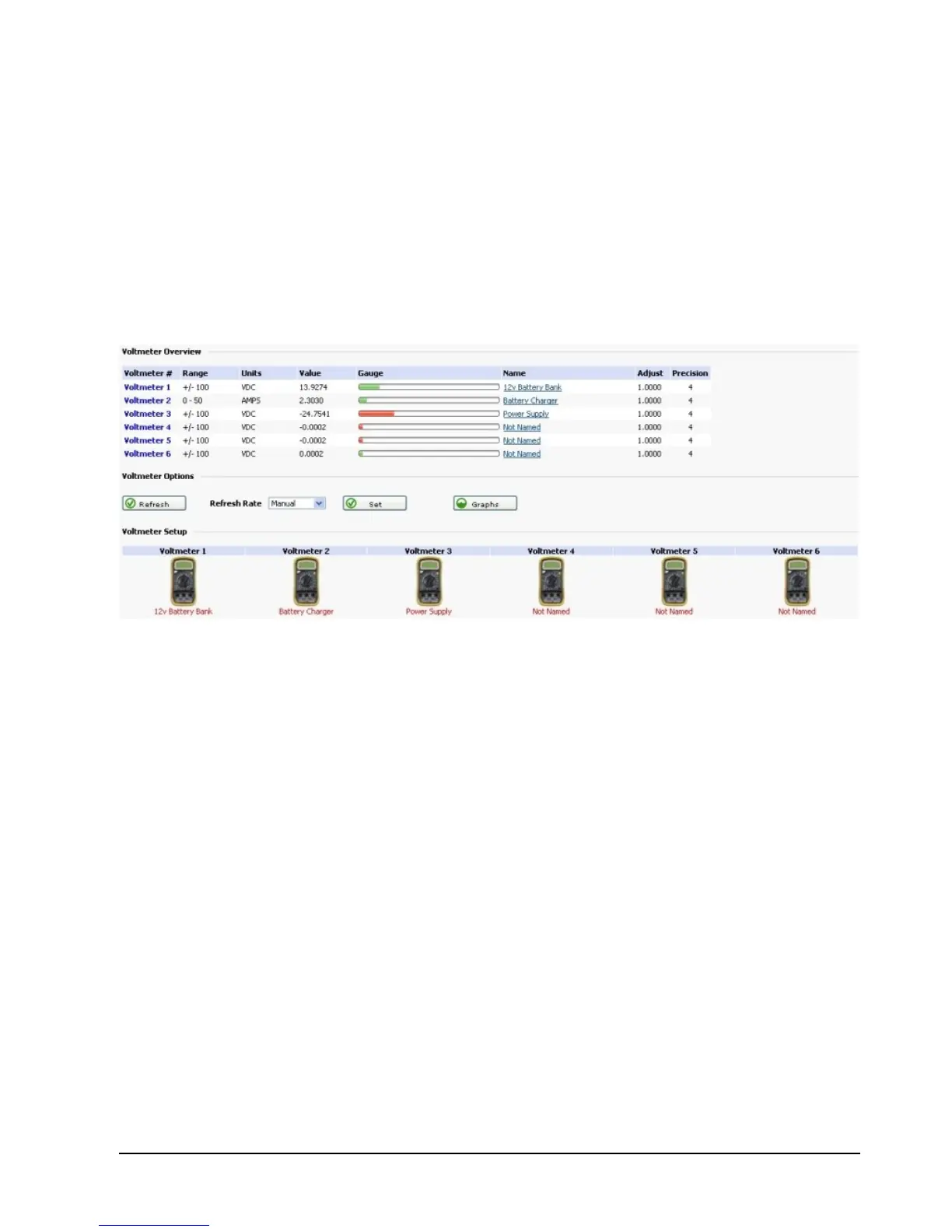
Below is a screen shot of the RMS-200 voltmeter overview page. This page shows at a
glance all voltmeter readings and provides a gateway for more voltmeter options. In the
screen shot below voltmeter 1 is displaying a positive reading of a 12v battery bank.
Voltmeter 2 is in ammeter mode, it is measuring the charge going into the battery bank
via a 50 millivolt / 50 amp current shunt (more on using shunts below). Voltmeter 3 is
measuring the output of a negative 24 volt power supply. Note: A green bar graph
indicates positive voltage, a red bar graph indicates negative voltage. To refresh the web
page you can press the Refresh button. To have the web page automatically refresh, set
the refresh rate. The graphs button takes you to a page displaying voltage or amperage
readings.



 To Next Page