EasyManua.ls Logo

EUROCOM M22ES - Removing the CPU

Default Icon
114 pages
Print Icon
To Next Page IconTo Next Page
To Previous Page IconTo Previous Page
Loading...
Disassembly
2 - 10 Removing the CPU
2.Disassembly
Removing the CPU
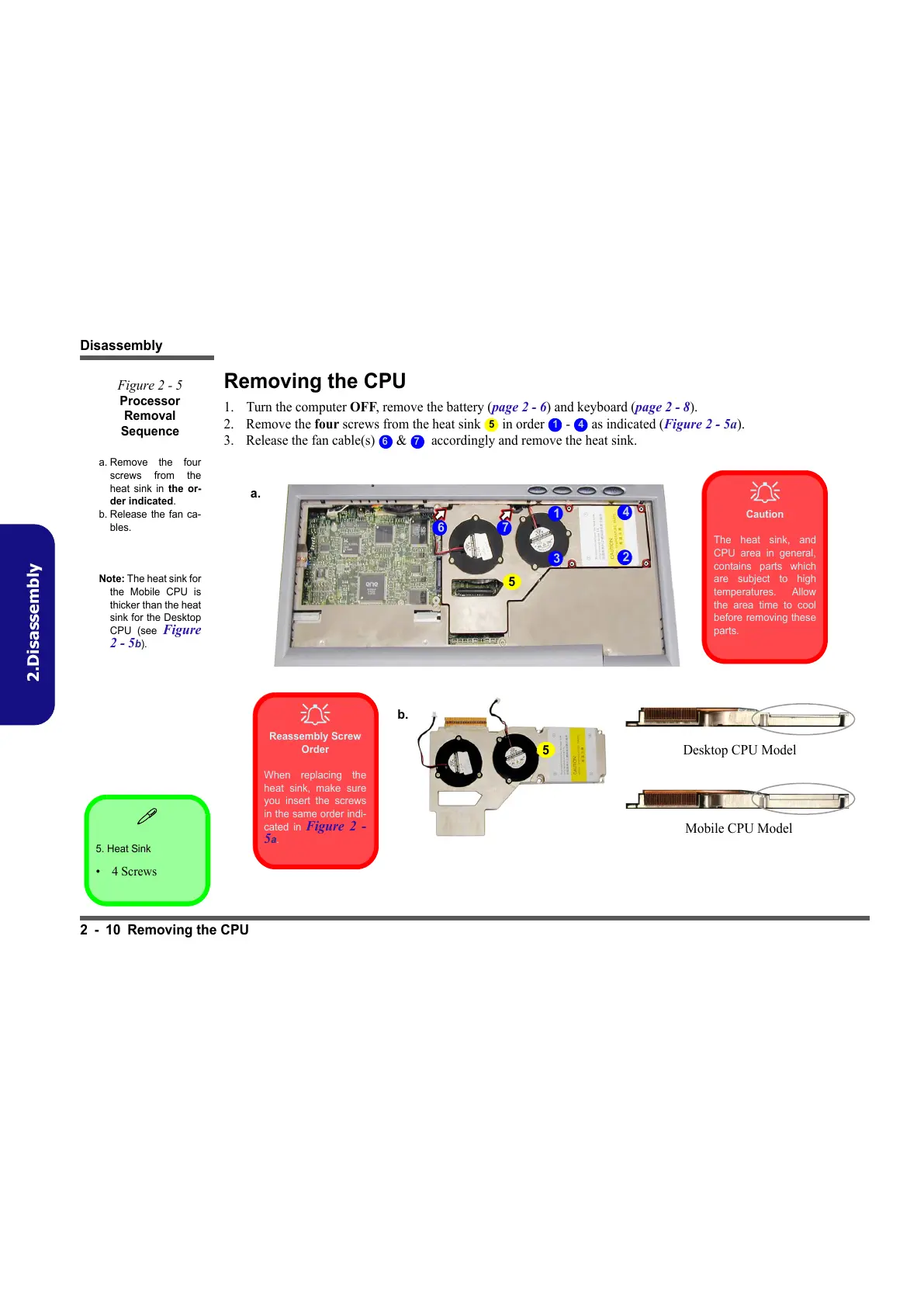
1. Turn the computer OFF, remove the battery (page 2 - 6) and keyboard (page 2 - 8).
2. Remove the four screws from the heat sink in order - as indicated (Figure 2 - 5a).
3. Release the fan cable(s) & accordingly and remove the heat sink.
5. Heat Sink
•4 Screws
Figure 2 - 5
Processor
Removal
Sequence
a. Remove the four
screws from the
heat sink in the or-
der indicated.
b. Release the fan ca-
bles.
Note: The heat sink for
the Mobile CPU is
thicker than the heat
sink for the Desktop
CPU (see
Figure
2 - 5b).
5 1 4
6 7
5
1
3
2
4
Caution
The heat sink, and
CPU area in general,
contains parts which
are subject to high
temperatures. Allow
the area time to cool
before removing these
parts.
Reassembly Screw
Order
When replacing the
heat sink, make sure
you insert the screws
in the same order indi-
cated in
Figure 2 -
5a.
76
b.
5
Desktop CPU Model
Mobile CPU Model
a.
All manuals and user guides at all-guides.com

Table of Contents

Related product manuals