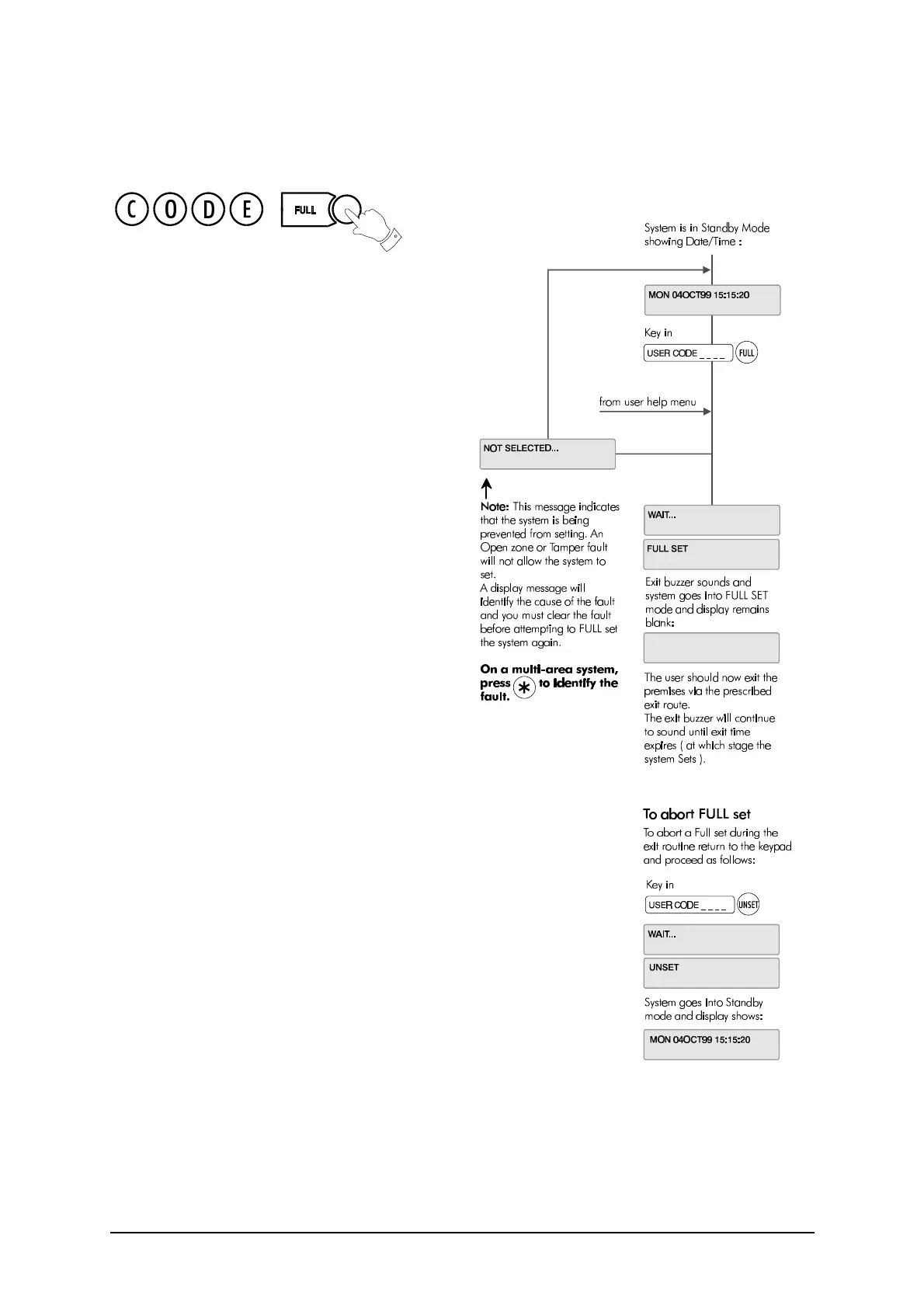
Full Set
12 3GS User Guide
Full Set
This option will set the entire system. Ensure that all
zones (doors, windows, etc.) which are not on the
exit/entry route are closed.
Exit Sequence
Enter your user code and press FULL. Leave via the
exit route. The buzzer will stop at the end of the exit
time and the system will fully set.
The buzzer will sound during the exit routine. At the
end of the exit time, if all zones are closed, the buzzer
will stop. The system will then become Fully Set if :
1. the exit time expires, or
2. the ‘exit terminator’ button is pressed.
If a zone is still open, the system will wait indefinitely
for a clear condition, then set when the zone is
closed.
During the exit period the buzzer will sound with one
of two possible tones, a long beep indicates that all
zones are closed and that the system will set correctly
when the exit time expires; a short beep indicates
that one or more zones are open and the system will
not SET until all these zones have closed.
Multi-Area system
configuration
In a multi-area system, Full Set has the effect of
setting all areas plus the Common Area.
Alarm on exit
If the user strays from the exit route a local alarm will
be generated, tripping internal/external bells.
Action to take:
l Return to control panel;
l Select ‘UNSET’ (see “After an Alarm Activation” on
page 8).
l Remove alert messages (see “Accept All Alerts”
on page 9).
l Reselect “Full Set” and exit the premises.
Entry Sequence
When you enter the building, the system will be Fully Set. The entry buzzer sounds and the entry timer
begins. This gives you a specific number of seconds in which to go to the keypad and Unset the system.
Otherwise a full alarm is generated along with the alert message “CODE ENTRY TIMEOUT”. In this case
repeat the Unset procedure to silence the alarm.



 To Next Page