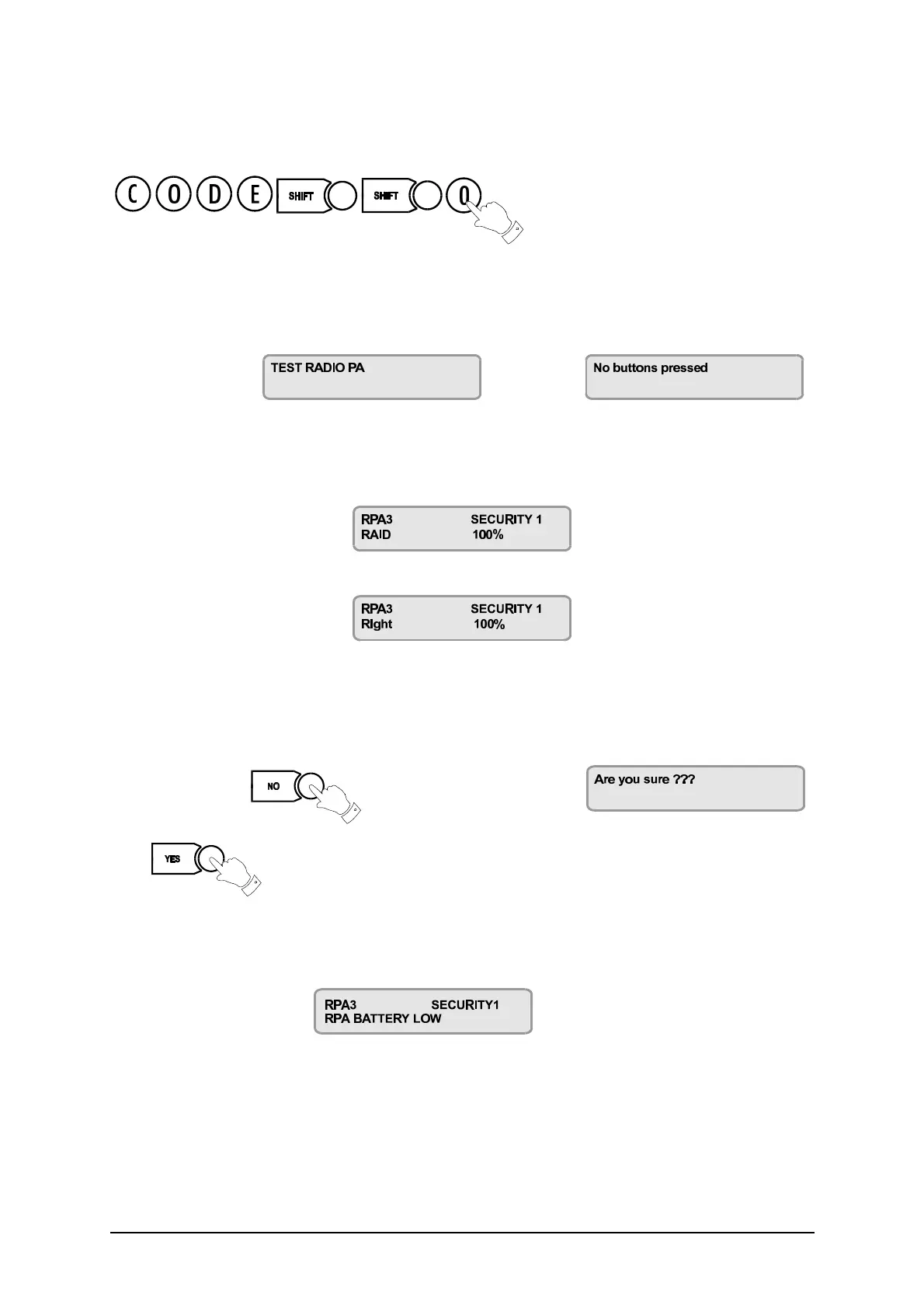
Radio PA Test
26 3GS User Guide
Radio PA Test
This option allows you to test each RPA unit in turn to ensure that the functions are correctly configured.
The system buzzer will sound intermittenly to indicate that the test is in progress.
The display will show followed by
Your installer will give a list of the button combinations for each option. When you press a button or
combination of buttons, the display will show the option assigned to that button and the field strength of the
signal.
For example, if RAID has been assigned to the right (green) button, press this button. The display will show:
If the right (green) button has not been assigned to this function, the display will show
indicating the button that you have just pressed.
✍ NOTE: Some units may not show the percentage value.
Using the list given to you by the installer, go through each option in turn, ensuring that the right button
combination gives you the right option.
When finished, press to exit. The display will prompt:
Press to confirm.
When the RPA battery is low ..
When the RPA battery level is low, the test information will not appear on the display.
Instead, the display will show
Replace the battery.



 To Next Page